
Team Building Game Show - Run Live Trivia Games for Your Team
The live team building game show platform for HR, L&D, and remote teams. Host trivia game shows with custom rounds, buzz-in challenges, and an instant leaderboard on Zoom, Teams, or Google Meet - no app install, no IT ticket.
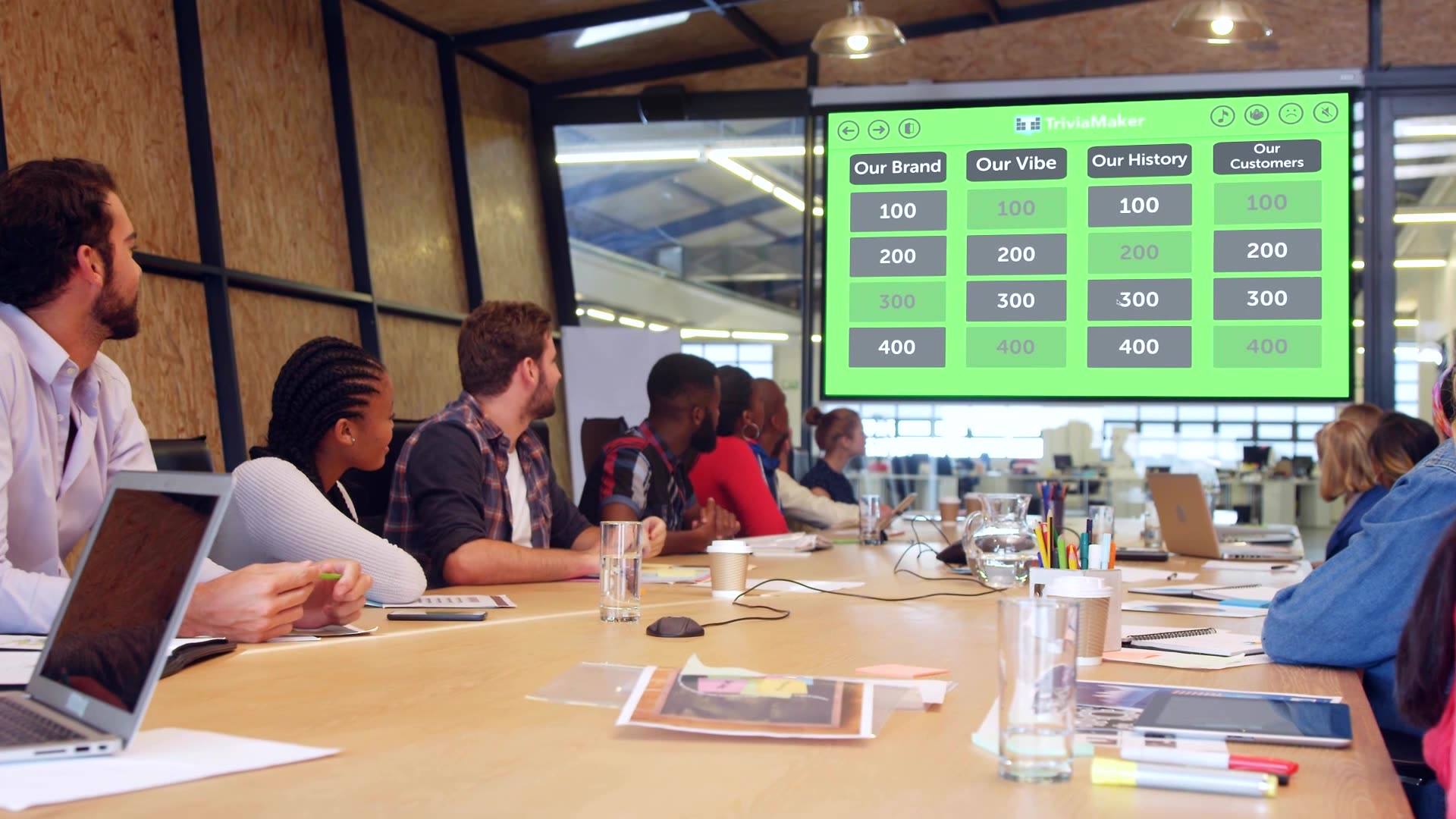
What Is a Team Building Game Show?
A team building game show is a live, trivia-style competition where coworkers play as teams — answering questions, buzzing in, and climbing a leaderboard — while a host runs the show. Used for onboarding, training, all-hands, and remote team events.
Also called a corporate game show — browse 25+ corporate game show ideas.







Built for Every Team Moment That Matters
From onboarding to all-hands, TriviaMaker turns passive sessions into competitive, memorable experiences.
New Employee Onboarding
Turn orientation into a game. Cover company values, team structure, and office trivia in a live quiz new hires actually remember on Day 1.
HR · People OpsL&D Training & Development
Replace post-training quizzes with a live game. Instantly see what your team knows - and what needs a second pass.
Learning & DevCompany All-Hands
Open or close your all-hands with a live company trivia game. Crowd Mode means every attendee plays on their own phone.
Internal CommsRemote Team Events
Run virtual team building activities for remote teams, Friday trivia sessions, and game shows that feel like something - not another awkward Zoom call.
Remote · HybridParticipants per game
Crowd Mode supports up to 2,000 live Participants on their own phones - no app, no login.
Game formats
Grid, Trivia, Wheel, Hangman, List, TicTac, Fusion - run the same content in different formats.
Setup to live quiz
Type a topic, let AI generate questions, share the link. Your team is playing in under 3 minutes.
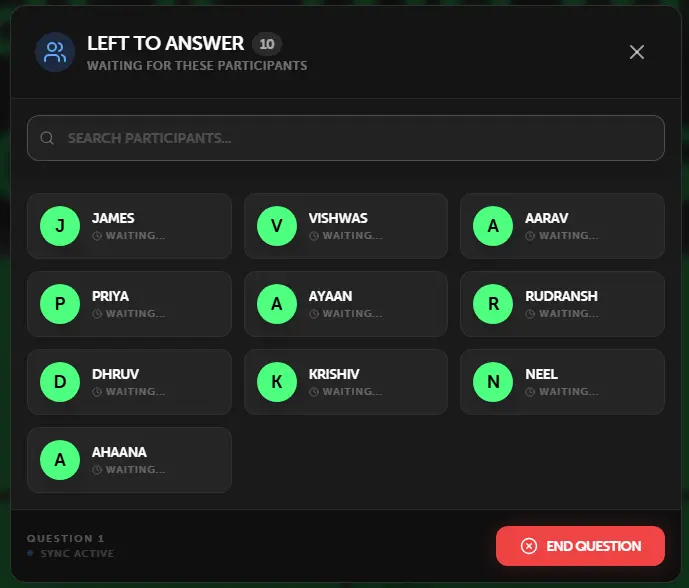
Up to 2,000 People on Their Phones. Zero App Downloads.
Crowd Mode turns any device into a buzzer. Share a link or QR code - participants join in their browser, no install required.
- No app install - join via any mobile browser
- No player account - enter a name and you're in
- Up to 2,000 simultaneous Participants
- Live response count and answer distribution
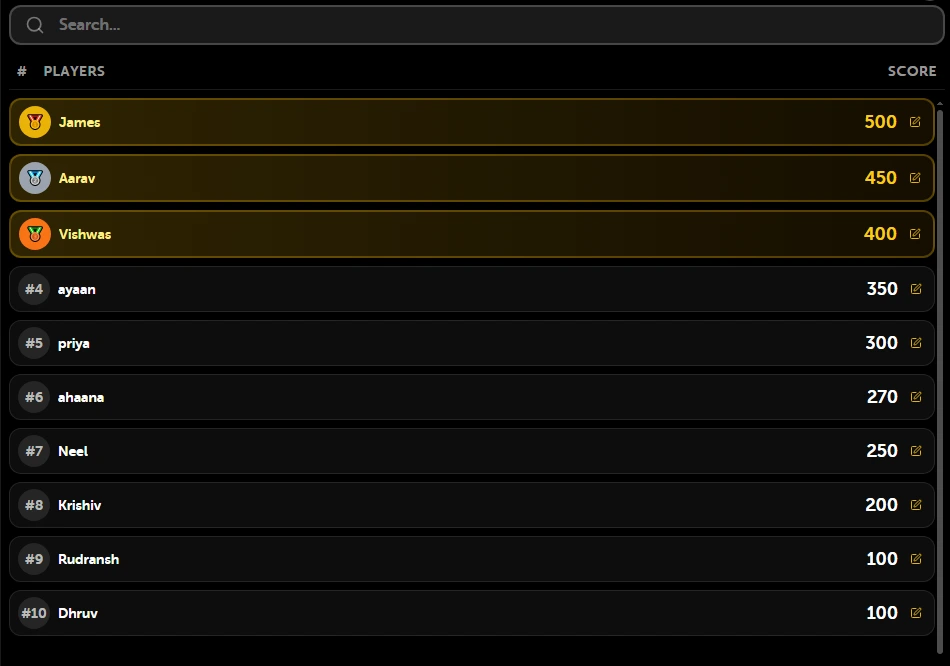
The Moment a Leaderboard Appears, the Room Wakes Up.
Scores update in real time after every question. Project it on your screen between rounds - the competitive energy does the rest. It is one of the simplest employee engagement activities you can run - no budget, no setup, instant payoff.
- Updates instantly after each answer
- Visible on the projected screen
- Speed bonus rewards fastest correct answer
- Perfect for team vs team competition
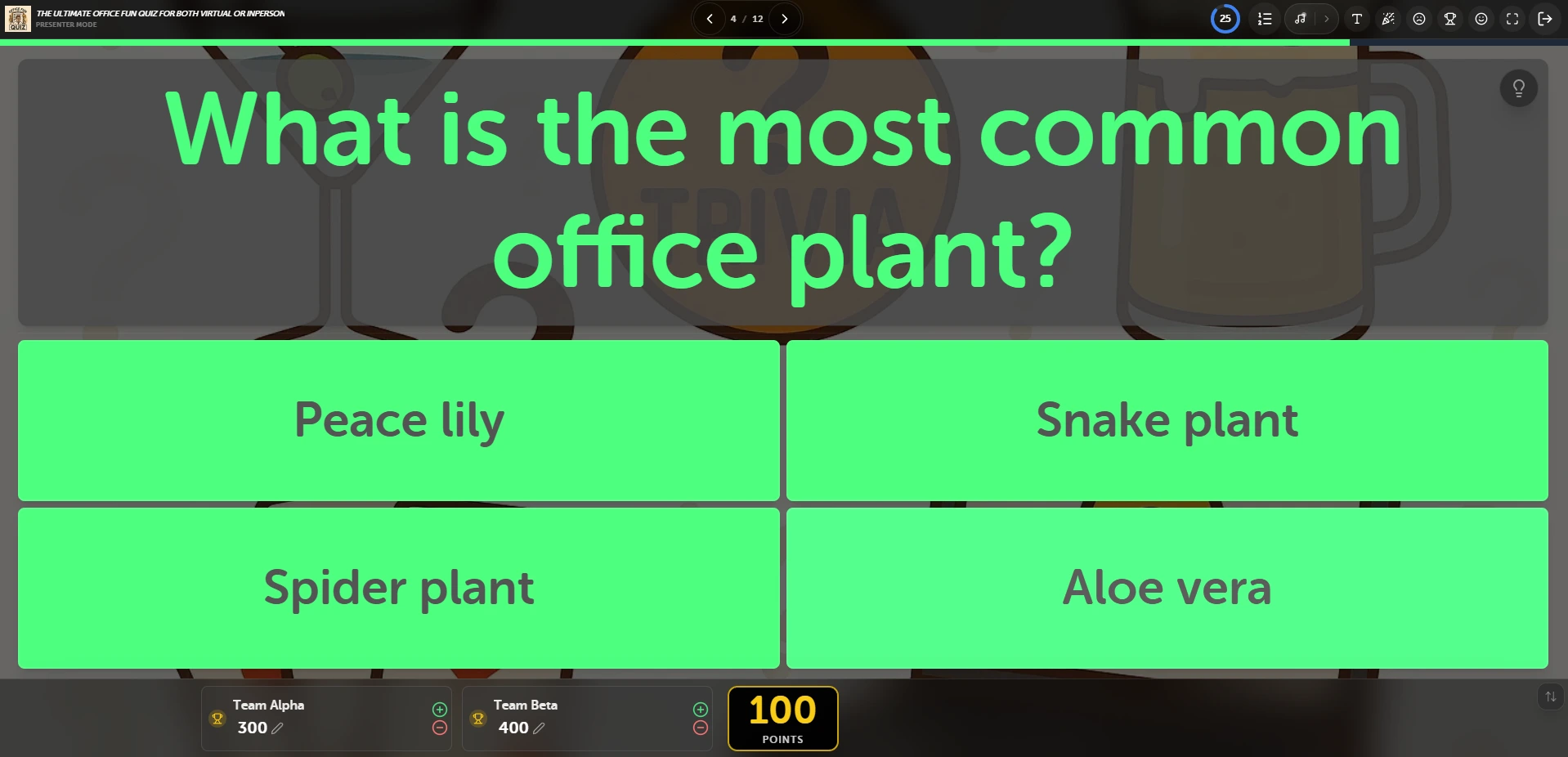
Run the Room Like a Pro. Your Screen, Your Control.
Use Controller Presenter mode to host professionally from one device while projecting gameplay to your audience.
- Click Presenter button ON in game settings to activate
- Open triviamaker.com/presenter/ on your projector or TV
- Enter the 6-digit code to connect both devices instantly
- Your audience sees a clean distraction-free view - you control everything
What Does a Corporate Game Show Host Do?
A corporate game show host explains the rules, keeps energy high, reads questions and reveals answers, manages teams and scores, and closes with prizes. With TriviaMaker, scoring and the leaderboard are automated - any manager, trainer, or HR lead can host a polished show.
Before the show
Picks the format, loads or generates questions, splits players into teams, and tests the join link.
PrepDuring the show
Reads questions with showmanship, manages timers and buzz-ins, and keeps the pace tight.
LiveAfter the show
Crowns the winner, hands out prizes, and uses the answer report to spot knowledge gaps.
Follow-upWant the full MC playbook? Read how to host a game show or learn how to create a game show online.
Replace Boring Training Slides With a 10-Minute Game Show People Actually Remember.
Game-based learning boosts retention 3 - 4x. You're not just making it fun - you're making it stick.
Higher Retention
Competing for a leaderboard spot encodes information better than passive slide decks.
Faster Onboarding
New hires learn company values and team facts faster when it's a game.
Instant Knowledge Gaps
See exactly which questions your team got wrong - without formal assessment.
Genuine Team Connection
Shared competition builds rapport faster than any workshop.
😴 Traditional Training
- 60-slide PowerPoint nobody reads
- Post-course quiz filled out to pass, not to learn
- 10% retention after 1 week
- Zero real-time engagement signal
🎮 TriviaMaker Session
- 10-minute live game the whole team is focused on
- Live leaderboard = genuine competition & recall
- 3 - 4× higher knowledge retention
- Instant answer distribution - know gaps immediately
Works on Zoom, Teams, Google Meet - Just Share Your Screen.
No tech support calls. No plugin. Share your screen and go - it is the easiest way to run online trivia games for Zoom, Teams, or Meet.



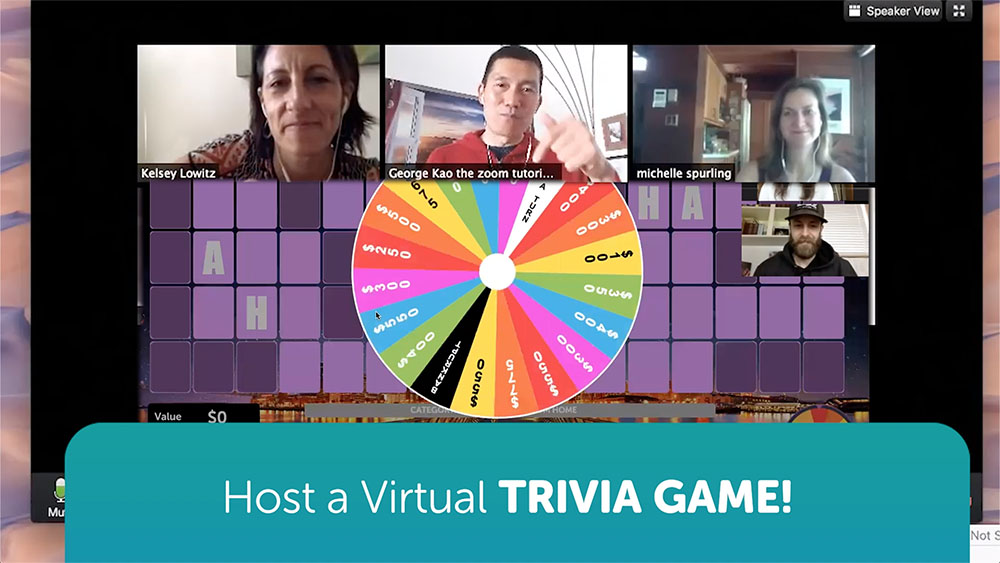

How to Host a Team Building Game Show in 4 Steps
Total setup time: under 6 minutes. Full deep-dive in our how to host a game show guide - here's the fast version.
Pick a format & theme
Trivia, Grid, Wheel, List, or Fusion - plus a theme your team cares about.
~2 minLoad your questions
Write 15–25 across 3–5 rounds, let AI draft them, or grab team building trivia questions and answers.
~3 minShare the join link
Teams of 4–6. In-office: project + QR code. Remote: screen-share + link in chat.
~1 minRun the show
Reveal the leaderboard between rounds, keep it snappy, crown the winner.
10–20 minTry Ready-Made Corporate Quiz Games - No Sign Up




Game Show Ideas for Work - 8 Proven Formats
Mix one high-energy opener with two middle rounds and a finale. These eight formats work for in-office, remote, and hybrid teams alike.
Company Trivia Tower
Classic MCQ rounds on company facts, history, and pop culture - the easiest first game show for any team.
Trivia formatBuzz-In Bonanza
First-to-answer speed rounds where fast fingers win. Great for restarting a sleepy afternoon session.
Buzz modeSpin & Win Prize Wheel
The wheel decides the category and the stakes - suspense your team will talk about for weeks.
Wheel formatList It!
"Name 7 company values" style rounds that double as brainstorming and culture reinforcement.
List formatFusion Championship
Three formats, three rounds, one winner - a TV-style arc for quarterly all-hands and offsites.
Fusion formatManager vs. Team Showdown
Leaders face the team in a finale round. Instant crowd engagement, zero setup beyond the questions.
Head-to-headLive Poll Trivia
Every question doubles as a live audience poll - percentages roll in on screen as teams answer. Mix scored rounds with opinion votes.
Live PollHangman Mystery
Teams guess hidden phrases - slogans, movie titles, buzzwords - letter by letter before the puzzle wins.
Hangman formatWant 25+ more themes, question banks, and round structures? See the full list of corporate game show ideas, plus ready-to-play trivia games for work. Building a recurring program? Browse the complete team building games library.
Simple Pricing for Teams of Any Size
- 3 game styles
- 20 Crowd Mode Participants
- Unlimited quizzes
- No custom branding
- No AI generator
- All 7 game styles
- 50 Crowd Mode Participants
- AI question generator
- Custom branding & logo
- All 7 game styles
- 200 Crowd Mode Participants
- AI question generator
- Custom branding & music
- Assignment & Embedded modes
- Shared game library
- Admin user management
- Up to 2,000 Crowd Participants
- Bulk discount pricing
- Organization branding
Real Teams. Real Sessions. Real Results.
Worked perfectly for our staff training day. People actually paid attention - first time that's ever happened with a training quiz.
We ran a company-wide all-hands trivia session with 180 people on Zoom. Crowd Mode worked flawlessly. Best 15 minutes of the quarter.
I use it for onboarding and new hires love it. They learn our culture through a game and actually remember it. AI generator is incredible.
Questions Teams Usually Ask
Related Team Building Guides
Plan your next session with these deep-dive guides from the TriviaMaker team.
Your Next Team Session Can Be the Most Engaging One Yet.
Free to start. No credit card. Your first quiz can be live in under 5 minutes.
Free plan available·Up to 2,000 players·7-day money-back guarantee