
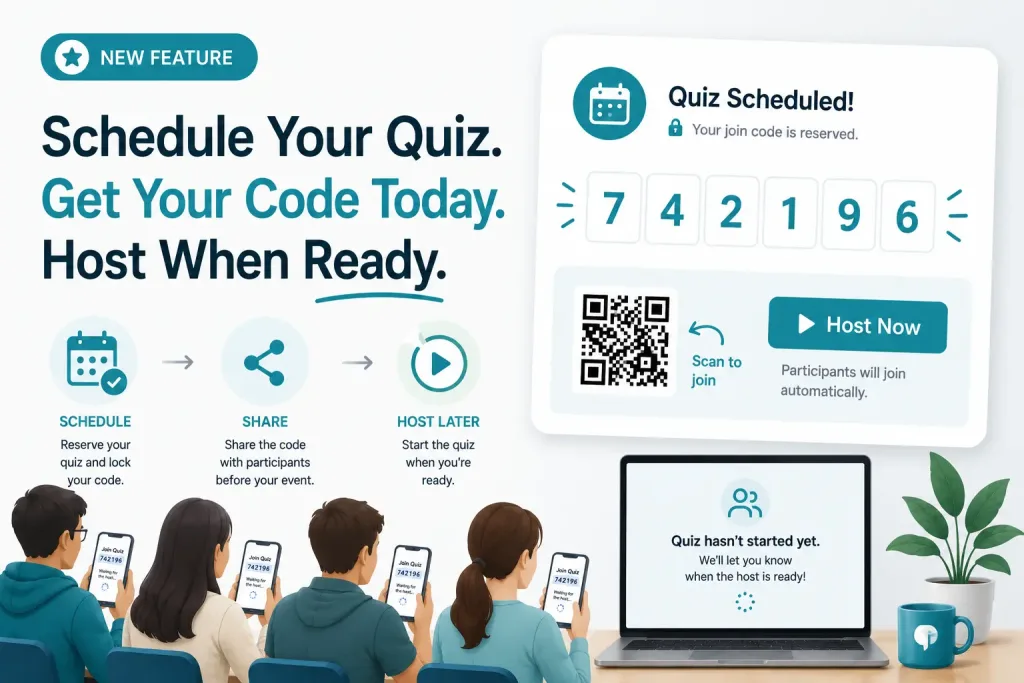
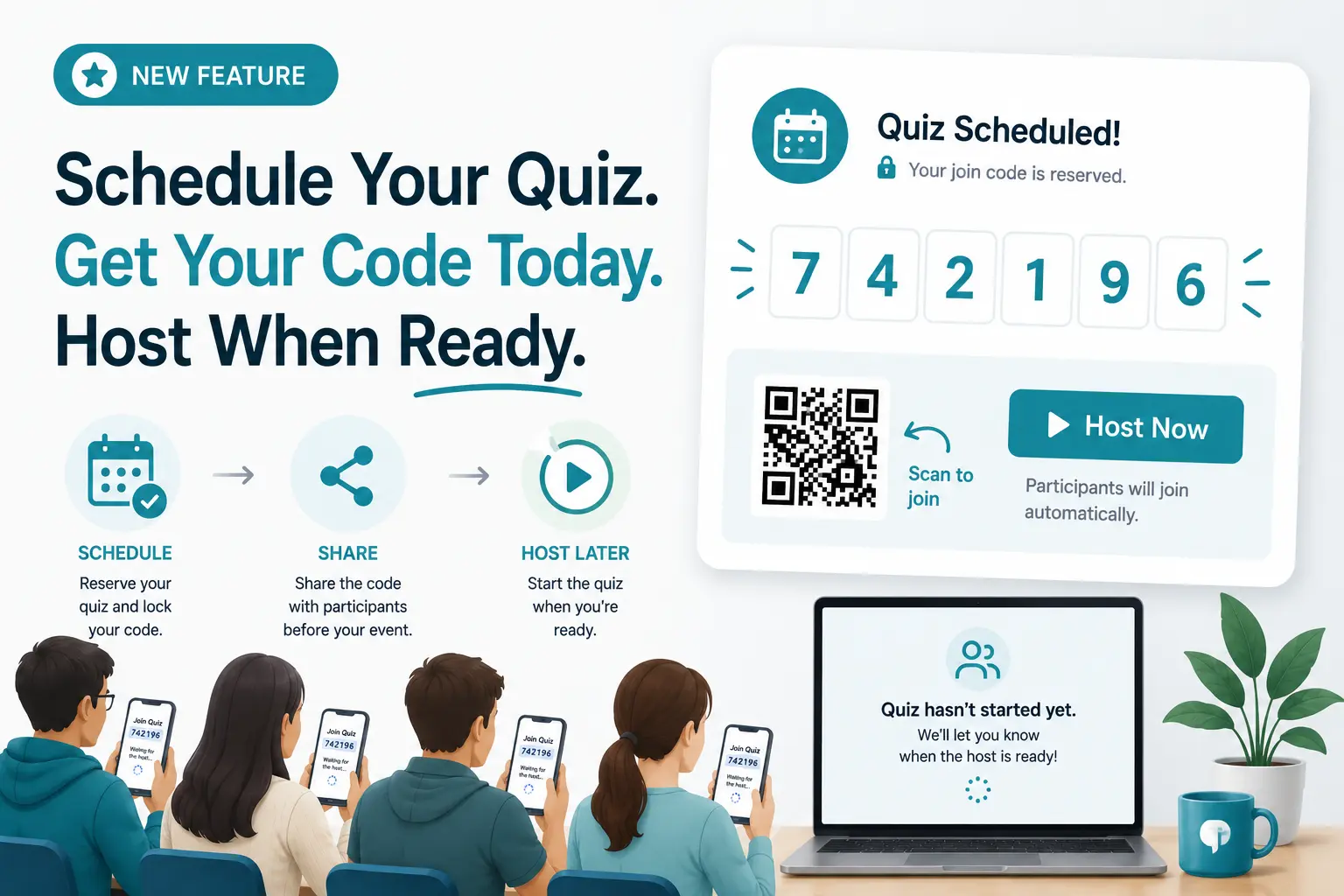
Planning a classroom quiz, a corporate training session, a team meeting, or a live trivia event? You no longer need to wait until the moment it starts to share your join code.
TriviaMaker now lets you schedule a quiz in advance – reserve your unique 6-digit join code ahead of time, share it with participants before the event, and launch when you’re ready.
We’re excited to introduce Scheduled Quiz Codes – a purpose-built quiz scheduling tool for teachers, trainers, and live event hosts.
TriviaMaker’s Schedule Quiz feature lets users set a future start time for a quiz and share it in advance. Players can join using a link or game code when the quiz becomes available.
What Is a Scheduled Quiz?
A scheduled quiz is an online quiz that has a reserved join code or access link generated before the session begins. Instead of scrambling to share a code the moment you go live, a quiz scheduling tool lets you distribute the code hours – or even days – in advance.
With TriviaMaker’s Scheduled Quiz Codes, you can:
- Share your quiz join code or link before the event starts
- Send participants a QR code in advance via email, Slack, or your LMS
- Let participants join the lobby early – no repeated announcements needed
- Start the live quiz when you’re ready, and everyone joins automatically
It’s the simplest way to create a scheduled quiz online and ensure a smooth, professional start every time.
Why We Built a Quiz Scheduling Tool
The most common request from teachers, trainers, and event hosts was straightforward:
“Can I share my game code before the event begins?”
Previously, a join code only appeared after launching a live game. That made it nearly impossible to:
- Send quiz invitations or links ahead of time
- Add a join code to presentation slides or printed materials
- Include access codes in calendar invites or training documents
- Prepare participants before the quiz session starts
Scheduled Quiz Codes solve this completely. It’s now one of the most requested features on the platform – and one of the most practical additions for anyone running a live quiz platform for classrooms, corporate events, or remote teams.
How to Schedule a Quiz in Advance – Step by Step
Here’s exactly how to use TriviaMaker’s quiz scheduling feature to set up a quiz and share the code before your event begins.
Step 1: Open Your Quiz
Navigate to any quiz you own in your TriviaMaker dashboard.
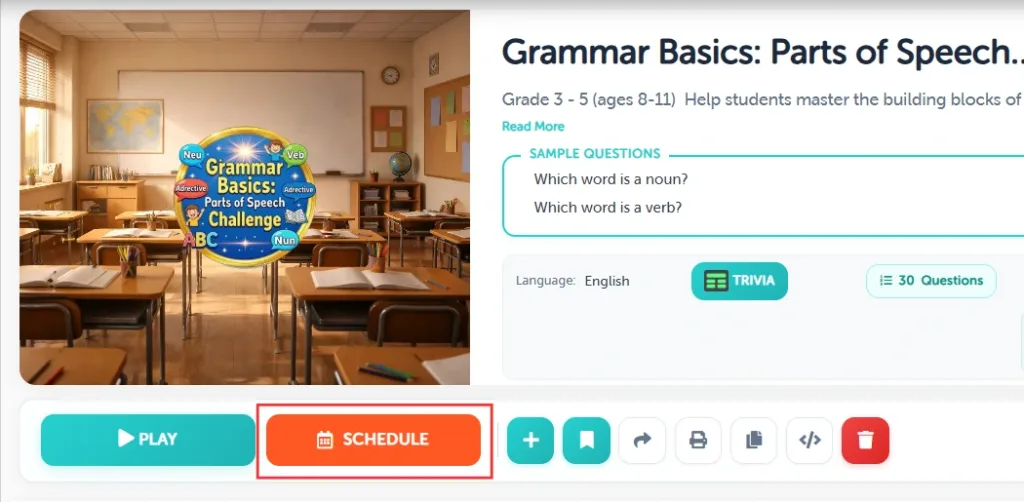
You’ll see a new Schedule button next to your quiz options.
Step 2: Reserve Your Join Code
Click Schedule to generate and lock your unique 6-digit join code. This is your pre-scheduled trivia game access code – reserved exclusively for your session.
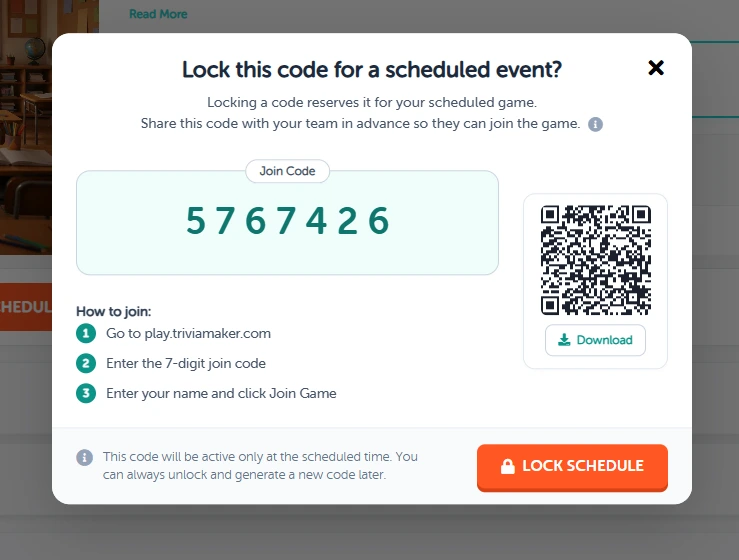
TriviaMaker reserves this code exclusively for your quiz – no one else gets the same code during your session window.
Step 3: Share the Quiz Link or Code With Participants
Copy the join code or download the QR code. Share it however works best for your context – email, Slack, a calendar invite, a slide deck, printed handouts, or your school’s LMS.
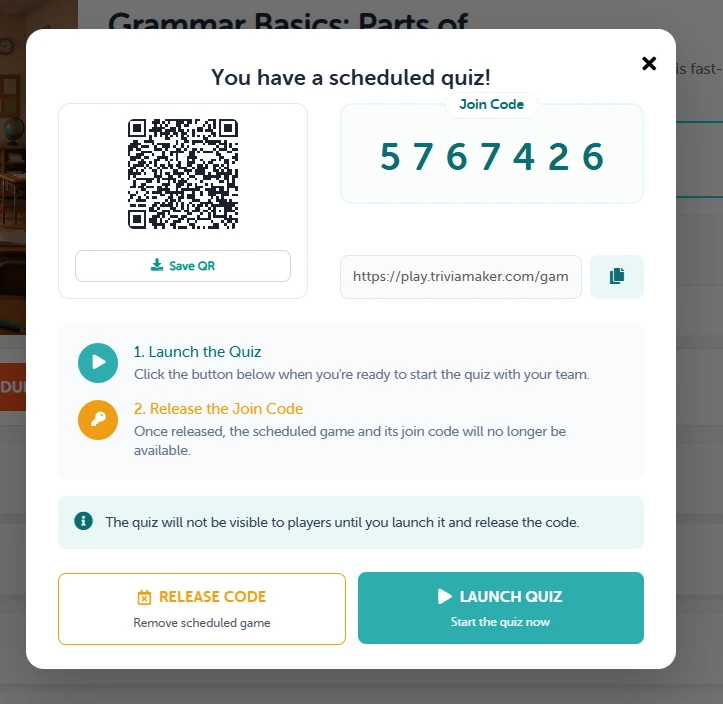
Participants can enter the code any time before or during the event. They’ll see a waiting screen until you launch.
Step 4: Launch the Quiz When You’re Ready
When you’re ready to begin, click Launch Quiz. Anyone who entered the code early will automatically move from the waiting lobby into the live game.
What Participants See When They Join Early
If someone enters the join code before you’ve started the quiz, they’ll see a friendly holding screen letting them know the quiz hasn’t started yet. Once you launch, they automatically enter the live game – no second login, no re-entering the code.
This makes the experience seamless for participants, especially in large events or hybrid classrooms where joining speed matters.
Designed for Real Events
Scheduled Quiz Codes are built for hosts who need to prepare before the event starts.
Teachers & Educators
- Share join codes before class begins
- Add join codes to lesson plans or presentations
- Allow students to join early and be ready when class starts
- Reduce time spent waiting for students to enter codes
- Create a smoother classroom experience
Corporate Trainers
- Include join codes in calendar invites
- Share QR codes before training sessions
- Allow attendees to join before the presentation begins
- Start training on time without setup delays
- Improve participation during workshops and onboarding sessions
Event Hosts
- Display join codes on event screens before guests arrive
- Share QR codes in event materials
- Let attendees join while waiting for the event to start
- Avoid announcing codes multiple times
- Create a seamless event experience
Team Building Facilitators
- Send codes to participants before the activity begins
- Allow teams to gather and join in advance
- Start games instantly when everyone is ready
- Reduce waiting and setup time
- Keep team-building sessions running smoothly
Conference Speakers
- Share join codes on presentation slides
- Let attendees connect before the session starts
- Launch interactive quizzes at the perfect moment
- Increase audience participation
- Eliminate last-minute joining issues
Virtual & Hybrid Meetings
- Share codes in Zoom, Teams, or Google Meet chats
- Allow remote participants to join early
- Ensure everyone is ready before launching the quiz
- Improve engagement during online events
- Create a better experience for distributed teams
Churches, Nonprofits & Community Groups
- Keep events organized and engaging
- Share codes before gatherings begin
- Display QR codes on screens or printed materials
- Help attendees join without rushing
- Make interactive activities easier to manage
Schedule your quiz now – share the code before your event even starts.
Schedule My First Quiz →Important Things to Know
- Available for paid users – upgrade to access Scheduled Quiz Codes
- One active scheduled quiz per account at a time
- Reserved codes are unique to your quiz
- The same code is used when the quiz launches – participants who joined early are already in
- Participants see a friendly waiting screen until you start
- Reserved codes older than 30 days are automatically removed
Frequently Asked Questions About Scheduling a Quiz Online
Can I schedule a quiz and share the link before the event?
Yes. That’s exactly what Scheduled Quiz Codes are built for. Reserve your unique 6-digit code from your dashboard, then share the code or QR link via email, Slack, a calendar invite, or any platform you use. Participants can join the waiting lobby before you launch.
How do I schedule an online quiz for students?
Open a quiz in TriviaMaker, click Schedule, copy the join code, and share it with your class in advance – via Google Classroom, your LMS, email, or your lesson slides. Students enter the code when they’re ready, and the quiz stays in a waiting state until you click Launch.
What is the best way to schedule a quiz and share the link?
The most effective approach is to reserve your code 24–48 hours before the event, include it in your calendar invite or pre-event communication, and display it on a welcome screen when people arrive. TriviaMaker generates both a text code and a QR code to make this as flexible as possible.
Does the join code change when the quiz starts?
No. The same code participants entered before the quiz begins is used when you launch the live game. Anyone already in the lobby automatically joins – no re-entry, no confusion.
Is quiz scheduling available on the free plan?
Scheduled Quiz Codes are available for paid users. TriviaMaker’s free plan gives you access to live quiz hosting with up to 20 participants. Paid plans start at $19/year and include scheduling, all game styles, and full customization.
Can I use this for a corporate training quiz with link sharing?
Absolutely. Scheduled Quiz Codes are widely used for corporate onboarding, compliance training, and team-building sessions. Include the code in your meeting invite, share it in your Teams or Slack channel before the session, and start training the moment everyone is ready.
Ready to Schedule Your First Quiz?
Open any quiz in your TriviaMaker dashboard and click Schedule to reserve your join code today. Share it before your event, let participants join early, and launch when you’re ready.
We can’t wait to see how you use Scheduled Quiz Codes to make your events smoother and easier to manage.
Smoother starts. Better engagement. No last-minute scrambling.