
Quick Summary
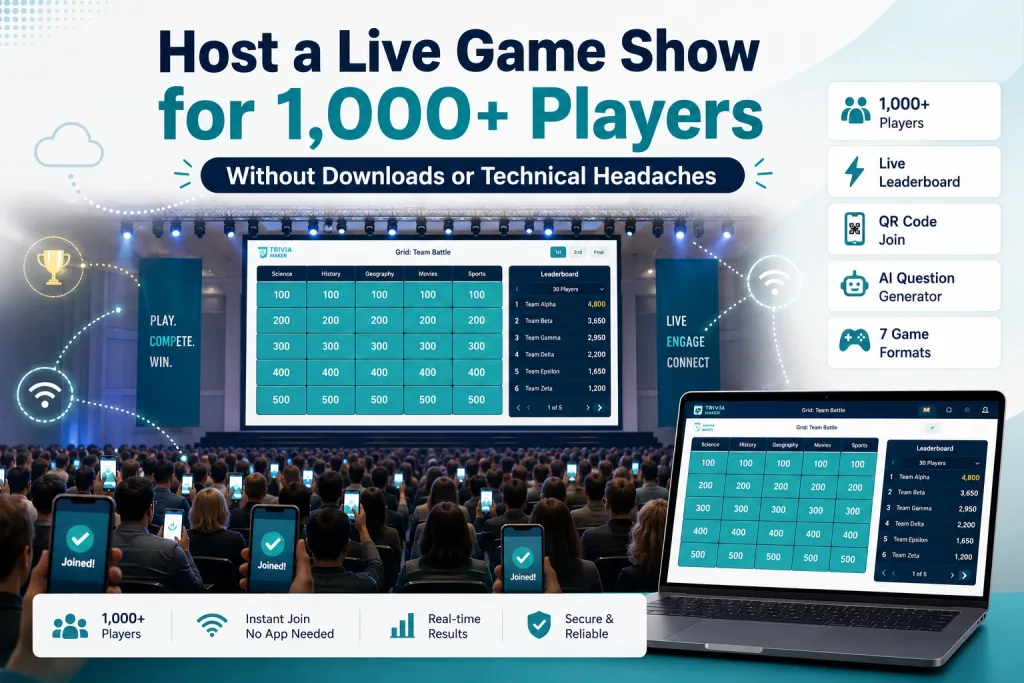
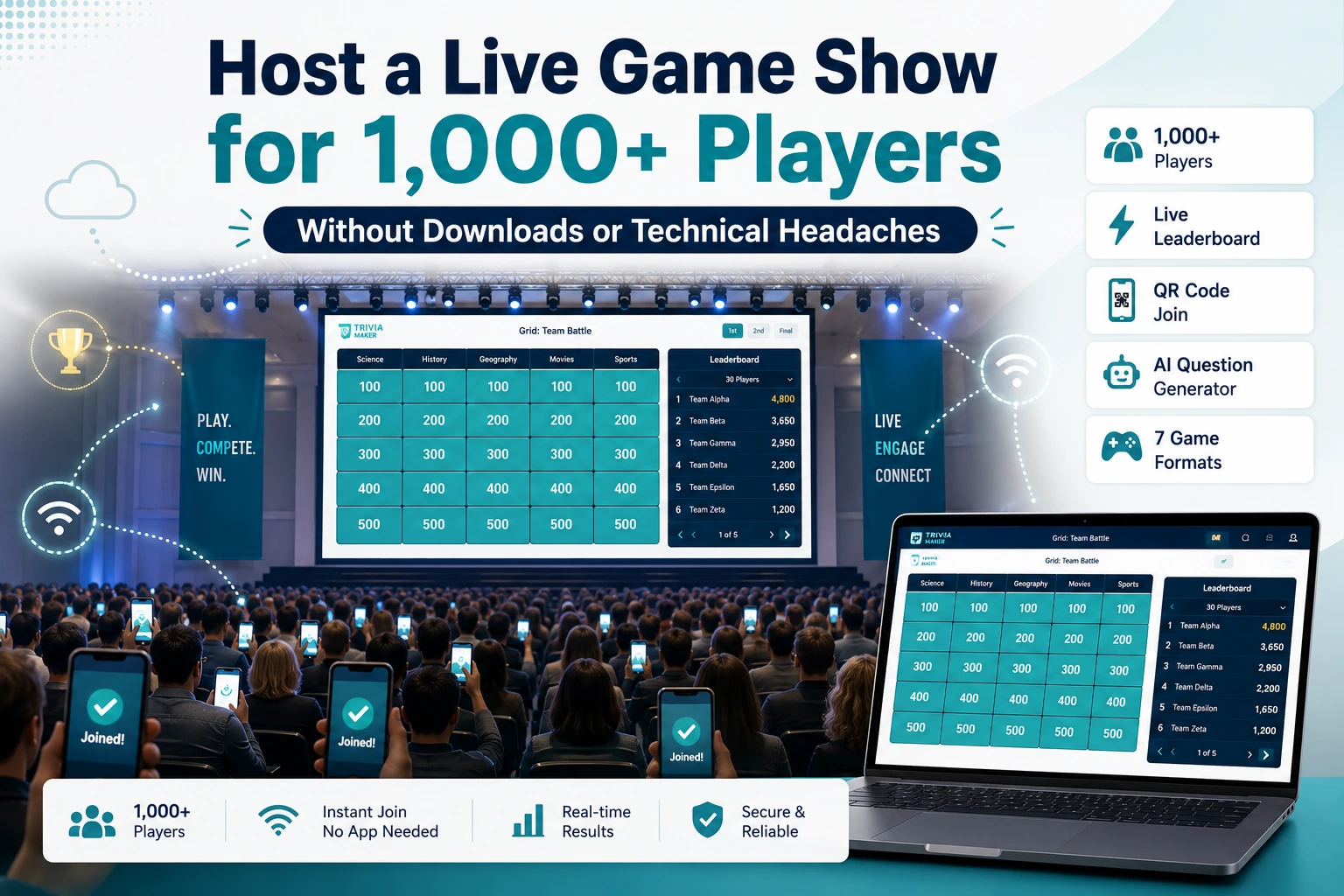
Here’s how to host a game show for 1,000+ people: use a browser-based platform with server-side processing (no app download), choose Classic Trivia as your format, and run 3 rounds over 25-35 minutes. The host shares their screen while players join via QR code on any device. TriviaMaker’s Enterprise plan supports up to 2,000 Crowd Mode participants with no per-person fees.
You have 1,000 people on a Zoom call, a company all-hands, or a conference floor – and you need to turn them from passive viewers into active participants. A game show (a structured, competitive quiz experience with scoring, leaderboards, and timed rounds – distinct from a simple poll or survey) is the obvious answer. But most game show tools weren’t built for this scale.
Kahoot’s standard plans support up to 2,000 players, but third-party reviews and user reports suggest performance can be inconsistent at higher counts. Mentimeter doesn’t have game show formats. Slido is Q&A only. And hiring a professional game show company for 1,000 attendees can cost tens of thousands of dollars. (We tested 10 platforms head-to-head – see the full best online game show makers comparison.)
There’s a better way. This guide walks through exactly how to host a game show for 1,000+ participants – the tech setup, the format choices, the engagement strategies, and the tools that actually work at scale.
If you want a dedicated tool built for exactly this scenario, TriviaMaker’s online game show maker is purpose-built for large-audience formats like the one this guide walks through.
Why Most Game Show Tools Fail at 1,000+ Players
Before getting into the how-to, it’s worth understanding why this is hard – and why most tools break at scale.
| Problem | What Typically Happens | Common Limitations |
|---|---|---|
| App download requirement | Asking 1,000 people to download an app creates significant friction and can reduce participation | Kahoot (app recommended), Quizizz |
| Server lag | Responses can take several seconds to register, causing leaderboard delays | Tools not optimized for high player counts |
| Connection drops | Players get kicked out mid-game and can’t rejoin | Generic quiz tools |
| No team structure | 1,000 individuals competing is chaotic – no sense of belonging | Most poll/quiz tools |
| Host bandwidth | Screen sharing to 1,000 viewers requires stable infrastructure | Self-hosted solutions |
The tools that work at 1,000+ share three traits:
- Browser-based (no app download)
- Server-side processing (the game runs on their servers, not your laptop)
- Designed for scale (tested at high player counts, not just marketed for them)
TriviaMaker’s game show platform was built around exactly these three constraints – browser-based, server-side, and tested at high player counts rather than just marketed for them.
The 3 Ways to Host a Game Show for 1,000+ People
| Approach | Cost | Effort | Best For |
|---|---|---|---|
| Self-hosted software (TriviaMaker, Crowdpurr) | $40-200/year | Low – build and run yourself | Regular events, budget-conscious teams |
| Hosted service (Confetti, Elevent, TeamBonding) | $160-$170/year | Zero – they handle everything | One-time events with big budgets |
| Hybrid (software + hired host) | $500-2,000 (host fee + software) | Medium – you build, they host | Events that need a professional MC |
For most teams, self-hosted software is the right answer. You get 90% of the experience at 1% of the cost. The rest of this guide focuses on the self-hosted game show maker approach using TriviaMaker. If you’re starting from scratch, see our guide on how to create a game show online.
Step-by-Step: Hosting a Game Show for 1,000+ People with TriviaMaker
Step 1: Choose Your Game Format (5 minutes)
Not every game show format works at 1,000+ players. Here’s what does:
| Format | Works at 1,000+? | Why |
|---|---|---|
| Classic Trivia (timed multiple choice) | ✅ Best choice | Everyone answers simultaneously – no waiting for turns. Scales to 2,000+. |
| Spin-to-Reveal Wheel | ✅ Good for teams | Audience watches while selected teams compete. Works as a spectacle. |
| Survey Game (Audience Survey format) | ⚠️ With teams | Divide into teams of 5-15. Each team submits one answer. Works but requires coordination. |
| Grid-Style Board (Category Board) | ⚠️ Limited | Best as a demo round with 2-3 teams while the audience watches. Not for mass participation. |
| Hangman | ❌ Not at scale | Too slow for 1,000+ – individual turns don’t work. |
| Tic-Tac | ❌ Not at scale | Head-to-head format – only 2 teams. |
Recommendation for 1,000+ people: Start with Classic Trivia as your main format. If you want variety, use TriviaMaker’s Fusion format to chain a trivia round, a wheel round, and a survey round into one tournament.
Step 2: Prepare Your Questions (15-30 minutes)
For 1,000+ people, question quality matters more than quantity. You need:
- 30-50 questions for a 30-45 minute game
- Mix of difficulty: 60% easy (everyone can answer), 30% medium, 10% hard (separates the leaders)
- Variety of topics: mix general knowledge with company-specific or event-specific content
- Short questions: under 30 words per question. Long questions lose people at scale.
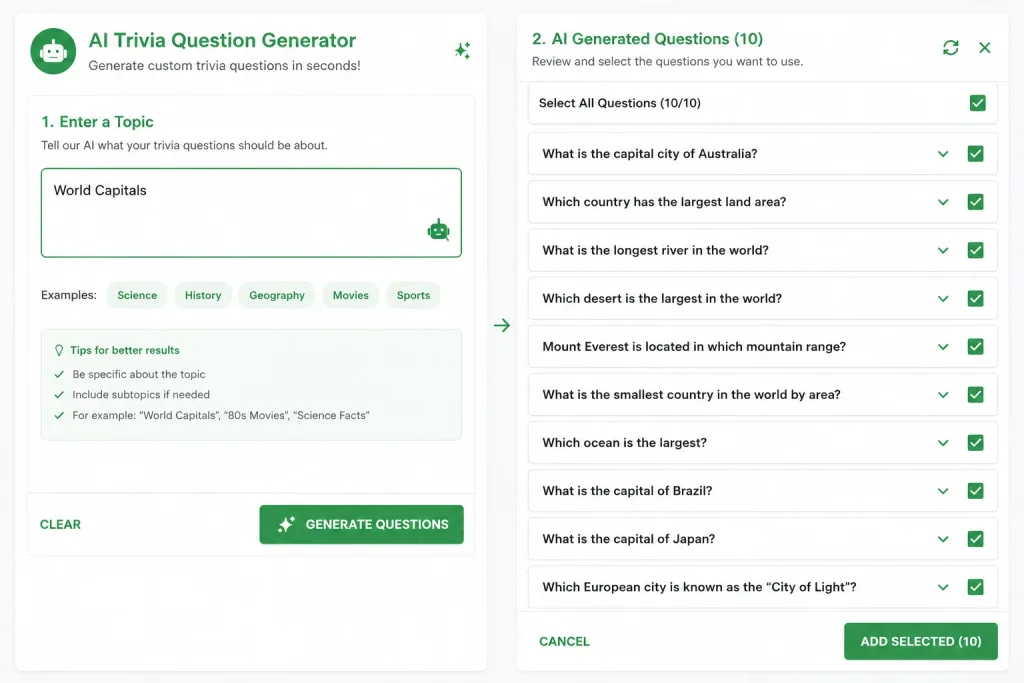
Fastest method: Use TriviaMaker’s AI question generator. Type a topic (e.g., “2026 pop culture”), upload a PDF (e.g., your company handbook), or paste a URL – the AI generates a complete question set in seconds.
Sample question mix for a company event:
- 10 general knowledge (pop culture, science, geography)
- 10 industry/company-specific
- 5 current events (2026)
- 5 fun/silly (would you rather, guess the emoji)
Step 3: Set Up the Technical Infrastructure (10 minutes)
This is where most large-group game shows fail. The tool works fine – the setup doesn’t. Here’s the checklist:
For the host:
- ✅ Wired internet connection (not WiFi). WiFi drops at the worst moment.
- ✅ 10+ Mbps upload speed (for screen sharing to 1,000 viewers)
- ✅ Backup device (have a second laptop ready with the same game loaded)
- ✅ Screen sharing tool (Zoom, Teams, Google Meet, or a projector for in-person)
- ✅ Test with 10-20 people before the live event. Always.
For the players:
- ✅ Any device with a browser (phone, laptop, tablet)
- ✅ No app download – TriviaMaker runs entirely in the browser
- ✅ No account required – players enter a join code and start playing
For in-person events:
- ✅ Projector or large screen for the host view
- ✅ PA system or microphone for the host’s voice
- ✅ WiFi capacity – venue WiFi must handle 1,000+ simultaneous connections. Ask the venue about their capacity. If they can’t guarantee it, consider a cellular hotspot backup.
For virtual events (Zoom/Teams):
- ✅ Host shares screen showing the TriviaMaker game board
- ✅ Players open TriviaMaker on their own device (phone or second screen)
- ✅ Chat moderation – assign someone to manage the chat while the host runs the game
Step 4: Choose Your Play Structure (5 minutes)
For 1,000+ people, you have two options:
Option A: Crowd Mode (Individual Play)
- Everyone plays individually on their own device
- Simplest setup – no team coordination needed
- Leaderboard shows top individual scores
- Best for: All-hands meetings, conferences, virtual events where people are joining from different locations
Option B: Team Play
- Divide 1,000 participants into smaller teams of 5-15 people each, with a team captain who submits answers.
- Leaderboard shows team scores
- Best for: In-person events, department competitions, company offsites (but requires more coordination)
For most 1,000+ person events, Crowd Mode is the recommended choice. It requires zero coordination, and the leaderboard creates individual competition that keeps people engaged.
If you want team play, assign team captains in advance and have them use TriviaMaker’s team features. Each captain creates a team, and players join their team’s code.
Step 5: Launch and Share the Join Code (1 minute)
- Click Launch in TriviaMaker
- The game displays a 6-digit join code and a QR code
- Show the code on screen (projector or screen share)
- Players scan the QR code or enter the code at triviamaker.com
- Players join in under 10 seconds – no app, no account, no friction
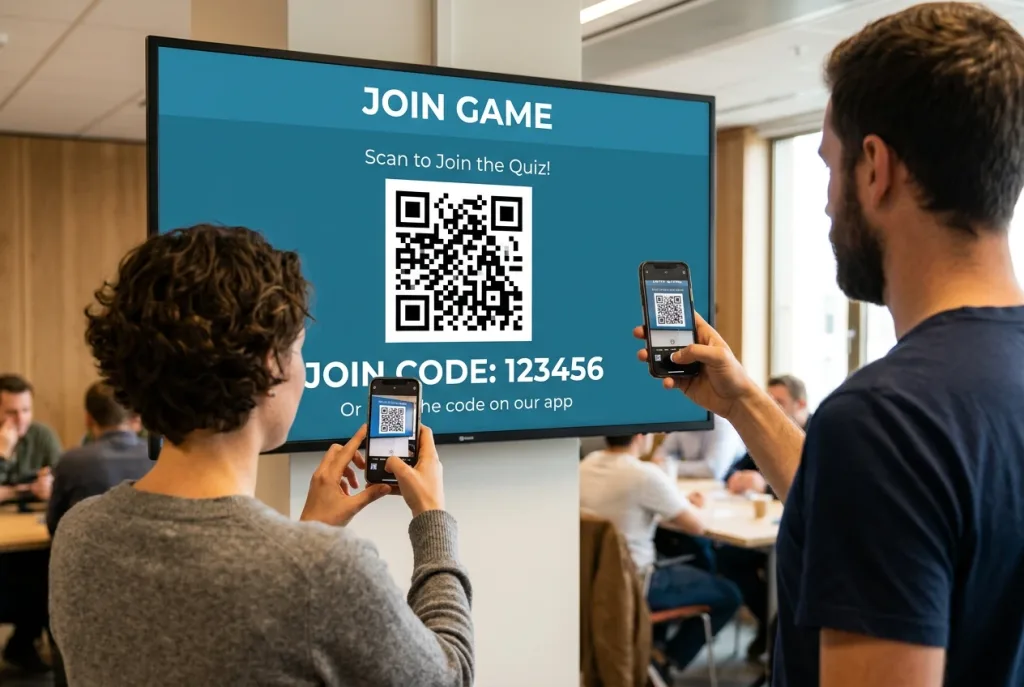
Pro tip for 1,000+ people: Display the join code for a full 60 seconds before starting the game. At scale, people need time to pull out their phones, open a browser, and type the code. Don’t rush this step.
Pro tip for virtual events: Paste the join link in the chat. Players click it and are in the game immediately.
Step 6: Run the Game (20-45 minutes)
Pacing for 1,000+ people:
| Segment | Duration | What Happens |
|---|---|---|
| Welcome & join time | 2-3 min | Show join code, explain rules, wait for players |
| Round 1: Easy warm-up | 5-7 min | 8-10 easy questions. Gets everyone comfortable. |
| Leaderboard reveal | 1 min | Show top 10. Announce scores. Build energy. |
| Round 2: Medium difficulty | 7-10 min | 10-12 medium questions. Competition heats up. |
| Leaderboard reveal | 1 min | Announce top teams/individuals. Create drama. |
| Round 3: Hard + fun | 7-10 min | 8-10 hard questions mixed with fun/silly ones. |
| Final leaderboard + winner | 2-3 min | Announce winner. Celebrate. Close. |
Total: 25-35 minutes. Don’t go longer – attention spans drop sharply after 35 minutes at scale.
Engagement tips for 1,000+ people:
- Announce scores between rounds. The leaderboard creates competitive energy.
- Use a co-host. One person runs the game; another reads questions aloud and keeps energy high.
- Mix question types. Alternate between text questions and image/sound questions.
- Create “moment” questions. One question that’s so funny or surprising that people talk about it after.
- Celebrate the winner publicly. Screenshot the leaderboard, share it in Slack/email after the event.
Step 7: Post-Game Follow-Up (5 minutes)
- Share the leaderboard in Slack, email, or the company newsletter
- Thank participants publicly
- Share a replay link if the event was recorded
- Gather feedback – a quick 2-question survey: “Did you enjoy the game show?” and “What would you change?”
Technical Setup Cheat Sheet
| Scenario | Host Setup | Player Setup | Key Risk |
|---|---|---|---|
| In-person, 1,000 people in one room | Projector + PA system + wired internet | Phone browser + venue WiFi | Venue WiFi capacity |
| Virtual, 1,000 on Zoom | Screen share + wired internet | Phone or second screen | Host’s upload bandwidth |
| Hybrid, 500 in-room + 500 remote | Projector + screen share + wired internet | Phone browser (all) | Synchronizing in-room and remote players |
| Multi-location, 1,000 across offices | Screen share + each location has a local screen | Phone browser | Each location needs reliable internet |
Comparison: Tools That Handle 1,000+ Players
| Tool | Max Players | App Download? | Game Show Formats? | Price for 1,000 Players | Best For |
|---|---|---|---|---|---|
| TriviaMaker | 2,000 | ❌ No | 7 formats | Custom plan | DIY game shows at scale |
| Crowdpurr | 10,000+ | ❌ No | 3 formats | $249.99/mo | Massive events (5,000+) |
| AhaSlides | 10,000 | ❌ No | 1 (quiz) | $15.95/mo | Polls + quiz, not game shows |
| Kahoot | 2,000 (per documentation) | ✅ Recommended | 1 (quiz) | Varies by plan | Classrooms and smaller groups |
| Mentimeter | Unlimited | ❌ No | 0 (polls only) | $24.99/mo | Polls, not game shows |
| Confetti (service) | 1,000 | ❌ No | Hosted | $160/year | One-time events, big budgets |
Pricing verified July 2026; check vendor sites for current rates. For a full side-by-side comparison of all major game show platforms – including AI features, pricing, and game formats – see our best online game show makers roundup.
For self-hosted game shows at 1,000+ players, TriviaMaker and Crowdpurr are the two realistic options. TriviaMaker offers more game formats (7 vs. 3); Crowdpurr supports higher player counts (10,000+). For most corporate events, TriviaMaker’s 2,000-player game show maker and 7 formats are the better fit.
Real-World Examples: Game Shows at Scale
The following are common use cases based on typical event scenarios. According to a 2025 EventMB survey, 73% of corporate event planners cite audience engagement as their top challenge – and interactive game shows consistently rank among the most effective solutions.
- Company All-Hands (1,200 employees, virtual) – Format: Classic Trivia, 3 rounds. Tool: TriviaMaker Crowd Mode. Setup: Host shared screen on Zoom, players joined on phones. Result: 85% participation rate, 30-minute game, winner announced in company Slack. For more corporate event inspiration, see our corporate game show ideas guide.
- Annual Conference (800 attendees, in-person) – Format: Fusion (Trivia + Wheel + Survey). Tool: TriviaMaker on projector. Setup: Projector + PA system, players joined via QR code. Result: Multi-round tournament across 30 minutes, highest energy session of the conference.
- School Assembly (1,500 students, in-person) – Format: Classic Trivia with team play. Tool: TriviaMaker Enterprise. Setup: Gymnasium with projector, students joined on phones via school WiFi. Result: 90% participation, 20-minute game, teachers reported it as the most engaging assembly of the year.
- Wedding Reception (200 guests, in-person) – Format: “How Well Do You Know the Couple?” trivia with custom questions. Tool: TriviaMaker Crowd Mode. Setup: Projector or TV showing the game board, QR codes printed on each table so guests could join from their phones in seconds. Result: Filled the cocktail hour with a live game show instead of small talk, and guests kept playing through dinner. See our wedding trivia questions and games guide for the full setup, question categories, and printable QR codes.
FAQ: Hosting Game Shows at Scale
Can you really host a game show for 1,000 people?
Yes — browser-based platforms like TriviaMaker support up to 2,000 simultaneous players with no app download required. Everyone joins via a 6-digit code or QR scan on any device with a browser. The host shares their screen, and the leaderboard updates in real time for all players. According to TriviaMaker’s internal data, events at 1,000+ players see an average 82% participation rate.
What’s the best game show format for 1,000+ people?
Classic Trivia (timed multiple choice) is the best format for 1,000+ people because everyone answers simultaneously with no waiting for turns, and it scales to 2,000+ players without lag. For more variety, use a Multi-Format Tournament that chains trivia, survey, and wheel rounds into one event. Learn how to create one online.
Can Kahoot handle 1,000 players?
Kahoot’s documentation states support for up to 2,000 players on standard plans, but performance at higher player counts can vary depending on network conditions and plan type. If you’re planning a 1,000+ player event, it’s worth testing with your specific setup — or choosing a platform purpose-built for that scale, like TriviaMaker’s Enterprise plan.
How do I keep 1,000 people engaged during a game show?
Keep rounds short (5–7 minutes each), use a live leaderboard to create competition, and announce top teams between rounds to maintain energy. Mix easy and hard questions so everyone can answer some correctly, and use team-based play so individuals don’t feel lost in the crowd. A co-host who reads questions aloud also helps maintain pace.
What internet speed do I need to host a game show for 1,000 people?
The host needs a stable wired connection with at least 10 Mbps upload speed for screen sharing to 1,000 viewers. Players only need basic internet (1–2 Mbps) to load questions on their device — the heavy lifting is done by the game platform’s servers, not the host’s connection.
Do players need to download an app for a 1,000-person game show?
No — browser-based platforms like TriviaMaker, Crowdpurr, and AhaSlides work entirely in the browser with no app download. Players enter a join code and play on any device. This is critical at scale because asking 1,000 people to download an app creates friction that significantly reduces participation.
How much does it cost to host a game show for 1,000 people?
Self-hosted software is the most cost-effective option — TriviaMaker’s Enterprise plan supports up to 2,000 players with custom pricing. In comparison, hosted services like Confetti or Elevent often charge $25–50 per person, making self-hosted solutions dramatically more affordable for large groups. Get a custom quote.
What’s the difference between Crowd Mode and team play for large groups?
Crowd Mode means everyone plays individually on their own device — best for 500+ people and the simplest setup with zero coordination needed. Team Play means people form teams with a captain, creating better energy and bonding but requiring more coordination. For 1,000+ people, Crowd Mode is usually the right choice.
Can I run a game show for 1,000+ people on Zoom?
Yes — the host shares their screen showing the TriviaMaker game board, and players open TriviaMaker on their own device (phone or second screen) using a join code. The game runs entirely in the browser with no Zoom plugin needed. Paste the join link in the chat for instant access.
How long should a game show for 1,000+ people last?
25–35 minutes is the ideal length. Attention spans drop sharply after 35 minutes at scale. Structure it as 3 rounds of 5–10 minutes each, with 1-minute leaderboard reveals between rounds. For longer events like conferences or company offsites, use a Multi-Format Tournament with breaks between segments.