
Classroom Mode -
Every Student Tracked.
Every Lesson Transformed.
Run structured live quiz games where every student answer is recorded, every score is tracked, and every review session feels like a competition students actually want to win. No app downloads. No student accounts. Just a PIN.











Structured Live Classroom Quiz Games Built for Teachers
Classroom Mode is TriviaMaker's purpose-built mode for educators who need more than a fun quiz – they need data. You create classrooms, add students, and every student joins live games using a unique PIN tied to their name.
Unlike Crowd Mode or Presenter Mode – where participation is anonymous – Classroom Mode records every answer to every student. That means you see exactly who answered what, who struggled with which concept, and who's ready for the test before test day arrives.
Individual Student Tracking
Every answer tied to a real student name – not an anonymous score.
PIN-Based Student Login
Students get a unique PIN by email. That's all they need to play – no accounts, no apps.
Export Results for Gradebooks
Download per-student performance data as CSV – ready for grading or parent reports.
Live Classroom Quiz Games in 3 Steps
Set up your class once, run games all year. Every student tracked, every session recorded.
Create Your Classroom
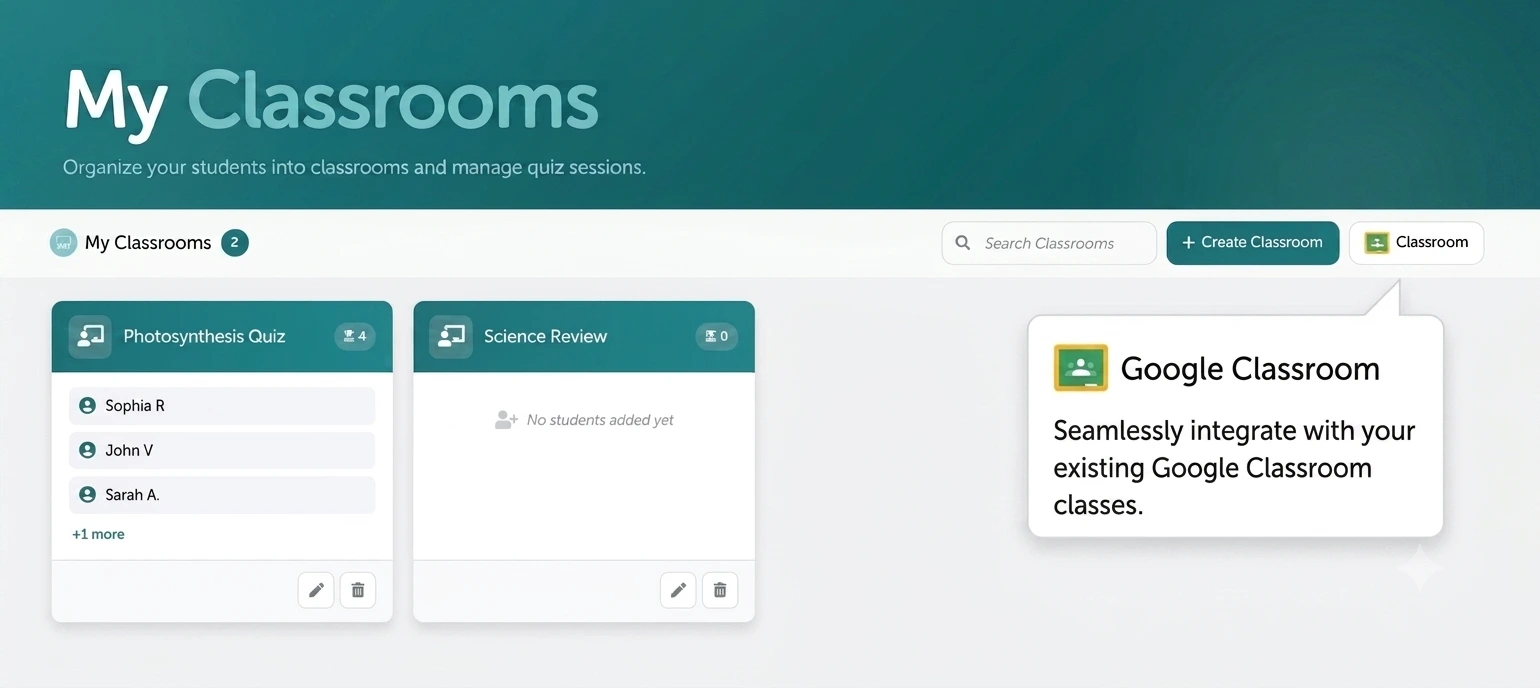
Navigate to My Classrooms, click the plus icon, name your class, and add students. Import from CSV, add manually one by one, or sync directly with Google Classroom for instant roster import.
Students Join With Their PIN
Each student receives a unique 4-digit PIN by email. They enter it on any phone, tablet, or laptop to join the live game - no app download, no student account, no wasted class time.
Play, Track & Review
Choose from 6 game styles and run your session live. Afterward, access per-student analytics, class averages, question-by-question breakdowns, and export everything for gradebooks.
Import Your Google Classroom in 60 Seconds
Already using Google Classroom? Your student roster transfers directly into TriviaMaker. Students automatically receive their PINs by email – no re‑entering names, no manual setup.
Select Your Google Classroom
Click "My Classrooms" and choose the Google Classroom import option. Select which class to bring in.
Roster Imports Automatically
All students transfer over instantly. Each student receives their unique PIN by email automatically.
Sync Anytime
Added a new student in Google Classroom? Hit Synchronize and TriviaMaker updates in seconds.
Pick the Format That Fits Your Lesson
Classroom Mode works across 6 game styles. Same student tracking, totally different energy.
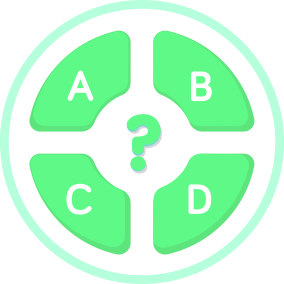
Trivia Style
Classic multiple-choice questions displayed on the big screen. Students answer on their phones. Great for formative checks and knowledge tests.
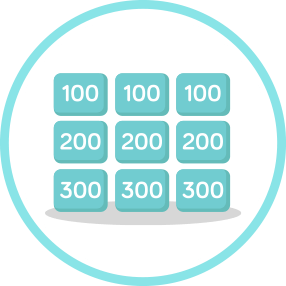
Grid Style
Jeopardy-style category board with point values. Students select categories and compete for scores. The go-to for end-of-unit review that students request by name.
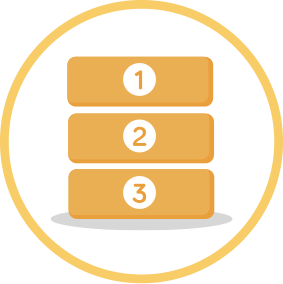
List Style
Family Feud-inspired format where students name as many items in a category as they can. Perfect for brainstorming, vocabulary, and creative review sessions.

Wheel Style
Spin the wheel to land on a category, then answer the question. High-energy, unpredictable, and surprisingly effective for keeping distracted students focused.
TicTac Style
Strategic team play meets trivia - answer a question correctly to claim a square on the board. Great for team-based lessons and building collaboration skills.
Fusion Style
Mix multiple question formats - multiple choice, single answer, and list - in one game. Keeps students on their toes and prevents the "I know the pattern" problem.
Your next classroom game is 2 minutes away.
Create a classroom, add your students, choose a game style, and go live. Students will ask to do it again every single week.
Built for Every Moment in the Classroom
From daily warm-ups to final review sessions - Classroom Mode makes every activity count.
Daily Warm-Ups
Start every lesson with a quick 5-question round that surfaces gaps from the previous day. Students are engaged before you've even opened your slides.
End-of-Unit Review
Turn boring review days into Grid-style game show competitions. Students compete, laugh, and retain - instead of scrolling their phones while you re-read slides.
Formative Assessment
Run a quiz mid-lesson to check comprehension. Because every answer is tracked to a student, you know exactly who needs reteaching - not just a rough class average.
Vocabulary & Spelling
Use Hangman or List style for vocabulary drills and spelling practice. Students are competing against each other, not staring at a flashcard app.
Homework & Async Study
Share the game link for students to complete on their own schedule with Assignment Mode. Track who submitted and how they scored - automatically.
Classroom Competitions
Run weekly class tournaments with a running leaderboard across sessions. A little friendly competition goes a long way toward genuine engagement.
Know Which Students Need Help Before Test Day
After every Classroom Mode session, you get a full breakdown – not just a class average. You see each student's score, which questions they missed, and how they're trending over time.
Export everything as CSV for your gradebook or parent-teacher conferences. No extra platform. No manual tallying.
What data does Classroom Mode collect?
Classroom Mode stores student names, email addresses, unique PINs, and every answer submitted in a quiz. This data is used for individual progress tracking, class analytics, and CSV exports. No data is collected in Crowd or Presenter modes – those are fully anonymous.
Individual Student Reports
See each student's performance question by question, not just their total score.
Class Averages
Instant class-wide overview so you know which topics landed and which didn't.
Progress Over Time
Track student growth across multiple sessions throughout the semester.
CSV Export
Download results for gradebooks, parent reports, or your own records instantly.
Features Designed Around How Teachers Actually Teach
Every feature in Classroom Mode exists to make your life easier and your lessons more effective.
Unique Student PINs
Each student gets a 4-digit PIN - auto-generated, delivered by email, and uniquely tied to their name. No shared codes, no anonymous entries, no confusion about who answered what.
CSV Roster Import
Add an entire class in seconds. Download the CSV template, fill in names and emails, upload, and done. Every student is added simultaneously with their PINs generated automatically.
Play with Participation Mode
Launch a full playlist of games with your classroom. Students play through every game in sequence, and you see individual participation and progress across the entire session.
Any Device, No App
Students join on any phone, tablet, or laptop by entering their PIN in a web browser. No app to download, no account to create, no tech support needed in the middle of class.
Multiple Classrooms
Create separate classrooms for each period, subject, or group. Each classroom has its own roster, its own analytics, and its own game history - all in one dashboard.
Full Game Controls
Set time limits per question, choose question order, enable or disable scoring, and switch game styles - all within the same Classroom Mode session. Total control, total flexibility.
Loved by Teachers Across Every Grade Level
Not just for special occasions - Classroom Mode becomes a weekly routine because students genuinely ask for it.
"I run a 10-question review game every Friday and students are in their seats before the bell. The individual tracking means I actually know who needs extra support - not just a gut feeling. It's changed how I plan Monday's lessons."
"The Google Classroom sync took me two minutes to set up and my rosters have been perfect all semester. Students enter their PIN, the game starts, and I get a full report I can actually use for grading. No more paper exit tickets."
"I teach 4th grade and the Wheel style is the one they beg for. Classroom Mode means even my quietest kids get tracked and noticed. The Grid style during our history unit? Students were literally cheering. I've been teaching 12 years and this is the first tool I recommend without hesitation."
Which TriviaMaker Game Mode Is Right for You?
Classroom Mode is for structured learning with tracking. Here's how it compares to the other modes.
| Feature | Classroom Mode | Crowd Mode | Presenter Mode | Assignment Mode |
|---|---|---|---|---|
| Individual student tracking | ✓ Named PINs | ✕ Anonymous | ✕ Anonymous | ✓ Named entries |
| Google Classroom sync | ✓ Yes | ✕ No | ✕ No | ⚡ Partial |
| Student app / account needed | ✓ No - PIN only | ✓ No | ✓ No | ✓ No |
| Live in-class play | ✓ Yes | ✓ Yes | ✓ Yes | ✕ Self-paced |
| Progress over time | ✓ Yes | ✕ No | ✕ No | ✓ Yes |
| CSV export for gradebooks | ✓ Yes | ✕ No | ✕ No | ✓ Yes |
| Best for | Daily lessons, review, assessment | Large events, conferences | Host-led game shows | Homework, async study |
Classroom Mode - Teacher Questions Answered
Everything you need to know before your first session.
Classroom Mode is a structured game mode designed specifically for teachers. You create classrooms, add students, and every student joins live quiz games using a unique PIN tied to their name. Every answer is tracked individually, giving you detailed per-student analytics and progress reports - not just a class-wide leaderboard.
No. Students join using a unique PIN sent to their email. No student account, no app download, and no login screen is required. They simply enter their PIN on any web browser on any device to participate. You can be live in under 60 seconds from the start of class.
You can import your existing Google Classroom directly into TriviaMaker. Your student roster transfers automatically, and every student receives their unique PIN by email. Use the Synchronize button anytime you add or remove students in Google Classroom to keep everything up to date.
Classroom Mode supports 6 game styles: Trivia (multiple choice), Grid (Jeopardy-style), List (Family Feud-style), Wheel (spin and answer), TicTac (strategic team play), and Fusion (mixed formats). All 6 styles track individual student performance the same way.
After every session you get individual student performance reports, class averages, question-by-question breakdowns showing which items were commonly missed, participation tracking, and progress data across multiple sessions. Everything can be exported as CSV for your gradebook or parent communication.
Classroom Mode is the only TriviaMaker mode that ties every answer to a named student. Crowd Mode and Presenter Mode are great for anonymous live participation at events or in front of large groups - but they don't track individuals or store longitudinal progress data. Classroom Mode is built specifically for the ongoing teacher-student relationship.
Yes. TriviaMaker's free plan includes Classroom Mode for up to 20 students with basic game styles and analytics. Premium Plus ($49.99/year) unlocks up to 200 students, all 6 game styles, Google Classroom sync, full analytics export, and all other TriviaMaker features. No credit card needed to get started.
Absolutely - this is one of the primary reasons teachers use Classroom Mode. Because every student response is recorded, you can identify exactly which concepts need more reteaching before test day. Many teachers run a Classroom Mode session the day before a test to see which students are not yet ready, then use the data to guide the next day's instruction.
Run Your First Classroom Mode Game This Week
Set up your classroom, import your students, pick a game style, and go live. Every student tracked. Every answer recorded. Every Friday suddenly something students look forward to.