
Buzz Mode - Live Buzzer Trivia
Pure Game Show Energy.
Players buzz in from their own phones the moment they know the answer. You see who was fastest - in real time - creating genuine game-show tension for any group, any size.
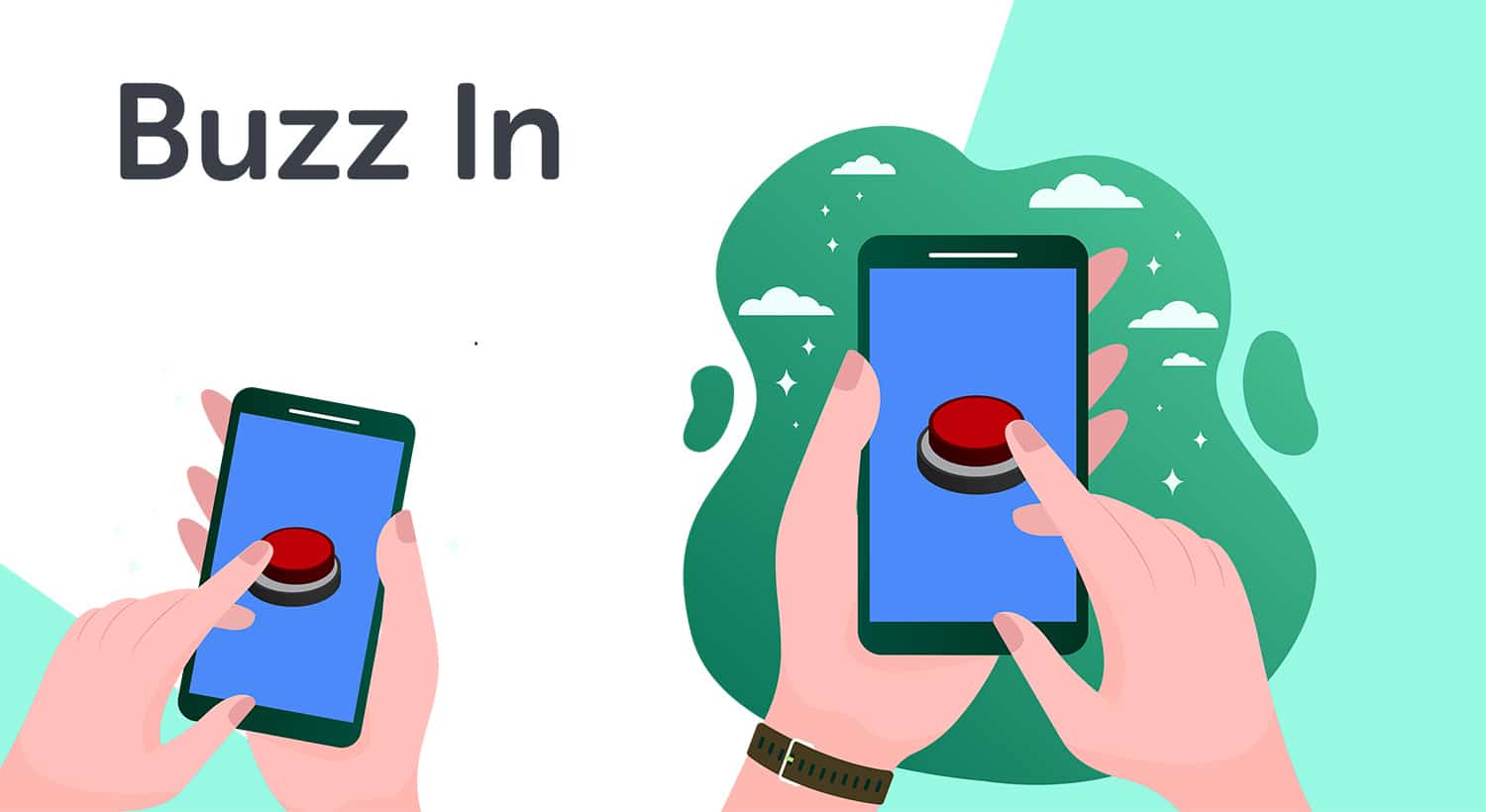
The fastest finger wins - powered by your players' own phones
Buzz Mode adds live interactive buzzer functionality to your TriviaMaker trivia games. Instead of answering passively, players tap their screen the moment they know the answer. The host sees exactly who buzzed first - in real time - creating genuine game-show tension without renting or distributing any hardware.
It works seamlessly on Zoom, Microsoft Teams, Google Meet, or in-person on a projected screen. Players join with a 6-digit game code or QR scan - no app, no login, no friction.
- Players join instantly on any phone, tablet, or laptop
- Real-time buzzer detection ranks who was fastest with millisecond precision
- Scales from 5-person classrooms to 2,000-person conferences
- No physical hardware buzzers - smartphones replace them entirely
- Works on Zoom, Microsoft Teams, Google Meet, and in-person
Choose the Right Buzz Mode for Your Setup
Both variants let players buzz in from their own devices. The difference is how the host controls and displays the game.
Basic Buzz Mode
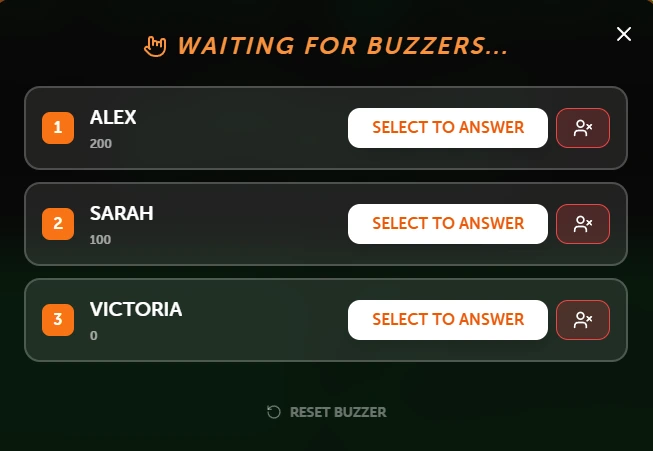
Everything runs from one screen. The host creates the game, displays questions, and sees who buzzed first - all from a single device. Perfect for classrooms, small teams, and quick-fire quiz sessions where simplicity matters.
- 1Start a game in Basic Mode and enable Buzz In
- 2Players join via game code on their phones
- 3Players tap to buzz in the moment they know the answer
- 4Host selects from top 3 buzzers
- 5Selected player answers
Presenter (Controller) Buzz Mode
A professional two-screen setup: one device for the host to control the game flow privately, and a separate display screen projected to the audience on a TV or projector. Ideal for large classrooms, corporate events, and live conferences.
- 1Open game on Controller device; connect the Presenter screen
- 2Enable Buzz In Mode - players join via code
- 3Presenter screen shows questions to the audience
- 4Controller shows who buzzed first in real time
- 5Presenter displays the answer and live leaderboard
Three Game Styles Support Buzz Mode
Each style brings different energy to the competition. Pick the format that fits your audience best.
Trivia Style
Classic multiple-choice format. The first player to buzz in gets to answer. Fast, familiar, and great for any group. Works in both Basic and Presenter Buzz modes.
Grid Style
A Jeopardy-style category board. Teams pick a category and value, then buzz in to answer. Adds strategic depth to the buzzer competition - great for corporate events.

List Style
Inspired by Family Feud - players buzz in to guess items from a survey-style list. High energy and highly engaging, especially for team events and parties.
From Zero to Live Buzzer Game in 3 Steps
No hardware to order. No configuration headaches. Build your game and go live in under 3 minutes.
Create Your Trivia Game
Choose Trivia, Grid, or List style. Add questions manually, import via CSV, or let the AI question generator build a complete quiz on any topic in seconds.
Enable Buzz Mode
Select Basic Buzz Mode for a single-screen setup, or Presenter Mode for a dual-device professional display. Share the game code or QR - players join instantly.
Players Buzz In Live
When a question appears, players tap their screen to buzz in. You see who was fastest in real time. Award the point, reveal the answer, and keep the energy going.
Built for Classrooms, Teams, and Live Events
Anywhere you need a fair, fast, exciting "who knows it first" moment - Buzz Mode delivers.
Classrooms & Schools
Turn review sessions into genuine competitions. Students buzz in on their phones - no buzzers to distribute, no chaos to manage. Works for any subject and any grade level, in-person or remote.
Corporate Training & Teams
Gamify onboarding, compliance training, and knowledge checks. Run buzzer rounds in your next all-hands meeting - in the room or over Zoom - with up to 2,000 participants simultaneously.
Conferences & Live Events
Engage large audiences at keynotes, breakouts, and corporate conferences. Presenter Mode projects beautifully on any screen while the host controls everything privately from one device.
Pub Trivia & Game Nights
Host a professional-quality buzzer trivia night without renting any hardware. Crowd members buzz in from their phones - it looks and feels like a real game show from the first question.
Remote & Hybrid Teams
Share your screen on Zoom or Microsoft Teams and run a live buzzer round with your distributed team. Works for weekly standups, team-building activities, and virtual happy hours.
Youth Groups & Community Events
Churches, youth organizations, and community groups use Buzz Mode for engaging, interactive trivia experiences that bring groups together and make participation feel exciting.
Ready to Run Your First Buzzer Game?
No hardware to order. No app download for players. Set up your first Buzz Mode game in under 3 minutes - completely free.
Everything You Need for a Great Buzzer Round
Every feature in Buzz Mode is designed to keep the energy up, the competition fair, and the setup friction-free.
Any Device as a Buzzer
Players use whatever phone, tablet, or laptop they already have. A single tap is their buzzer - no app install, no player account, no friction.
Real-Time Buzzer Detection
The system detects and ranks who buzzed in first with millisecond precision. Results appear instantly on the host's screen with a clear, ordered leaderboard.
Live Leaderboard
Scores update in real time after every question. The live leaderboard keeps competitive tension building from the first question to the final reveal.
Works on Zoom & Teams
Share your screen on any video conferencing platform. Players buzz in from their devices while you control the entire game from yours - remote-ready out of the box.
Scales to 2,000 Players
From a 5-person team standup to a 2,000-person company all-hands - Buzz Mode handles any crowd size on your paid plan without any extra configuration.
Custom Branding
Add your logo, brand colors, and custom background on paid plans to make every buzzer game look and feel like your own professionally produced show.
Basic vs. Presenter Buzz Mode at a Glance
Not sure which variant to use? This table makes the choice clear in under 30 seconds.
| Feature | Basic Buzz Mode | Presenter Buzz Mode |
|---|---|---|
| Devices required | 1 (host device only) | 2 (controller + presenter screen) |
| Best audience size | Small groups (5–50) | Any - up to 2,000 players |
| Dedicated TV / projector display | ✕ Not available | ✓ Separate presenter screen |
| Trivia game style | ✓ Yes | ✓ Yes |
| Grid (Jeopardy-style) game style | ✕ Not supported | ✓ Yes |
| List (Family Feud-style) game style | ✕ Not supported | ✓ Yes |
| Player app required | ✓ No app - browser only | ✓ No app - browser only |
| Works on Zoom / Teams | ✓ Yes - screen share | ✓ Yes - share presenter screen |
| Ideal for | Classrooms, small teams, quick sessions | Events, conferences, large corporate audiences |
Buzz Mode - Frequently Asked Questions
Everything you need to know about TriviaMaker Buzz Mode before you start.
Buzz Mode is a feature in TriviaMaker that adds live interactive buzzer functionality to trivia games. Players use their own phones or tablets as buzzers - when they know the answer, they tap to buzz in. The host sees who buzzed first in real time, creating a competitive game-show atmosphere without any special hardware or equipment.
Basic Buzz Mode runs entirely from a single device - ideal for smaller groups where one host manages everything from one screen. Presenter (Controller) Buzz Mode uses two devices: a controller the host uses privately to manage game flow, and a separate presenter screen displayed to the audience on a TV or projector. Presenter Mode also unlocks Grid and List game styles and is recommended for groups larger than 50.
No. Players join via any web browser on their phone, tablet, or laptop by entering a 6-digit game code or scanning a QR code. There is no app to download and no player account required - just a device with a browser and internet connection.
Basic Buzz Mode supports Trivia style only. Presenter (Controller) Buzz Mode supports Trivia, Grid (Jeopardy-style), and List (Family Feud-style) game styles. Other TriviaMaker styles - Wheel, Hangman, TicTac, and Fusion - do not currently include Buzz Mode functionality.
The free plan supports up to 20 simultaneous buzzers. Premium supports 50, Premium Plus supports 200, and Enterprise plans support up to 2,000 participants - making Buzz Mode viable for company-wide events, school-wide competitions, and large-scale live conferences.
Yes. Share your screen during any Zoom, Microsoft Teams, or Google Meet call and run a fully interactive live buzzer round with your remote participants. With Presenter Mode, you share the presenter screen on the call while controlling the game privately on your controller device - giving remote players the same experience as in-person attendees.
Yes. TriviaMaker's free plan includes Buzz Mode with up to 20 buzzers - no credit card required to get started. Paid plans unlock more participants, all 7 game styles, custom branding, assignment tracking, and additional features.
Yes. TriviaMaker Buzz Mode replaces physical hardware buzzer systems entirely - players use their own smartphones instead. There is no equipment to buy, rent, set up, or charge. It also replaces buzzer features from competitors like Kahoot, while offering more game styles, deeper customization, and significantly lower pricing starting at $49.99 per year.
Create Your First Buzz Mode Game Today
No hardware to order. No app for players. Build your first live buzzer game in under 3 minutes and bring real game-show energy to your next class, meeting, or event - free.