
The first 3 minutes of class set the tone for the next 47.
Students walk in. They see a question on the board. They pull out their phones or open their laptops. By the time you close the door, everyone is engaged – no instructions needed, no transition time wasted.
That’s the power of a good bell ringer.
We analyzed the top-ranking bell ringer articles and found they all miss the same thing: actual sample questions. Every idea below includes questions you can copy, paste, and use tomorrow morning. We organized them by subject – Math, Science, ELA, History, Geography, and Cross-Curricular – so you can find what you need in seconds.
Whether you call them bell ringers, bellwork, do-nows, warm-ups, class starters, or entrance tickets, the routine is the same: students start learning the moment the bell rings. And if you want to skip the prep entirely, TriviaMaker’s AI generator creates 5 questions from any topic in under 2 minutes.
⚡ Want to skip the prep? Create a bell ringer with AI Free plan, no credit card →What Is a Bell Ringer?
A bell ringer (also called bellwork, a do-now, warm-up, class starter, or entrance ticket) is a short activity students complete at the start of class – usually 3–5 minutes – while you take attendance, handle late arrivals, and transition into the lesson.
You might know it by a different name:
| Name | What It Is | Difference |
|---|---|---|
| Bell ringer | Activity that starts when the bell rings | Most common US term |
| Bellwork | Same concept, one word | Popular in teacher communities |
| Warm-up | Activity to “warm up” the brain | Same thing, different name |
| Do-now | Instructions: “Do this now” | Emphasizes immediacy |
| Entrance ticket | Quick assessment at the “entrance” | Often graded |
| Class starter | Activity that starts the class | British/international term |
The name doesn’t matter. The routine does. Students should know that when they walk in, they start immediately – no waiting, no instructions, no “what are we doing today?”
Barak Rosenshine’s research on effective teaching found that “daily review can strengthen previous learning and can lead to fluent recall” (Rosenshine’s Principles of Instruction). Bell ringers are the simplest way to build daily review into your classroom routine.
Why Bell Ringers Work (And Why They’re Worth the Effort)
Some teachers skip bell ringers because they feel like “extra work.” Here’s why they’re worth the 2-minute setup:
Zero wasted time. Students start learning the moment the bell rings. No transition time, no “settle down” period, no waiting for late arrivals.
Daily review. Bell ringers reinforce yesterday’s material through spaced retrieval – one of the most effective learning strategies. A meta-analysis by Dunlosky et al. (2013) found that practice testing and distributed practice have the highest utility for long-term retention. Rosenshine’s research confirms: “Daily review can strengthen previous learning and can lead to fluent recall.”
Formative assessment. See who understood yesterday’s lesson and who needs help – before you start teaching. A quick glance at the results tells you where to focus.
Classroom management. Students who are engaged don’t have time to misbehave. The bell ringer eliminates the 2–3 minutes of chaos at the start of class. Teachers who switch to digital bell ringers report saving 15–20 minutes per week on grading alone.
Habit building. After a week of bell ringers, students walk in and start automatically. You never have to say “get started” again.
Read more: How bell ringers improve classroom management →
Further reading:
- Dunlosky et al. (2013) – Improving Students’ Learning With Effective Learning Techniques – Practice testing and distributed practice are the most effective learning strategies.
- Rosenshine’s Principles of Instruction – “Daily review can strengthen previous learning and can lead to fluent recall.”
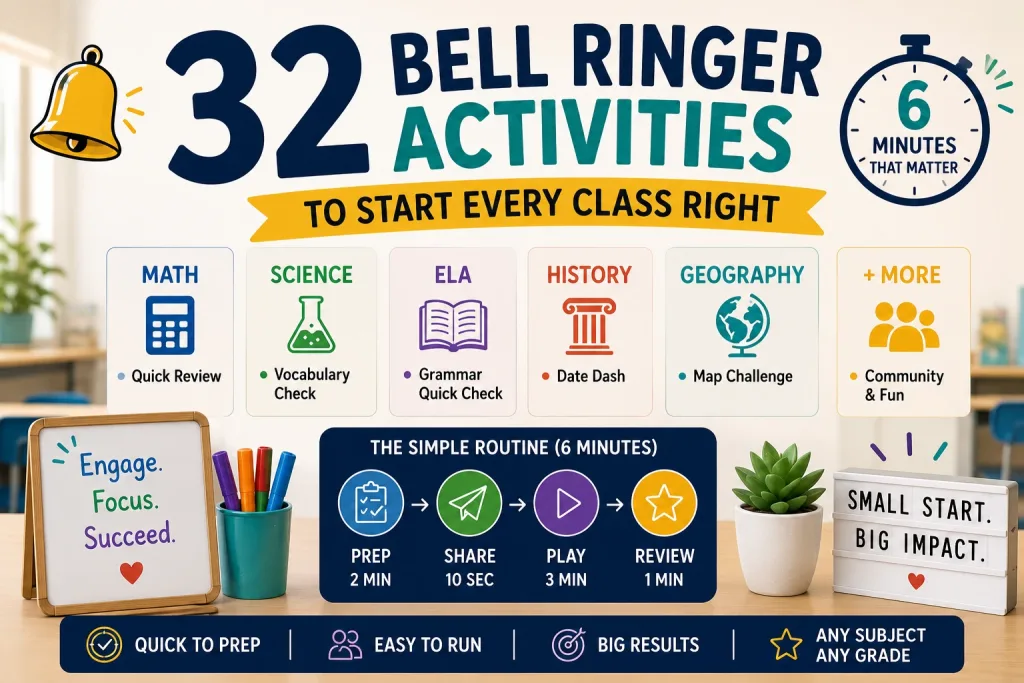
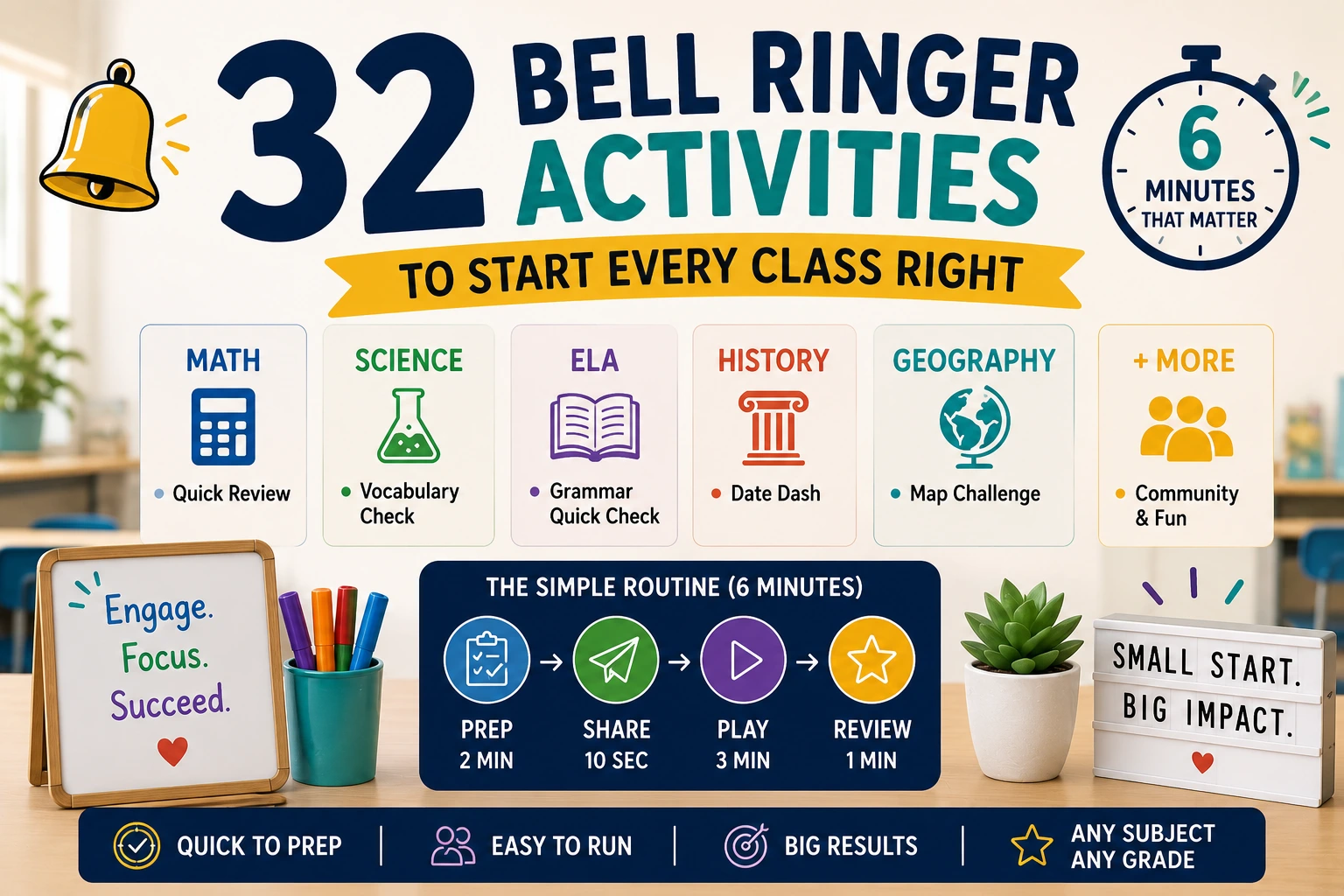
How to Set Up a Bell Ringer Routine (6 Minutes Total)
Here’s the daily routine. Prep takes 2 minutes. The actual bell ringer takes about 4 minutes. Total classroom time: 6 minutes.
Don’t have enough devices? Students can share in pairs. Or use TriviaMaker’s Presenter mode – display questions on the projector and students answer by raising hands or moving to corners of the room. No devices needed.
Prep (2 minutes)
Open TriviaMaker. Type yesterday’s topic into the AI generator. For example: “Create 5 questions about the American Revolution for 8th graders.” Five questions appear instantly.
Alternatively, use one of the 32 templates below and create the questions manually.
Share (10 seconds)
Display the game code or QR code on the board. Students scan with their phones or type the code at play.triviamaker.com. No app download. No student accounts required.
Play (3 minutes)
Start the game. Students answer on their devices. A real-time leaderboard shows scores. Most bell ringers finish in 2–3 minutes.
Students generally prefer digital bell ringers over worksheets. The leaderboard adds a game element, and the time limit prevents boredom. After a week, most classes settle into the routine without any reminders.
Review (1 minute)
After the game, show the results. Address common mistakes. Connect the bell ringer to today’s lesson: “Notice that most of you missed question 3 – that’s exactly what we’re covering today.”
Ready to make bell ringers a 30-second job, not a 30-minute one?
Set up your first bell ringer →Math Bell Ringers
Weekly rotation tip: Monday = review last week, Tuesday–Thursday = yesterday’s lesson, Friday = mixed review. This structure ensures spaced repetition across the week.
1. Quick Math Review
⏱️ Time: 3 minutes
5 problems from yesterday’s lesson. Students solve and submit. Instant grading.
Sample questions:
- What is 15% of 200? – A) 25 B) 30 C) 35 D) 40
- Simplify: 3(2x + 4) – A) 6x + 4 B) 6x + 12 C) 5x + 7 D) 6x + 7
- What is the square root of 144? – A) 10 B) 11 C) 12 D) 14
This is the bread and butter of bell ringers. Instant grading means you know who’s struggling before the lesson starts.
🔢 Preview a ready-made math bell ringer Elementary · Math warm-up · Tic-Tac style · No sign-up to play →2. Problem of the Day
⏱️ Time: 3–5 minutes
One challenging problem that students work through step by step. Use TriviaMaker’s Trivia game style for multiple-choice format, or let students solve on paper first and then submit answers.
Sample: “A store sells shirts for $15 each. This week, they’re 20% off. How much do 3 shirts cost?” – A) $36 B) $38 C) $40 D) $45
Pro tip: Use this format on Mondays to review the previous week’s material.
3. True or False Math
⏱️ Time: 2 minutes
5 math statements. Students identify which are true and which are false. Tests conceptual understanding, not just calculation.
Sample questions:
- True or False: A negative times a negative equals a positive. – True
- True or False: 0 is a prime number. – False
- True or False: Every square is a rectangle. – True
The wrong answers are more valuable than the right ones. Each miss reveals a specific misconception you can address immediately.
✅ Preview a ready-made true/false math bell ringer Middle School · Math myths · Trivia style · No sign-up to play →4. Which Formula?
⏱️ Time: 2 minutes
Show a problem. Students select the correct formula to solve it. Tests formula recognition without requiring calculation.
Sample: “Find the area of a circle with radius 7.” – A) 2πr B) πr² C) lw D) ½bh
Best for: Geometry, algebra, and physics classes where formula selection is half the battle.
📐 Preview a ready-made formula recognition bell ringer Grades 7-9 · Which Formula? · Trivia style · No sign-up to play →5. Estimation Challenge
⏱️ Time: 3 minutes
Show a real-world problem. Students estimate the answer before calculating. Builds number sense and prevents blind guessing.
Sample: “About how many students are in a school with 42 classrooms averaging 28 students?” – A) 800 B) 1,200 C) 1,500 D) 2,000
How it works: Students estimate first (no calculator), then calculate. Compare estimates to actual answers.
Science Bell Ringers
Lab day variant: On lab days, run a 2-question “Lab Safety Check” instead of a content bell ringer. This reinforces safety without adding cognitive load before a hands-on activity.
6. Vocabulary Check
⏱️ Time: 3 minutes
5 science terms – students match definitions or identify correct usage. Essential for building scientific literacy.
Sample questions:
- What is photosynthesis? – A) Eating food B) Making food from sunlight C) Breathing D) Growing
- What does “hypothesis” mean? – A) A proven fact B) A testable prediction C) A lab report D) A conclusion
7. True or False Blitz
⏱️ Time: 2 minutes
5 rapid true/false statements about yesterday’s topic. Quick recall check.
Sample questions:
- True or False: The Earth is the closest planet to the Sun. – False
- True or False: DNA stands for deoxyribonucleic acid. – True
- True or False: Sound travels faster than light. – False
Fast-paced format keeps energy high. Students who finish early can challenge each other on missed questions.
⚡ Play the Math or Myth? True/False Blitz 20 math facts · 30-sec timer · Instant explanations · No sign-up →8. Lab Safety Check
⏱️ Time: 3 minutes
5 questions about lab safety procedures. Run this weekly – especially at the start of the year.
Sample questions:
- What should you do first in a lab emergency? – A) Run B) Tell the teacher C) Clean it up D) Ignore it
- When should you wear safety goggles? – A) Only during dissections B) Whenever chemicals are used C) Only when the teacher says D) Never
Best for: The first month of school. Run daily, then switch to weekly.
🧪 Preview a ready-made science bell ringer Grade 4 · Lab safety review · Trivia style · No sign-up to play →9. Identify the Element
⏱️ Time: 3 minutes
Show properties, students identify the element. Tests periodic table knowledge.
Sample: “Which element has 6 protons, is found in all living things, and is the basis of organic chemistry?” – A) Carbon B) Nitrogen C) Oxygen D) Hydrogen
This format forces deeper thinking. Students can’t just memorize atomic numbers – they need to understand what makes each element unique.
10. Hypothesis Check
⏱️ Time: 3 minutes
Show an experiment setup. Students select the correct hypothesis. Tests scientific method understanding.
Sample: “A student plants seeds near a window and seeds in a closet. The window seeds grow taller. What is the hypothesis?” – A) Plants need water B) Plants near light grow taller C) Seeds grow fast D) The closet is dark
Best for: Biology, environmental science, and any class that teaches the scientific method.
ELA Bell Ringers
Reading log connection: If students have independent reading, start class with a 1-question bell ringer about their book: “What happened in your book yesterday?” Use TriviaMaker’s open-ended format or a quick poll.
11. Grammar Quick Check
⏱️ Time: 3 minutes
5 sentences with grammar errors. Students identify the correct version. Builds editing skills.
Sample questions:
- Which is correct? – A) Their going to the store B) They’re going to the store C) There going to the store
- Which is correct? – A) Me and him went B) He and I went C) Him and I went D) Me and he went
12. Vocabulary of the Day
⏱️ Time: 3–5 minutes
Introduce one new word with 5 questions about meaning, usage, and context. Builds vocabulary through repetition.
Sample (word: “ubiquitous”):
- What does “ubiquitous” mean? – A) Rare B) Found everywhere C) Expensive D) Invisible
- Which sentence uses it correctly? – 4 options
- What’s the opposite of ubiquitous? – A) Rare B) Common C) Large D) Fast
Five questions about one word beats one question about five words. Deeper processing leads to better retention – this is how vocabulary sticks.
📚 Play Vocabulary of the Day 4 categories: Meaning · Usage · Opposite · Synonym →13. Identify the Figurative Language
⏱️ Time: 2 minutes
Show a sentence. Students identify the type of figurative language used.
Sample questions:
- “Time flies when you’re having fun.” – A) Simile B) Metaphor C) Personification D) Hyperbole
- “Her smile was as bright as the sun.” – A) Simile B) Metaphor C) Alliteration D) Onomatopoeia
Best for: Middle school ELA and high school English. Pairs well with any literature unit.
⚡ Play Figurative Language Blitz Simile · Metaphor · Personification · Hyperbole · Alliteration · No sign-up →14. Author’s Purpose
⏱️ Time: 3 minutes
Show a short passage. Students identify the author’s purpose: to inform, persuade, or entertain.
Sample: Read this passage from a product review. Is the author trying to inform, persuade, or entertain? – 4 options with explanations.
This skill transfers to every subject. Students who can identify author’s purpose in ELA can do it in science articles, history documents, and news stories.
15. Correct the Sentence
⏱️ Time: 3 minutes
Show a sentence with multiple errors. Students select the corrected version. Combines grammar, punctuation, and style.
Sample: “the students lunch was cold because theyre refrigerator broke” – A) The student’s lunch was cold because their refrigerator broke B) The students’ lunch was cold because they’re refrigerator broke C) The student’s lunch was cold because they’re refrigerator broke D) The students lunch was cold because their refrigerator broke
History Bell Ringers
Current events connection: Every Friday, replace the history bell ringer with a current events question that connects to what you’re studying. “How does this week’s news connect to what we learned about the Civil Rights Movement?” This builds transfer skills.
16. Date Dash
⏱️ Time: 3 minutes
5 historical events – students match to correct dates. Builds chronological thinking.
Sample questions:
- What year did WWI begin? – A) 1905 B) 1912 C) 1914 D) 1918
- When was the Declaration of Independence signed? – A) 1774 B) 1776 C) 1778 D) 1781
17. On This Day
⏱️ Time: 3 minutes
Questions about historical events that happened on today’s date. Use TriviaMaker’s AI: “What happened on [today’s date] in history? Create 5 questions.”
Fresh content every day without extra prep. Students start connecting history to their own lives – “Hey, that happened on my birthday!”
18. Who Said It?
⏱️ Time: 2 minutes
Show a quote. Students identify who said it. Tests knowledge of historical figures and their ideas.
Sample questions:
- “I have a dream.” – A) Abraham Lincoln B) Martin Luther King Jr. C) Barack Obama D) Frederick Douglass
- “Give me liberty, or give me death.” – A) George Washington B) Thomas Jefferson C) Patrick Henry D) Benjamin Franklin
19. Cause and Effect
⏱️ Time: 3 minutes
Show a historical event. Students select what caused it or what resulted from it. Tests causal thinking.
Sample: “What was a major cause of the American Revolution?” – A) The Louisiana Purchase B) Taxation without representation C) The Civil War D) The Gold Rush
Best for: AP History classes. Format mirrors AP exam questions.
20. Primary Source Analysis
⏱️ Time: 5 minutes
Show a short primary source excerpt. Students answer questions about it. Builds document analysis skills.
Sample: “Read this excerpt from the Gettysburg Address. What is Lincoln arguing for?” – 4 options
This directly prepares students for AP exams. Short daily practice with primary sources builds the document analysis skill they’ll need on test day.
Geography Bell Ringers
Visual-first approach: Geography bell ringers work best with images. Use TriviaMaker’s image-based questions whenever possible – maps, flags, satellite photos, landmark images.
21. Map Challenge
⏱️ Time: 3 minutes
5 questions about countries, capitals, or geographic features. Use TriviaMaker’s Grid style for a visual format.
Sample questions:
- What is the capital of Australia? – A) Sydney B) Melbourne C) Canberra D) Perth
- Which continent is Brazil on? – A) North America B) Europe C) South America D) Africa
22. Flag Quiz
⏱️ Time: 2 minutes
Show a flag. Students identify the country. Visual and engaging.
Sample: Show the flag of Japan. – A) China B) South Korea C) Japan D) Vietnam
Visual learners thrive here. Students who struggle with text-based questions often dominate flag quizzes – it levels the playing field.
🇺🇳 Name That Flag – World Geography Grid Flags of the world · Multiple-choice · Grid style · No sign-up to play →23. Climate Match
⏱️ Time: 3 minutes
Match climates to regions. Tests understanding of geographic patterns.
Sample: “Which region has a tropical rainforest climate?” – A) Sahara Desert B) Amazon Basin C) Siberia D) Antarctica
🌍 Play Biome Blitz – Climate Match Grid Tundra · Taiga · Rainforest · Desert · Wetlands · No sign-up →24. Population Match
⏱️ Time: 3 minutes
Show a country. Students estimate or identify its population. Builds geographic intuition.
Sample questions:
- What is the population of Japan? – A) 50 million B) 80 million C) 125 million D) 200 million
- Which country has more people: Nigeria or Germany? – A) Nigeria B) Germany C) About the same
25. Landmark Identification
⏱️ Time: 2 minutes
Show a photo of a famous landmark. Students identify the country or city. Works great with TriviaMaker’s image-based questions.
Sample: Show a photo of Machu Picchu. – A) Mexico B) Peru C) Colombia D) Chile
Best for: World geography, cultural studies, and any class that covers global awareness.
🏛️ Play Historical Landmarks – Image-Based Quiz Identify famous historical landmarks · Multiple-choice · Image questions · No sign-up →Cross-Curricular and Community-Building Bell Ringers
These work in any subject. Use them on Fridays, before breaks, or any day you want to build classroom community.
26. Get to Know You
⏱️ Time: 3 minutes
5 fun questions about students’ lives and interests. Great for the first week of school or any Friday.
Sample questions:
- What’s your favorite season? – A) Spring B) Summer C) Fall D) Winter
- What’s your go-to study snack? – A) Chips B) Fruit C) Cookies D) Nothing
Community-building in 3 minutes. Students learn about each other through shared answers. Works great with TriviaMaker’s Wheel style for a random question format.
27. Current Events
⏱️ Time: 3 minutes
5 questions about recent news events. Builds awareness and critical thinking.
Keeps students connected to the world beyond the classroom. Sparks discussion that can tie into any subject – a science discovery, a historical anniversary, a current event.
28. Would You Rather
⏱️ Time: 3 minutes
5 thought-provoking choices. Students pick and explain their reasoning. See more Would You Rather questions.
Sample: “Would you rather be able to fly or be invisible?” – A) Fly B) Invisible
No wrong answers means every student can participate without anxiety. Perfect for building community on low-energy days like Fridays before breaks.
29. Pop Culture Warm-Up
⏱️ Time: 3 minutes
5 questions about movies, music, or trending topics. Shows you’re connected to their world.
Students love showing what they know about their world. This is your secret weapon for Fridays and pre-break days when focus is low.
🎬 Play Pop Culture Trivia – Grid Game Movies · Music · TV · Celebrities · Grid style · No sign-up →30. Sports Trivia
⏱️ Time: 3 minutes
5 sports questions to energize students. Great for PE classes or before physical activity.
Sample: “How many players on a basketball court per team?” – A) 4 B) 5 C) 6 D) 7
🏆 Play Sports Legends Challenge MLB · NFL · NBA · NHL · Olympics →31. Digital Literacy
⏱️ Time: 3 minutes
5 questions about computer skills, internet safety, or coding basics. Essential for 21st-century learning.
Sample: “What does URL stand for?” – A) Universal Resource Link B) Uniform Resource Locator C) United Resource Locator D) Universal Reference Link
Most schools don’t teach digital literacy as a standalone subject. Bell ringers fill that gap with 3 minutes of daily practice.
💻 Play What Technology Do You Know? – Tech Trivia Computers · Internet · Gadgets · Multiple-choice · No sign-up →32. Test Prep Warm-Up
⏱️ Time: 3–5 minutes
5 questions in the format of state tests. Builds test-taking stamina and familiarity with question formats.
How: Use TriviaMaker’s AI: “Create 5 test prep questions for [grade] [subject] in the style of [state test name].”
Best for: The weeks before standardized testing. Run daily to build confidence and reduce test anxiety.
More Subjects
This article covers the 6 most-searched subjects. But bell ringers work in every classroom. Here are quick-start ideas for other subjects:
- Art: Show a painting. Students identify the artist, style, or period.
- Music: Play a 10-second clip. Students identify the genre, composer, or instrument.
- Foreign Language: 5 vocabulary words in the target language. Students match to English translations.
- PE: 5 sports rules or fitness trivia questions. Run before the warm-up.
- Computer Science: 5 questions about coding concepts, keyboard shortcuts, or internet safety.
All of these can be created in TriviaMaker’s AI generator in under 2 minutes.
Bell Ringers by Grade Level
Not every bell ringer works for every age group. Here’s how to adapt.
Elementary (K–5)
- Keep it to 3 questions maximum
- Use pictures and visual formats
- Focus on vocabulary and basic facts
- Use TriviaMaker’s Trivia style with simple multiple choice
- Read questions aloud for younger students
- Reward participation, not just correct answers
Middle School (6–8)
- 5 questions per bell ringer
- Mix review questions with new material previews
- Use competitive format (leaderboard) to motivate
- Rotate subjects: Monday = math, Tuesday = ELA, etc.
- Use TriviaMaker’s Grid style for variety
High School (9–12)
- 5 questions, 3–5 minutes
- Format mirrors standardized tests (SAT, ACT, AP)
- Use primary sources and real-world scenarios
- Connect bell ringer to the day’s lesson explicitly
- Use TriviaMaker’s AI to generate questions from yesterday’s notes
How Bell Ringers Improve Classroom Management
Bell ringers aren’t just academic tools. They solve classroom management problems.
Students know the routine. After a week of bell ringers, students walk in and start automatically. No instructions needed. No “what are we doing today?” No transition time.
Less downtime = fewer behavior issues. Most classroom disruptions happen during transitions. Bell ringers eliminate the transition entirely.
Data for parent conferences. When a parent asks “how is my child doing?” you can show bell ringer results over time. Concrete data beats vague descriptions.
Late arrivals don’t disrupt. Students who arrive late can start the bell ringer immediately. You don’t have to stop teaching to catch them up.
“I switched to digital bell ringers last year and I’ll never go back. Students walk in, scan the code, and they’re engaged before I even close the door. I save 15 minutes a week on grading, and I can see exactly who’s struggling before the lesson starts.” – 8th-grade science teacher
Read more: Classroom management tools for teachers →
Common Bell Ringer Mistakes
Learn from what goes wrong.
Making them too long. Bell ringers should take 3–5 minutes. If they take 10 minutes, they eat into your lesson time. Keep it short.
Not reviewing the answers. A bell ringer without review is just busywork. Spend 1 minute going over the results. Address common mistakes.
Changing the format every day. Students need routine. Use the same format (TriviaMaker quiz) every day. Vary the content, not the process.
Grading every bell ringer. Don’t create a grading nightmare. Use bell ringers for formative assessment, not summative grades. Track participation, not perfection.
Not connecting to the lesson. The best bell ringers preview or review the day’s material. Random trivia is fun, but connected trivia is learning.
Skipping it on “busy” days. The days you’re most tempted to skip are the days you need it most. Bell ringers buy you time to set up, handle logistics, and breathe.
Bell Ringer vs. Exit Ticket: What’s the Difference?
| Bell Ringer | Exit Ticket | |
|---|---|---|
| When | Start of class | End of class |
| Purpose | Review yesterday / preview today | Check today’s understanding |
| Time | 3–5 minutes | 3–5 minutes |
| Format | Quiz, warm-up, activity | Quick question or reflection |
| Grading | Usually ungraded | Sometimes graded |
Best practice: Use both. Bell ringer at the start to review. Exit ticket at the end to assess. Together, they bookend your lesson with engagement and data.
🎟️ Create exit tickets with TriviaMaker →Related Reads
- 20 Back to School Night Ideas That Actually Get Parents Engaged – interactive activities, icebreakers, and setup ideas for your next parent event.
- 50+ All About Me Questions – ready-to-use prompts by age group, plus a 5-minute quiz template.
- 25 All About Me Activities That Actually Engage Students – game-style alternatives to the classic worksheet, organized by format.
- 33 Back to School Trivia Questions – a ready-made round you can load into any game style in minutes.
Frequently Asked Questions
What is a bell ringer activity?
A bell ringer is a 3–5 minute activity at the start of class. Students begin when the bell rings – hence the name. It engages students immediately while you handle attendance and transitions.
How long should a bell ringer take?
3–5 minutes. If it’s taking longer, reduce from 5 questions to 3. The goal is a quick start, not a mini-lesson.
Are bell ringers effective?
Yes. Research shows that short, frequent review sessions (spaced retrieval) improve long-term retention more than cramming. Bell ringers also reduce transition time and provide daily formative data.
How do I implement bell ringers in my classroom?
Pick one subject. Use TriviaMaker’s AI to generate 5 questions from yesterday’s lesson. Display the game code. Students join on their phones. Review results in 1 minute. Repeat daily. After a week, students start automatically.
What’s the difference between a bell ringer and a warm-up?
They’re the same thing. “Bell ringer,” “warm-up,” “do-now,” “entrance ticket,” and “bellwork” all describe a short activity at the start of class.
Can I use bell ringers in virtual classrooms?
Yes. Share the game code in the chat. Students join from home on their phones or laptops. TriviaMaker’s Crowd mode supports up to 2,000 players.
How many questions should a bell ringer have?
5 questions for middle and high school. 3 questions for elementary. If you’re short on time, 3 questions is enough.
What if students don’t have phones?
Use TriviaMaker’s Presenter mode. Display questions on the projector. Students answer by raising hands or moving to corners. No devices needed.
💻 Try TriviaMaker for virtual classes →Start Every Class With a Bell Ringer
You don’t need a folder of worksheets. You don’t need a slideshow. You don’t need to spend hours prepping.
Here’s what you’re getting:
- 32 templates across 7 subjects (Math, Science, ELA, History, Geography, Cross-Curricular, and more)
- Sample questions for every template – copy, paste, use tomorrow
- A 6-minute daily routine that eliminates transition time and builds habits
- Formative assessment data you can use to guide your instruction
- A tool that creates the whole thing in 2 minutes with AI
Open TriviaMaker. Type yesterday’s topic. Get 5 questions. Share the code. Start the game.
That’s it. You’ve just turned the first 3 minutes of class into the most productive part of the day.
Ready to make bell ringers a 30-second job, not a 30-minute one?
Create your first bell ringer free →Last updated July 2026. All bell ringers can be created free at TriviaMaker.com.