
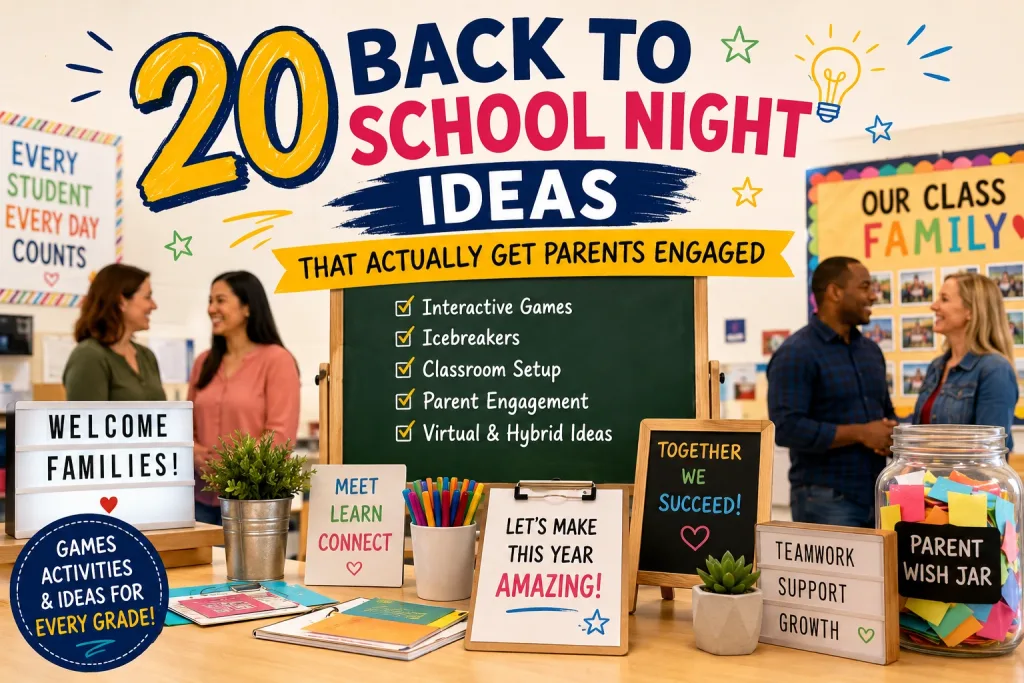
Most back-to-school nights follow the same tired script: the teacher talks, parents sit, everyone checks their watch after 20 minutes.
It doesn’t have to be that way.
The teachers who stand out – the ones parents remember and talk about at pickup – turn back-to-school night into an experience. They use games, interaction, and a bit of creativity to make parents feel welcome, informed, and excited about the year ahead.
Here are 20 ideas that work. They’re organized by category so you can mix and match. Most take less than 10 minutes to set up.
Create a free trivia game on TriviaMaker in 2 minutes and use it as your back-to-school night icebreaker.
Why Back to School Night Matters More Than You Think
Back-to-school night isn’t just a formality. Research from the National Education Association shows that students whose parents are engaged in their education perform better academically, have better attendance, and are more likely to graduate.
Interactive activities at back-to-school night aren’t just fun – they’re effective. Research on active recall shows that people remember information better when they actively retrieve it (like answering quiz questions) than when they passively receive it (like listening to a presentation). When parents participate in a trivia game about classroom expectations, they actually remember the rules.
For teachers, it’s your one chance to:
- Build trust with parents before the first report card
- Set expectations for communication, homework, and behavior
- Show your personality – parents want to know who’s teaching their child
- Collect contact information and volunteer sign-ups
- Create community among parents who’ll be in the same class all year
The key is making parents feel like participants, not an audience.
Back to School Night Planning Checklist
Before you pick activities, get the logistics right.
Two Weeks Before
- Set the date and time (avoid conflicts with other school events)
- Send invitations via email, school app, and paper flyers
- Plan your agenda (aim for 60-90 minutes total)
- Prepare handouts: class schedule, contact info, supply list
- Set up a digital sign-up sheet for volunteers
One Week Before
- Send a reminder with parking and room information
- Prepare your presentation or slideshow
- Print any handouts, name tags, or bingo cards
- Test any technology (projector, laptop, trivia game)
- Arrange seating (consider small groups instead of rows)
Day Of
- Arrive early to set up stations
- Put out a sign-in sheet and name tags
- Set up a supply drop-off area
- Test your interactive quiz or game
- Have a backup plan if technology fails
- Smile. Parents are nervous too.
Interactive Games and Activities
These activities get parents out of their seats and participating. They’re the ones people remember.
Each idea includes a time estimate so you can plan your agenda. Mix 2-3 of these into your back-to-school night – you don’t need all 20.
1. Meet the Teacher Trivia
⏱️ Time: 5-8 minutes
Quiz parents about fun facts about you. It humanizes you instantly and gives parents something to talk about on the drive home.
Sample questions:
- How many states has Mrs. Garcia lived in?
- What was Mr. Lee’s first job before teaching?
- What’s Ms. Patel’s favorite subject to teach?
- How many years has Coach Johnson been teaching?
How to do it: Create a quick trivia game on TriviaMaker with 8-10 questions about yourself. Parents join on their phones with a game code – no app download required. It takes 5 minutes to set up and 3 minutes to play.
2. School Spirit Quiz
⏱️ Time: 5-8 minutes
Test parents’ knowledge about the school. Most parents don’t know half these facts – and they love learning them.
Sample questions:
- What year was our school founded?
- What’s the school mascot’s name?
- Who was the longest-serving principal?
- What’s the school’s motto?
How to do it: Works great as a TriviaMaker Grid game where parents pick categories. Display on the classroom projector.
3. Class Expectations Quiz
⏱️ Time: 5-8 minutes
Turn your classroom rules into a game. Instead of reading a list of policies, let parents guess. They’ll actually remember the rules this way.
Sample questions:
- How many minutes late counts as tardy?
- What’s the homework policy for weekends?
- How often will progress reports go out?
- What’s the best way to reach the teacher?
How to do it: Create a Class Expectations quiz on TriviaMaker. Wrong answers spark conversation – “Wait, homework isn’t due on Mondays?” That’s the point.
4. Would You Rather: Parent Edition
⏱️ Time: 5-10 minutes
Light, fun, and gets people laughing. Great for breaking tension.
Sample questions:
- Would you rather help with math homework or science homework?
- Would you rather have no parent-teacher conferences or no report cards?
- Would you rather your child loves reading or loves sports?
- Would you rather have a 4-day school week or longer summer break?
How to do it: Use TriviaMaker’s Wheel game style to spin and land on questions. Parents raise hands or move to different sides of the room. Works great for groups of 20-50.
5. Guess the Teacher’s Favorites
⏱️ Time: 5-8 minutes
A twist on trivia that feels more personal. Display a list of 5 options for each question. Parents guess which one is the teacher’s real favorite.
Sample questions:
- What’s Mrs. Garcia’s favorite coffee order? (A) Latte (B) Iced coffee (C) Black coffee (D) Tea (E) Hot chocolate
- What does Mr. Lee do on weekends? (A) Hike (B) Read (C) Cook (D) Video games (E) Sleep
- What’s Ms. Patel’s go-to classroom snack? (A) Goldfish (B) Pretzels (C) Apple slices (D) Dark chocolate (E) Popcorn
How to do it: Create a multiple-choice quiz on TriviaMaker. Parents answer on their phones. The wrong answers are funny, and the right answer starts a conversation. This one always gets laughs.
6. Family Trivia Night Demo
⏱️ Time: 3-5 minutes
Show parents what their kids will experience in your class. Run a short trivia round as a live demo. Parents see the tool, experience the fun, and many will use it at home later.
Why it works: Parents who see TriviaMaker in action at back-to-school night often use it for their own events – family game nights, birthday parties, church groups. You’re not just teaching them about your class; you’re giving them a tool they’ll actually use.
Icebreaker Activities
These help parents get to know each other. They’re especially useful at the beginning of the year when the parent community hasn’t formed yet.
7. Parent Bingo
⏱️ Time: 10-15 minutes (including mingling)
Create bingo cards with traits. Parents walk around and find other parents who match each square. First to complete a row wins.
Sample squares:
- Has a child who loves reading
- Volunteered at school before
- Lives within walking distance
- Works from home
- Has more than one child at the school
- Moved to the area recently
- Speaks more than one language
- Is a first-time school parent
- Has a child in sports
- Drives carpool
How to do it: Print bingo cards (or create a digital version with TriviaMaker). Give parents 10 minutes to mingle and collect signatures. First to complete a row wins a small prize – a school sticker, a gift card, or “first pick at field trip volunteer slots.”
Pro tip: This one works best with 15+ parents. For smaller groups, use the “Speed Meeting” idea below instead.
8. Two Truths and a Lie
⏱️ Time: 8-12 minutes
Classic icebreaker that works with any group. Each parent shares three statements – two true, one false. Others guess the lie.
Why it works: It’s fast, personal, and gets people talking. Parents learn surprising things about each other. Works especially well in smaller groups (under 20).
9. School Fact Matching Game
⏱️ Time: 5-8 minutes
Hand each parent a card with a school-related fact. They have to find the parent who has the matching card. For example: one card says “Founded in 1987” and the matching card says “Our school’s founding year.”
Sample pairs:
- “1987” ↔ “Our school’s founding year”
- “Bulldogs” ↔ “Our school mascot”
- “1,200” ↔ “Number of students this year”
- “Mrs. Thompson” ↔ “Our longest-serving teacher (22 years)”
Why it works: Parents learn school facts while meeting each other. It’s structured enough for shy parents but active enough to keep energy high.
10. Speed Meeting
⏱️ Time: 6-10 minutes
Set a timer for 2 minutes. Parents pair up and share: their name, their child’s name, one thing they’re excited about this year. When the timer goes, rotate.
Why it works: Forces interaction in a structured way. Shy parents appreciate having a format to follow. Works great as the very first activity to warm everyone up.
Classroom Setup Ideas
How you arrange your classroom matters. Stations work better than a single presentation.
11. Station-Based Open House
⏱️ Time: 15-20 minutes (parents rotate at their own pace)
Instead of standing at the front and talking, set up stations around the room. Parents rotate at their own pace.
Suggested stations:
- Welcome Station: Sign in, pick up name tags and agenda
- Information Station: Class schedule, contact info, supply list
- Student Work Station: Display examples of what students will create
- Interactive Station: Play a trivia game or quiz
- Volunteer Station: Sign-up sheets for field trips, classroom help, PTA
- Question Station: Sticky notes for parents to write questions
Why it works: Parents move at their own pace. No one feels trapped. You can have one-on-one conversations instead of performing for a crowd.
12. Student Work Gallery Walk
⏱️ Time: 5-10 minutes (self-guided)
Display examples of projects, writing samples, and artwork from previous years (with permission). Show parents what their children will create.
Tip: Include a mix of subjects and project types. Parents want to see the range of what happens in your classroom.
13. Photo Booth Station
⏱️ Time: Ongoing (parents visit throughout the event)
Set up a simple photo backdrop with props. Parents and students take photos together.
Props to include:
- Chalkboard signs (“First Day of 3rd Grade!”)
- Graduation caps
- Oversized glasses
- Speech bubbles (“I’m excited for…”)
Why it works: Parents share photos on social media. Free marketing for your school.
14. Supply Drop-Off Station
⏱️ Time: 2-3 minutes per parent
Have parents drop off school supplies during back-to-school night instead of on the first day. It reduces first-day chaos and gives parents a reason to attend.
Tip: Label bins clearly by supply type. Parents appreciate the organization.
Parent Engagement Ideas
These activities collect useful information and make parents feel heard.
15. Parent Wish Jar
⏱️ Time: 2-3 minutes per parent
Give each parent a small piece of paper. Ask them to write one wish or hope for their child this year. Collect them in a jar.
Why it works: Parents feel like their input matters. You can reference these wishes throughout the year during parent-teacher conferences.
16. Volunteer Sign-Up Station
⏱️ Time: 2-3 minutes per parent
Make it easy for parents to volunteer. Have sign-up sheets for:
- Field trip chaperones
- Classroom reading helpers
- PTA events
- Supply donations
- Career day speakers
Tip: Use a digital sign-up form so parents can sign up on their phones.
17. Encouraging Notes for Students
⏱️ Time: 3-5 minutes per parent
Give parents a card and ask them to write an encouraging note to their child. Collect the notes and hand them out on the first day of school.
Why it works: Students arrive on the first day to a personal note from their parent. It sets a positive tone immediately.
18. Parent Input Survey
⏱️ Time: 3-5 minutes per parent
Create a short survey to learn about each child. Ask:
- What’s your child’s learning style?
- What are their strengths and challenges?
- Is there anything I should know about your child?
- What’s the best way to contact you?
How to do it: Create a quick quiz on TriviaMaker or use a Google Form. Parents complete it during back-to-school night.
Virtual and Hybrid Back to School Night Ideas
Not every parent can attend in person. Here’s how to include them.
19. Virtual Trivia Game
⏱️ Time: 10-15 minutes (same as in-person game)
Host the same trivia game for virtual attendees. Parents join on their phones from home. Display the game on screen in the classroom so in-person and virtual parents play together.
How to do it: Use TriviaMaker’s Crowd mode to host up to 2,000 players. Share the game code via email before the event. Virtual parents join from their phones.
20. Digital Classroom Tour
⏱️ Time: 3 minutes (pre-recorded)
Record a short video tour of your classroom. Show the reading corner, the supply area, the student work wall, and the technology station. Share it with parents who couldn’t attend.
Tip: Keep it under 3 minutes. Parents appreciate brevity.
Grade-Level Adaptations
Not every idea works for every age group. Here’s how to adapt.
Elementary (K-5)
- Focus on fun, low-pressure activities
- Use bright colors and visual aids
- Include a craft station for siblings
- Keep presentations short (5-10 minutes max)
- Use simple trivia games with picture-based questions
Middle School (6-8)
- Emphasize organization and study skills
- Show parents how to check grades online
- Include a Q&A about homework policies
- Use interactive quizzes to teach parents about the school’s digital tools
- Address common parent concerns about middle school transitions
High School (9-12)
- Focus on college prep and course selection
- Explain grading policies and GPA calculations
- Include information about extracurriculars and clubs
- Use trivia games to make course information memorable
- Address parent concerns about independence and accountability
Mistakes to Avoid
Learn from what goes wrong at most back-to-school nights.
Talking too long. If you’re speaking for more than 15 minutes without interaction, parents disengage. Break up your presentation with activities.
Reading from slides. Parents can read. They came to meet you. Put the key info on handouts and use your time for interaction.
Not having a plan. Winging it shows. Even a simple agenda with time blocks makes a difference.
Forgetting to collect information. Back-to-school night is your best chance to get parent emails, phone numbers, and volunteer sign-ups. Don’t waste it.
Ignoring shy parents. Not everyone wants to stand up and share. Offer low-pressure options like written activities or phone-based quizzes.
Not following up. Send a thank-you email within 48 hours. Include any information you promised and a link to sign up for volunteer opportunities.
Frequently Asked Questions
What is back-to-school night?
Back-to-school night (also called open house or meet-the-teacher night) is an event where parents visit their child’s classroom, meet the teacher, and learn about the upcoming school year. It’s different from parent-teacher conferences, which focus on individual student progress.
How long should back-to-school night last?
Most back-to-school nights last 60-90 minutes. This gives parents enough time to visit the classroom, meet the teacher, and participate in activities without feeling rushed. If you use a station-based format, parents can arrive and leave at their own pace.
What should I talk about at back-to-school night?
Cover these essentials: your teaching background, class schedule, homework policy, communication methods, grading approach, and volunteer opportunities. Keep it brief – parents can read details on handouts. Use your time for interaction and questions.
How do I get more parents to attend?
Send multiple reminders (email, app notification, paper flyer). Offer childcare or activities for siblings. Make it interactive – parents are more likely to attend if they know it won’t be a lecture. Consider offering a virtual option for parents who can’t attend in person.
What’s the difference between back-to-school night and open house?
They’re often used interchangeably. Back-to-school night typically happens at the start of the year and focuses on the teacher’s plans and expectations. Open house can happen at any time and may include student work displays or school tours. Many schools combine both events.
Can I do back-to-school night virtually?
Yes. Use video conferencing for the presentation and interactive quiz tools like TriviaMaker for engagement. Send handouts digitally beforehand. Record the session for parents who can’t attend live.
Make Your Back to School Night Unforgettable
You don’t need a big budget or hours of prep. You need one good idea and a tool to make it happen.
Pick one or two ideas from this list. Open TriviaMaker. Create a game in 2 minutes. Share the code with parents.
That’s it. You’ve just turned a forgettable event into one parents will talk about.
Free to start. TriviaMaker’s free plan supports 20 players – enough for most back-to-school nights. If your event is larger, Premium supports up to 200 players at $6.99/month. Enterprise handles 2,000+ players.
“The best back-to-school night I’ve ever had. Parents were laughing, competing, and asking me to share the game code so they could play at home.” – 3rd-grade teacher
Ready for parents to walk in and actually want to play?
Build a Meet the Teacher trivia game in the time it takes to make coffee.
Create your back-to-school night game free →Last updated July 2026. All games can be created free at TriviaMaker.com.