
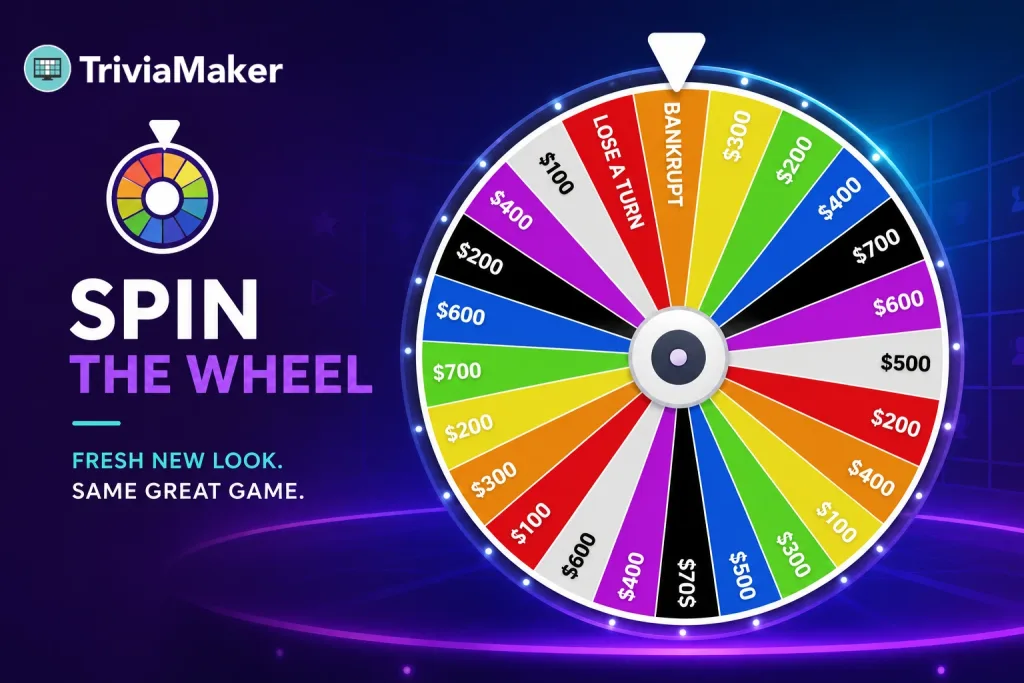

If you’ve run a spin-the-wheel trivia round in TriviaMaker before, the rules haven’t moved an inch. Spin, buy a vowel, solve the puzzle – same flow, same host controls, same games you already built. What’s changed is how it looks and feels to run: a cleaner wheel, easier-to-read labels, clearer visual hierarchy, and an updated gameplay screen.
Below, spin the redesigned wheel yourself, then see exactly what changed, what stayed the same, and where this game style fits – classrooms, corporate training, live events, and virtual meetings.
What Actually Changed in the Redesign
The redesign focused entirely on clarity – making the wheel easier to read from a projector, a shared screen, or a phone, and easier to build from the editor.
Give Your Next Trivia Game a Fresh New Look
The redesigned Spin the Wheel keeps the gameplay you already know while making every spin cleaner, easier to read, and more polished for classrooms, events, and team games.
What Stayed Exactly the Same
Gameplay is unchanged. Every game you’ve already built plays out the way it always has:
- Players spin, buy a vowel, or solve the puzzle – same three actions as before.
- The host controls gameplay from the same host screen workflow.
- All existing customization – labels, values, colors, prizes, Bankrupt and Lose a Turn segments – carries over exactly as built.
- Games created before the redesign still work without needing to be rebuilt.
Full Customization, Now Easier to See While You Build
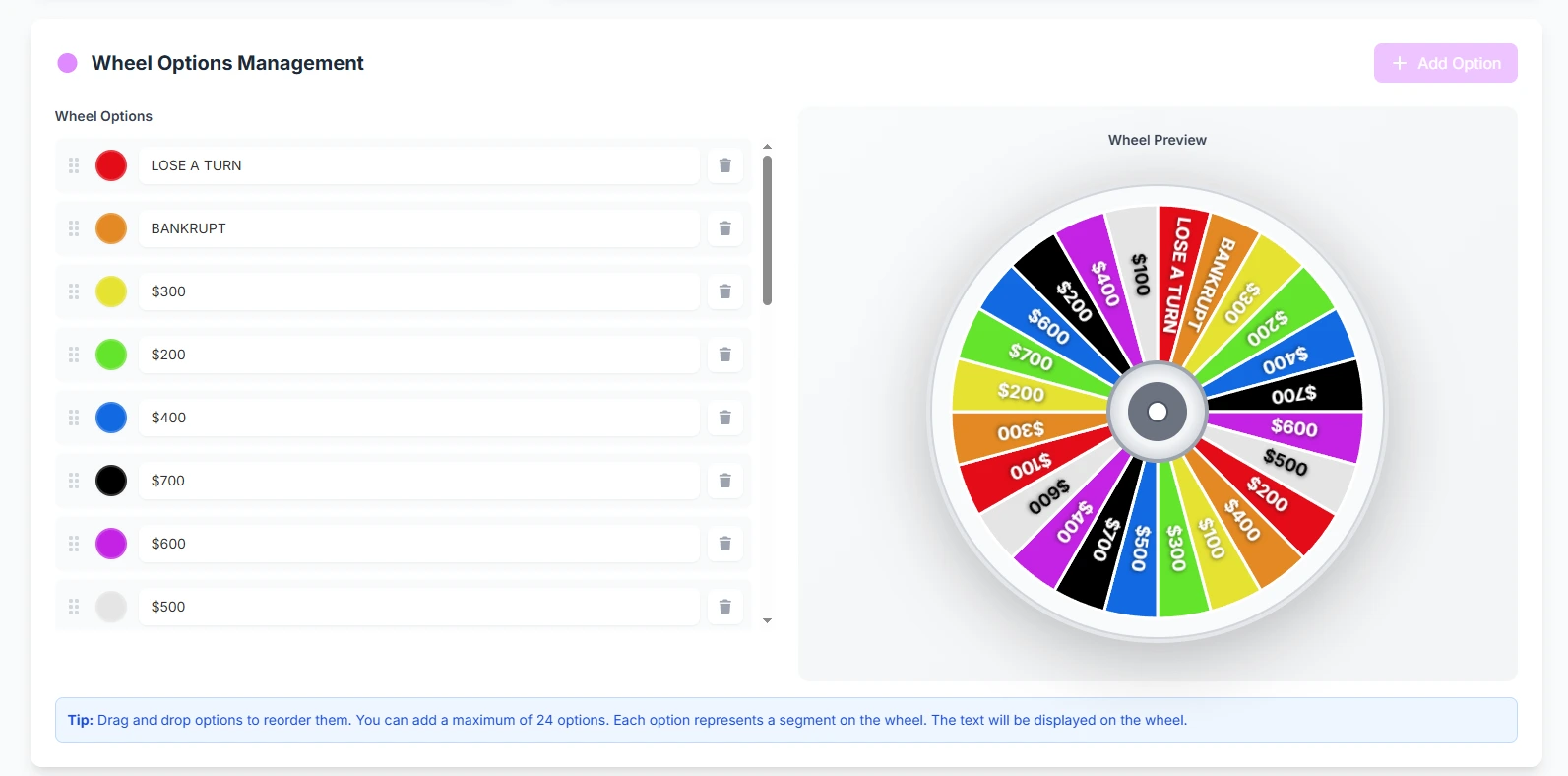
The redesigned editor didn’t add new customization options – it made the existing ones easier to use, with a live wheel preview that updates as you edit.
- Editable wheel labels and point values
- Custom colors for each segment
- Custom prizes
- Custom Bankrupt option
- Custom Lose a Turn option
- Up to 24 wheel segments
- Drag-and-drop segment ordering
- Live wheel preview while editing
Where This Game Style Works
The redesigned wheel supports the same modes and platforms as before:
- Crowd Mode – audience-scale participation from any device
- Classroom Mode – built for teacher-led sessions
- Presenter Mode – host-controlled, full-screen display
- Assignment Mode – self-paced play for homework or async review
- Zoom and Google Meet, via standard screen share
- Mobile participation with no app download
- Random wheel spins for unbiased selection
Old Interface vs. New Interface
| Area | Before | Now |
|---|---|---|
| Wheel readability | Smaller labels, tighter spacing at high segment counts | Improved contrast and spacing, easier to read at 24 segments |
| Visual hierarchy | Score and turn state less prominent | Score, current player, and wheel state clearer at a glance |
| Segment editing | Standard list-based editor | Drag-and-drop ordering with live wheel preview |
| Gameplay rules | Spin, Buy a Vowel, Solve Puzzle | Identical – Spin, Buy a Vowel, Solve Puzzle |
| Supported modes | Crowd, Classroom, Presenter, Assignment | Identical – no modes added or removed |
Who Uses the Spin-the-Wheel Trivia Game
Primary: teachers, schools, and universities using it for review games and classroom energy; corporate trainers and HR/L&D teams using it for onboarding and knowledge checks; event organizers running audience-facing sessions.
Also popular with: trivia hosts, churches and youth groups, conference speakers, virtual meeting hosts, and team-building facilitators.
How to Try the Redesigned Wheel
- Open an existing wheel game or start a new one (Premium and above).
- Customize labels, colors, prizes, and Bankrupt/Lose a Turn segments – up to 24 total.
- Drag to reorder segments and check the live preview before you launch.
- Launch in Crowd Mode, Classroom Mode, or Presenter Mode – or share it for Assignment Mode.
- Host controls the spin; players spin, buy a vowel, or solve, exactly as before.
Pricing & Access
The spin-the-wheel game style is available on TriviaMaker’s Premium plans and above – this has not changed with the redesign. Premium starts at $6.99/month, or $19/year on the annual plan, and includes all 7 game styles, AI question generation, and the redesigned wheel interface. The Free Basic plan does not include this game style. Every paid plan includes a 7-day money-back guarantee, and you can cancel anytime.
Ready to Build Your Own Spin the Wheel Game?
Create a free TriviaMaker account today. When you’re ready, upgrade to Premium to unlock the redesigned Spin the Wheel game style with customizable segments, colors, point values, Bankrupt, Lose a Turn, and more.
Frequently Asked Questions
Is the spin-the-wheel redesign a new feature?
No. This is a visual redesign of the existing spin-the-wheel game style. The interface is cleaner and easier to read and edit, but gameplay, rules, and host controls are unchanged.
Do I need to rebuild my existing wheel games?
No. Games you built before the redesign still work as-is. The new interface applies automatically the next time you open or launch them.
What actually changed in the redesign?
A cleaner wheel design, improved readability, better visual hierarchy for score and turn state, and an updated gameplay screen for both host and players.
Did any gameplay rules change?
No. Spin, Buy a Vowel, and Solve Puzzle work exactly as they did before. The host still controls gameplay the same way.
Is the spin-the-wheel game style free to use?
No. It’s available on TriviaMaker’s Premium plans and above, starting at $6.99/month or $19/year. The Free Basic plan includes 3 other game styles – Trivia, Grid, and List.
How many segments can I add to the wheel?
Up to 24 wheel segments, each with an editable label, point value, and color.
Can I add images or videos to wheel segments?
No. General TriviaMaker games support audio, but individual wheel segments do not support images, videos, or GIFs.
Does the redesigned wheel work on Zoom or Google Meet?
Yes. Share your screen as you normally would – no special setup is required for either platform.
Can players join on their phones without an app?
Yes. Mobile participation works directly in a browser, with no app download required.
What game modes does the wheel support?
Crowd Mode, Classroom Mode, Presenter Mode, and Assignment Mode – the same modes supported before the redesign.
Key Takeaways
- This is a UI redesign only – no new gameplay, no rules changes.
- The wheel is cleaner, easier to read, and easier to edit with a live preview.
- All existing wheel games continue to work without changes.
- Customization – labels, colors, prizes, Bankrupt, Lose a Turn, up to 24 segments – is unchanged, just easier to manage.
- Supported everywhere it worked before: Crowd Mode, Classroom Mode, Presenter Mode, Assignment Mode, Zoom, and Google Meet.
- The game style remains part of TriviaMaker’s Premium plans and above.
Explore more: all 7 game styles · team building quiz maker · interactive classroom games · AI question generator