
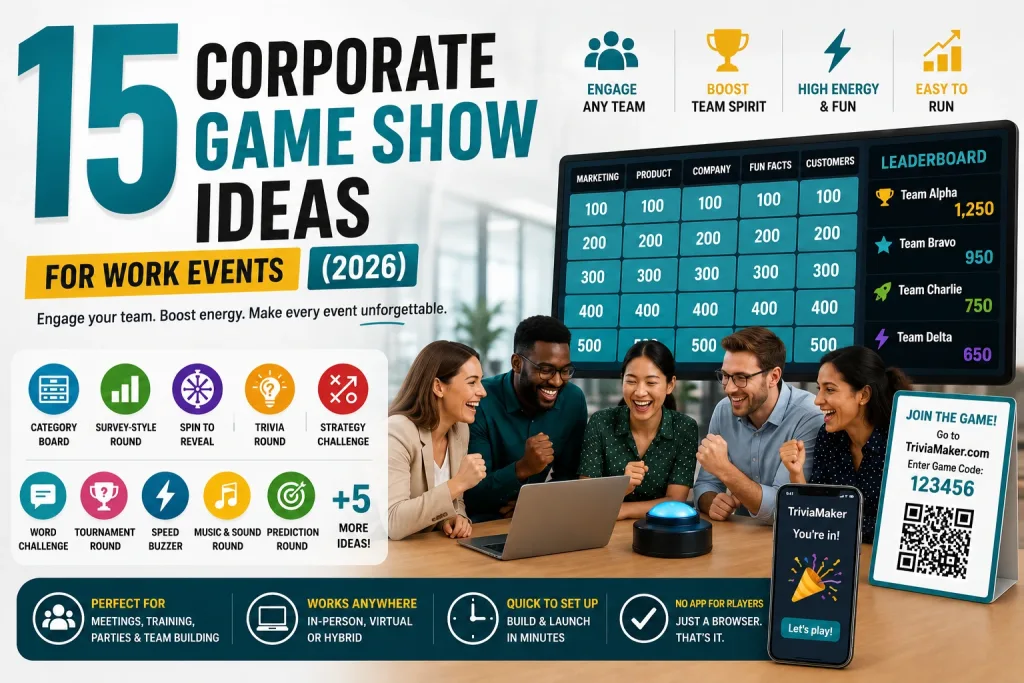
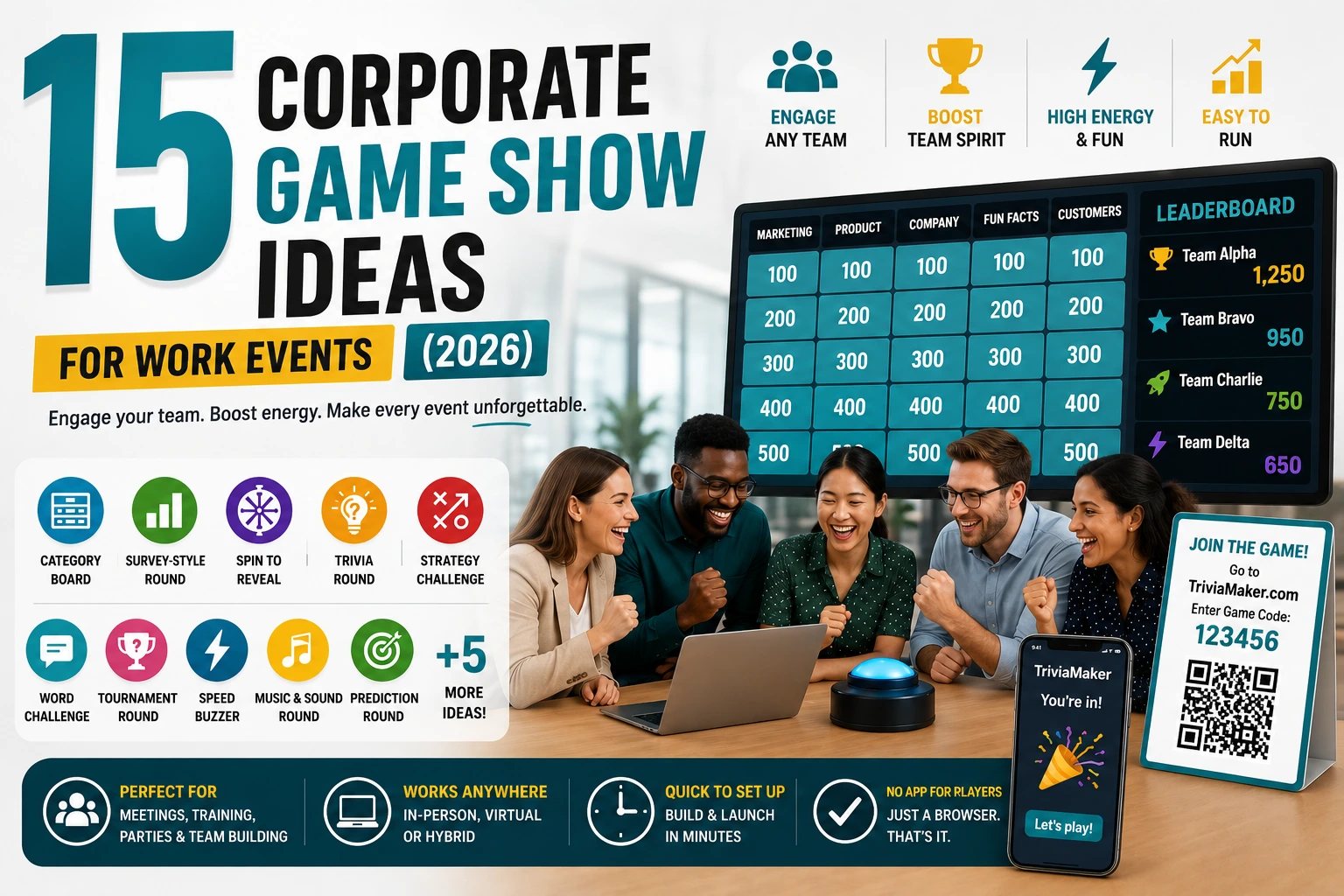
You need a game show for your next corporate event. Every search result is either a vague “why games are good for teams” article or an entertainment company trying to book you a $3,000 stage production.
Neither answers the actual question: what game should I run, and how do I set it up?
This is a list of 15 corporate game show ideas – each one explained with its rules, ideal group size, energy level, and how to build it. Most can be set up in under 5 minutes using TriviaMaker (free, no credit card, no app for players).
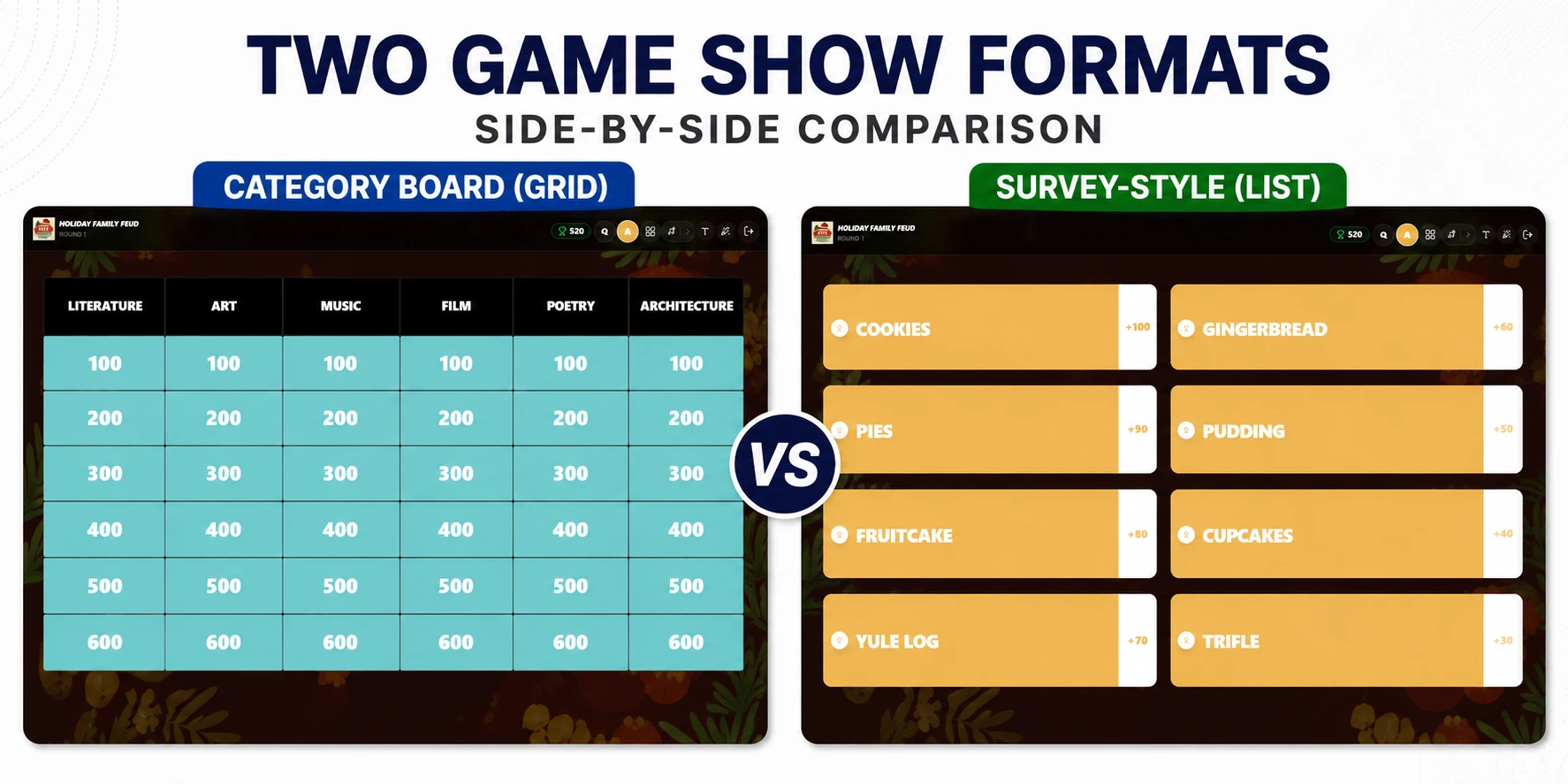
Short on time? The two most popular corporate game show formats are category boards (structured, competitive) and survey-style rounds (fun, icebreaker-friendly). Both are free to build in TriviaMaker.
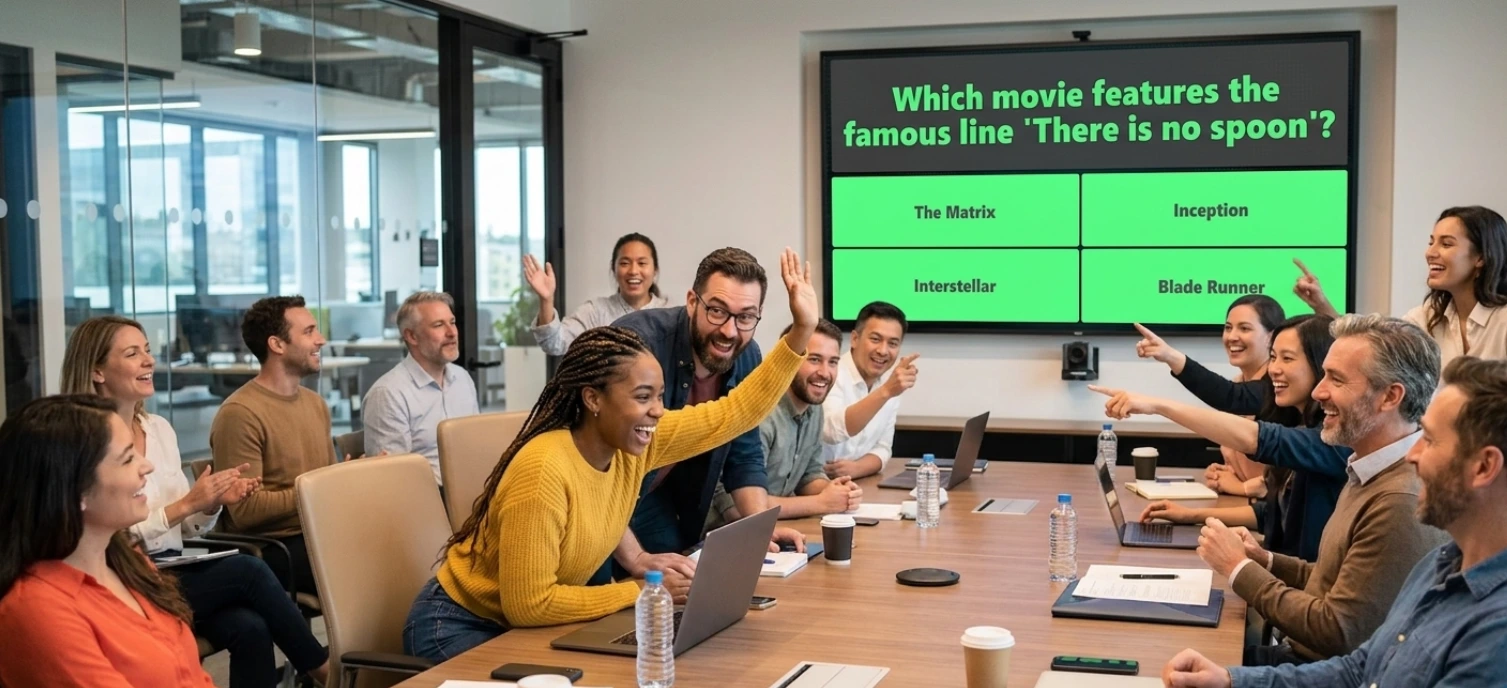
What Makes a Game Show Work at a Corporate Event?
Not every game show that works on TV works in a conference room. The ideas below share four traits that matter for a workplace audience:
- Low setup cost. No stage, no rented equipment, no week of prep. Most can be built and running inside a browser tab.
- Mixed-skill accessibility. A format that only rewards specialist knowledge alienates half the room. Good corporate game shows balance luck, speed, and general knowledge.
- Flexible group size. The same format needs to work for a 6-person standup and a 400-person all-hands.
- Clear, fast rules. If you need more than 30 seconds to explain how to play, the format is wrong for a 45-minute meeting slot.
Quick Reference: All 15 Game Show Ideas
Use this table to jump straight to the format that fits your event.
| # | Game Show Idea | How It Works | Group Size | Best For | TriviaMaker Format |
|---|---|---|---|---|---|
| 1 | Category Board | Pick category, answer for points | 4–50+ | Knowledge review, quarterly recaps | Grid |
| 2 | Survey-Style Round | Guess top survey answers | 6–30 | Icebreakers, onboarding | List |
| 3 | Spin-to-Reveal Round | Spin for random category or prize | 10–200+ | Parties, high-energy events | Wheel |
| 4 | Classic Trivia Quiz | Timed multiple choice | 1–2,000 | Large remote audiences, reviews | Trivia |
| 5 | Tic-Tac-Toe Trivia | Answer to claim board position | 2 teams | Small competitive groups | TicTac |
| 6 | Hangman-Style Word Game | Guess letters to reveal a word | 4–40 | Vocabulary, brand terms, onboarding | Hangman |
| 7 | Multi-Format Tournament | Chain several formats together | 10–200 | Half-day or full-day events | Fusion |
| 8 | Buzzer Battle | First correct answer scores | 4–50 | High-energy competitive teams | Buzz Mode |
| 9 | Name That Tune | Identify songs or sounds | 10–200+ | Holiday parties, mixed-age groups | Trivia (audio) |
| 10 | Guess the Number | Closest numeric guess wins | Any size | Tie-breakers, icebreakers | Trivia (estimation) |
| 11 | Company Category Board | category board with company-specific topics | 4–50 | Onboarding, compliance, culture | Grid |
| 12 | Corporate Survey Round | survey-style round with workplace questions | 6–30 | Team bonding, department mixers | List |
| 13 | Who’s Most Likely To | Vote on who fits each description | 6–30 | Icebreakers, new hire groups | List |
| 14 | Office Olympics Trivia | Multi-round competition across departments | 20–200 | Company-wide events, offsites | Fusion |
| 15 | Escape Room Trivia Challenge | Solve puzzles under time pressure | 4–20 | Small team problem-solving | Grid or Fusion |
7 game show formats. One free tool.
Build any idea on this list in under 5 minutes – no design work, no app for players.
Try TriviaMaker Free →The 15 Corporate Game Show Ideas
1. Category Board Game
How it works: A board of categories, each with several point values. Teams choose a category and value, answer the question shown, and points accumulate on a visible scoreboard. Higher values = harder questions.
Why it works for corporate events: It’s structured, which makes it ideal for content that needs to be covered systematically – quarterly results, product knowledge, compliance topics. Teams choose their own difficulty, so stronger players can go for high-value questions while others stay in safer territory.
Group size: 4–50+ (team-based play)
Best for: Knowledge review, quarterly recaps, training reinforcement, department competitions
How to build it: TriviaMaker’s Grid format runs this natively – categories, values, and scoring are handled automatically. Build one in under 5 minutes.
Build a Category Board Game Free →
2. Survey-Style Game
How it works: A question is posed to a group in advance (“Name a reason people are late to meetings”). Teams try to guess the top-ranked responses. Points are awarded for matching popular answers, not just correct ones.
Why it works for corporate events: There’s no wrong-answer pressure – it rewards reading the room, not memorized facts. This makes it the strongest icebreaker format on this list, especially for new hires or mixed-department groups who don’t yet share context.
Group size: 6–30
Best for: Icebreakers, new-hire onboarding, department mixers, warm-up rounds
How to build it: TriviaMaker’s List format handles the survey mechanic and live answer reveal.
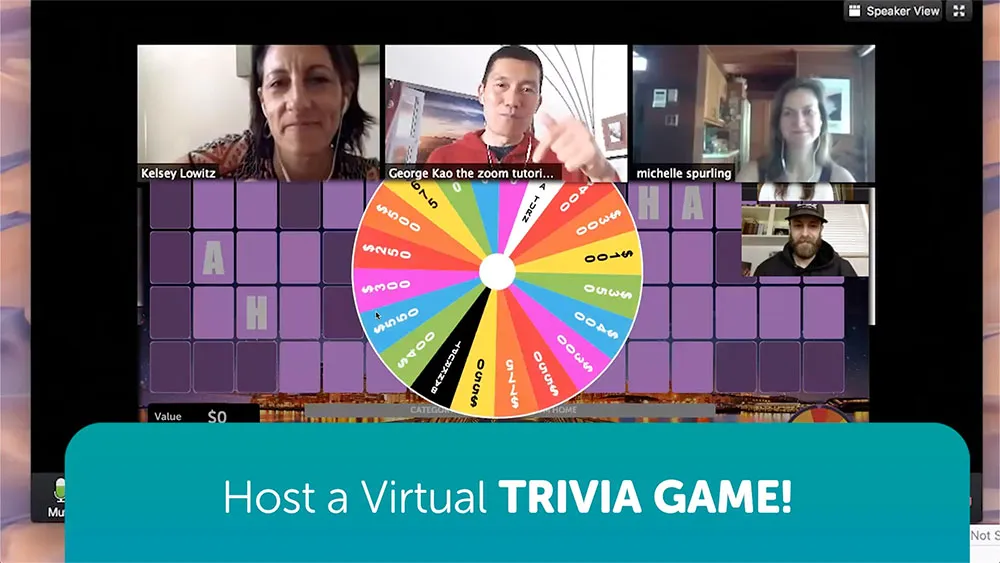
3. Spin-to-Reveal Game
How it works: A wheel or randomizer determines the next category, question, or bonus outcome before each turn. The unpredictability itself is the entertainment.
Why it works for corporate events: It’s the highest-energy format on this list because outcomes are partly chance-based – even weaker players can land a lucky spin. Good for holiday parties, kickoff events, and anything where morale matters more than measuring knowledge.
Group size: 10–200+
Best for: Parties, fundraisers, high-energy events, holiday celebrations
How to build it: TriviaMaker’s Wheel format covers this. Add your own categories, prizes, or challenges to each segment.
4. Classic Trivia Quiz
How it works: Timed multiple-choice questions, answered individually or in teams, with points for speed and accuracy.
Why it works for corporate events: It’s the fastest format to build and the most familiar to every participant – nobody needs the rules explained. It’s also the only format on this list that scales cleanly to thousands of simultaneous players, which matters for company-wide events.
Group size: 1–2,000+
Best for: Large remote audiences, fast reviews, all-hands meetings, company-wide competitions
How to build it: TriviaMaker’s Trivia format is built for this scale. Use Crowd Mode for large groups where everyone plays on their phone.
5. Tic-Tac-Toe Trivia
How it works: Two teams answer questions to claim positions on a grid, aiming to connect three in a row while blocking the opposing team.
Why it works for corporate events: It adds a layer of tactical decision-making on top of the quiz mechanic – teams have to weigh “answer this to block them” against “answer this to advance.” Good for smaller, competitive groups who want more than a straight knowledge test.
Group size: 2 teams (any size per team)
Best for: Small competitive groups, head-to-head department challenges, team standoffs
How to build it: TriviaMaker’s TicTac format runs this automatically.
Build a Tic-Tac-Toe Game Free →
6. Hangman-Style Word Game
How it works: A hidden word or phrase is revealed one letter at a time as players guess correctly, with a penalty structure for wrong guesses.
Why it works for corporate events: Particularly effective for reinforcing specific vocabulary – product names, internal acronyms, company values, or client terminology. Onboarding teams use this format to make jargon stick faster than a glossary document ever will.
Group size: 4–40
Best for: Vocabulary building, brand term training, onboarding, ESL-friendly teams
How to build it: TriviaMaker’s Hangman format handles this with custom word lists.
Halfway through the list. Your first game show could already be live.
See the Online Game Show Maker →7. Multi-Format Tournament
How it works: Several formats chained into a single session – for example, a category board opening round, a buzzer-battle middle round, and a survey-style closing round.
Why it works for corporate events: A single format loses momentum over more than 30–40 minutes. Chaining formats keeps a half-day or full-day event feeling fresh, and it’s the format of choice for conferences with multiple breakout sessions to fill.
Group size: 10–200
Best for: Half-day or full-day events, conferences, company offsites, multi-department tournaments
How to build it: TriviaMaker’s Fusion format combines multiple game styles inside one session. Add Grid, List, and Trivia rounds without rebuilding – the three formats Fusion supports.
Build a Multi-Format Tournament Free →
8. Buzzer Battle
How it works: A question is read aloud or displayed, and the first team or player to buzz in gets to answer. Correct answers score; incorrect answers give the other team a chance.
Why it works for corporate events: The buzzer mechanic creates urgency and excitement that a standard quiz round doesn’t. It rewards quick thinkers and creates dramatic moments – especially when teams steal from each other.
Group size: 4–50
Best for: High-energy competitive teams, sales meetings, department face-offs
How to build it: TriviaMaker’s Buzz Mode turns any device into a buzzer. No hardware needed.
9. Name That Tune
How it works: A short audio clip is played (song, jingle, sound effect), and teams race to identify it. Points for speed and accuracy.
Why it works for corporate events: It’s the most universally engaging format because it doesn’t require specialized knowledge – everyone recognizes music. Perfect for mixed-age groups and holiday parties where the goal is fun, not competition.
Group size: 10–200+
Best for: Holiday parties, mixed-age groups, warm-up rounds, social events
How to build it: Use TriviaMaker’s Trivia format with audio files attached to each question. Add company jingles, industry sounds, or popular songs.
10. Guess the Number / Prediction Game
How it works: A question requires a numeric estimate (“How many emails does the average office worker send per day?”). The closest guess wins.
Why it works for corporate events: It’s the simplest format to run and works as a tiebreaker or icebreaker opener. It also scales to any group size because everyone answers simultaneously.
Group size: Any size
Best for: Tie-breakers, opening icebreakers, large audience warm-ups
How to build it: Use TriviaMaker’s Trivia format with numeric answer fields.

11. Company Category Board
How it works: A category board game, but all questions are about your company – history, values, products, team members, inside jokes, milestones.
Why it works for corporate events: It reinforces company knowledge while creating shared laughter. New hires learn the culture; veterans show off their tenure. The “inside knowledge” element makes it more engaging than generic trivia.
Group size: 4–50
Best for: Onboarding, company anniversaries, culture reinforcement, all-hands meetings
How to build it: TriviaMaker’s Grid format with custom categories like “Company History,” “Product Knowledge,” “Meet the Team,” “Office Inside Jokes,” and “Industry Facts.”
Sample categories:
- “Company History” – founding year, first product, key milestones
- “Meet the Team” – fun facts about colleagues
- “Our Products” – features, launch dates, customer stories
- “Industry Trivia” – competitor facts, market data
- “Office Culture” – inside jokes, traditions, nicknames
Build a Company Category Board Free →
12. Corporate Survey Round
How it works: A survey-style round, but with workplace-themed survey questions. “Name something people do during a Zoom call when they think their camera is off.” Teams guess the top answers.
Why it works for corporate events: The humor comes from shared workplace experiences. It’s the format that generates the most laughter because everyone relates to the answers. It also works brilliantly as a department mixer – put Sales vs. Engineering vs. Marketing.
Group size: 6–30
Best for: Team bonding, department mixers, holiday parties, icebreakers
How to build it: TriviaMaker’s List format with workplace-themed survey questions.
Sample questions:
- “Name something people do when the meeting could have been an email”
- “Name a reason someone is late to a Monday morning meeting”
- “Name something found on every office worker’s desk”
- “Name a phrase heard in every corporate all-hands meeting”
Build a Corporate Survey Round Free →
13. Who’s Most Likely To
How it works: A statement is read (“Who’s most likely to reply-all by accident?”), and everyone votes on which team member fits the description. The person with the most votes gets a point (or a fun penalty).
Why it works for corporate events: It’s the fastest icebreaker on this list because it requires zero preparation – just read the statements and vote. It creates instant conversation and helps remote teams learn about each other.
Group size: 6–30
Best for: Icebreakers, new hire groups, remote team bonding, casual Friday activities
How to build it: TriviaMaker’s List format works for this – use the survey mechanic where players vote on teammates.
Sample statements:
- “Most likely to send a message in the wrong Slack channel”
- “Most likely to eat lunch at their desk every day”
- “Most likely to have the most browser tabs open”
- “Most likely to forget they’re on mute”
14. Office Olympics Trivia
How it works: A multi-round competition where each round uses a different game format – category board, survey, and speed trivia – and departments compete for an overall leaderboard. Think of it as a corporate game show tournament.
Why it works for corporate events: It’s the most ambitious format on this list, designed for company-wide events, offsites, or annual parties. The variety prevents fatigue, and the cumulative leaderboard keeps teams engaged across multiple rounds.
Group size: 20–200
Best for: Company-wide events, annual offsites, multi-department competitions, company anniversaries
How to build it: TriviaMaker’s Fusion format lets you chain Grid, List, and Trivia rounds into one seamless tournament with a combined leaderboard.
Sample round structure:
- Round 1: Company Category Board (Grid) – 10 minutes
- Round 2: Corporate Survey Round (List) – 8 minutes
- Round 3: Speed Trivia (Trivia) – 7 minutes
- Final: Buzzer Showdown (Trivia + Buzz Mode) – 5 minutes
15. Escape Room Trivia Challenge
How it works: Teams solve a series of puzzles, riddles, or trivia questions under time pressure. Each correct answer “unlocks” the next clue. The first team to solve all puzzles wins.
Why it works for corporate events: It combines problem-solving with competition, making it the best format for teams that want a collaborative challenge rather than a head-to-head quiz. It also works well for smaller groups who want an intense, focused experience.
Group size: 4–20
Best for: Small team problem-solving, team offsites, leadership groups, training sessions
How to build it: Use TriviaMaker’s Grid or Fusion format with timed questions and escalating difficulty. Each category = a “room” to unlock.
How to Choose the Right Game Show for Your Event
| Your Situation | Best Format | Why |
|---|---|---|
| Quick icebreaker before a meeting | Survey-Style Round or Who’s Most Likely To | Low prep, high laughs, 5–10 minutes |
| Training or knowledge review | Category Board or Company Category Board | Structured, covers content systematically |
| Large company-wide event (100+) | Classic Trivia Quiz with Crowd Mode | Scales to thousands, everyone plays simultaneously |
| Holiday party or social event | Spin-to-Reveal Round or Name That Tune | High energy, chance-based, inclusive |
| Half-day offsite or conference | Multi-Format Tournament or Office Olympics Trivia | Variety prevents fatigue, cumulative scoring |
| Department vs. department showdown | Tic-Tac-Toe Trivia or Buzzer Battle | Head-to-head competition, tactical |
| New hire onboarding | Company Category Board or Hangman-Style Word Game | Teaches company vocabulary and culture |
| Remote team bonding | Corporate Survey Round or Classic Trivia Quiz | Works via screen share, no app needed |
| Small team problem-solving | Escape Room Trivia Challenge | Collaborative, intense, focused |
Building any of these – whether for a team building session or a company-wide organization event – follows the same process in TriviaMaker: pick a format, add questions (or let the AI question generator build them from a topic), choose a play mode – Presenter, Crowd, Basic, Solo, or Assignment – and share the join code. All 7 native formats are covered by the TriviaMaker feature set, with a free plan to start.
FAQ: Corporate Game Shows
How do I run a game show at a corporate event?
Pick a format that fits your group size and energy level, prepare 20–40 questions, set up a screen for the host view, and have players join via phone or laptop. Tools like TriviaMaker handle scoring, leaderboards, and player joining automatically—most game shows can be built and launched in under 5 minutes.
What is the best game show for team building?
Category boards and survey-style rounds are the two most popular formats for corporate team building. Category boards work well for knowledge-based teams, while survey-style rounds are better for icebreakers and mixed groups. Both can be hosted for free using TriviaMaker.
How many people can play a corporate game show?
It depends on the format. Classic trivia scales to 2,000+ players. Category boards work best with 4–50 people, while survey games work well with 6–30 participants. For large company-wide events, use Crowd Mode so everyone can play simultaneously from their own device.
Do I need a professional host for a corporate game show?
No. Most corporate game shows are hosted by a team lead, HR coordinator, or event planner—not a professional emcee. The right platform handles scoring, timers, and leaderboards automatically so the host can focus on keeping the event fun and engaging.
What’s the difference between a trivia game and a game show?
A trivia game typically focuses on answering questions and tracking scores. A game show adds visual game boards, spinning wheels, buzzers, team competition, and TV-style presentation. These interactive elements create more excitement and audience participation.
Can I run a corporate game show on Zoom or Microsoft Teams?
Yes. Browser-based game show platforms work on Zoom, Microsoft Teams, Google Meet, and Webex using screen sharing. The host shares the game board while participants join from their phones or laptops with a simple join code—no app download required. See our guide to online trivia games for Zoom.
What are the best corporate game show ideas for large groups?
For groups of more than 50 people, the best options include live trivia where everyone answers simultaneously, spin-to-win wheel rounds, and prediction games. These formats keep large audiences engaged without requiring every participant to take individual turns.
How long should a corporate game show last?
A meeting icebreaker works well in 5–10 minutes. Team-building sessions typically last 20–30 minutes. Company events often run 45–90 minutes, while half-day offsites may include multiple game rounds over 2–3 hours with breaks.
What prizes work best for corporate game show winners?
Popular prizes include gift cards, extra PTO, team lunches, company swag, or a rotating trophy. Recognition often has the biggest impact, so celebrating winners in company meetings, newsletters, or Slack channels helps extend engagement beyond the event.
Ready to Build Your First Corporate Game Show?
TriviaMaker has 7 game show formats – all free to start. Build a category board, a survey-style round, a Wheel spin, or a multi-format tournament in under 5 minutes. No credit card. No app for players. Just share a code and start playing.
Create Your Game Show Free →★★★★★ 4.8 from 2,847 reviews · Trusted by teams at Google, Amazon, Stanford, Microsoft