Customizable Word Lists
Add your own hangman words and phrases easily. Create a unique gaming experience for any audience. Choose from various difficulty levels to keep everyone engaged!

 Hangman Game Style
Create custom Hangman games for classrooms, corporate training, trivia nights, and casual play. Upload your own word lists, host live multiplayer sessions, and turn vocabulary review into the most-requested activity of the week.
Trusted by educators & organizations worldwide











Try these 4 ready-made Hangman games instantly.
How TriviaMaker's Hangman style stacks up against dedicated word-guessing tools.
| Feature | TriviaMaker | Hangmanwords.com | Puzzle.org |
|---|---|---|---|
| Custom word lists | Limited | ||
| Multiplayer (live) | |||
| Analytics & tracking | |||
| Import from Excel / CSV | |||
| Branded themes & custom logo | |||
| Mobile app (iOS & Android) | Web only | ||
| Team / presenter mode | |||
| AI question generator | |||
| 7 additional game styles | |||
| No player login required | Varies | ||
| Apple TV / Android TV app |
Discover the key features of the TriviaMaker virtual Hangman game.
Add your own hangman words and phrases easily. Create a unique gaming experience for any audience. Choose from various difficulty levels to keep everyone engaged!
Play and create games on the go! TriviaMaker Hangman is designed for mobile devices. This means you can host and join games anytime and anywhere.
Start quickly with ready-to-use templates. These templates are designed for different settings, such as classrooms and corporate events. Customize these templates to fit your specific needs and themes.
Our design is easy to use. Players of all ages can join in and have fun. Watch as participants engage, collaborate, and have fun while they play and enjoy!
Launch your game in just a few clicks! You can easily host a classroom activity or a team-building event. Get your game up and running in no time!
Upload your word list from Excel, CSV, or connect a Google Sheet. Map your phrase column once and instantly generate interactive Hangman rounds - no manual entry required.
Build and launch a custom Hangman game in three simple steps.
Login to your TriviaMaker account and go to the Create-Game page. Select Hangman as your game style.
30 secondsCreate a game manually, import content from a CSV file, generate with AI, choose from the Question Library, or upload a document.
60 secondsStart your game and invite players to join with a 6-digit game code. Track participation and results with built-in analytics.
15 seconds
Replace paper worksheets and flashcard drills with a live Hangman game built from this week's word list. Students guess letters from their own devices while you control the pace from the classroom display. Spelling practice, vocabulary review, and end-of-unit test prep become the activity students actually ask to play.

Whether you're hosting a 200-person trivia night, a conference icebreaker, or a holiday party, branded Hangman rounds keep the energy up between sessions. Project the game on the main screen, theme the words around your event, and let the audience guess together from their phones - no logins, no friction.

Turn your employee handbook, product launch vocabulary, or onboarding glossary into a 10-minute Hangman round that employees will actually remember. Distributed teams play synchronously from anywhere in the world, and managers get built-in analytics showing which terms people struggled with - so follow-up coaching is data-driven, not guesswork.

Skip the random word lists on generic Hangman sites. Build a round around your favorite movie quotes, sports trivia, or inside jokes, share the join code, and let the competition begin. TriviaMaker runs entirely in the browser, so anyone with a phone or laptop can jump in instantly.
Choose the perfect plan for your needs. Every paid plan unlocks the Hangman game style along with 6 additional game styles.
Real stories from teachers, trainers, and event hosts who use TriviaMaker every week.

We use it all the time for Youth Group. We project it on the big screen!

I use TriviaMaker for test review in my class and the students love it!

Worked perfectly for our staff training day. People actually paid attention!
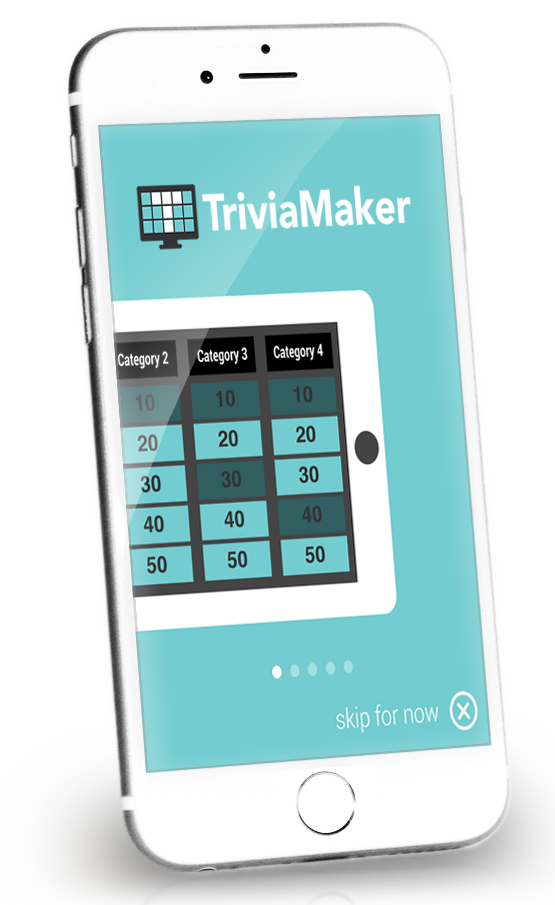
Take your Hangman games everywhere you go. The TriviaMaker mobile app lets you build, host, and play custom Hangman rounds from your phone or tablet - perfect for classrooms, road trips, team offsites, and last-minute quiz nights.


Everything you need to know about building and hosting Hangman games with TriviaMaker.
A Hangman game maker is an online tool that lets teachers, trainers, or event hosts create custom word-guessing games using their own word lists. Instead of playing with random words, players guess letters in words chosen by the host - making the game relevant to a specific topic, curriculum, or event.
TriviaMaker's Hangman maker is available as part of its paid plans, allowing you to create and host custom Hangman games using your own word lists. Upgrading to a premium plan unlocks access to game creation features along with additional capabilities such as saving unlimited games, advanced analytics, and custom branding options for a more professional experience.
TriviaMaker Hangman supports both small and large groups. For classroom use, up to 50 concurrent players can join via individual devices. For presentation-style games on a shared screen, there's no participant limit. Our team-based mode allows grouping players for collaborative play.
Free Hangman games online use preset, random word lists you cannot change. TriviaMaker lets you build games around your own vocabulary - curriculum terms, company jargon, event themes - and includes analytics, team modes, and multi-device support that generic tools don't offer.
Yes. TriviaMaker supports synchronous online play, so distributed teams can join a live game from anywhere via a browser link - no app download required.
TriviaMaker supports importing word lists from Excel (.xlsx), CSV, and Google Sheets, making it easy to quickly build and manage your Hangman games. You can simply upload or connect your file, map your word or phrase column, and instantly generate interactive Hangman content without manual entry.
Yes. Both game creation and gameplay are fully optimized for iOS and Android browsers. TriviaMaker also has a native app available on the App Store and Google Play.
Sign up, upload your word list, and host your first round in under 5 minutes.