

To engage Gen Z, you don’t need content that is loud and fast or packed with social media language. Rather, it involves getting people into interactive activities that keep them busy instead of asking them to sit and listen to someone talk for hours.
How Do You Engage Gen Z?
To engage Gen Z, replace long lectures with short, interactive activities such as live polls, quick quizzes, team challenges, and one-question discussions. Gen Z, generally the cohort born from the mid-1990s to the early 2010s, tends to learn by doing, discussing, and getting instant feedback. Keep each activity to a few minutes, let people respond from their phones, and end with one clear takeaway.
Such an approach will be suitable for the classroom, training sessions, work environments, and events. The ideal activities are always straightforward and easy to participate in.
There are solid reasons to emphasize experiential learning. For example, Deloitte’s 2025 Gen Z and Millennial Survey, which included 23,482 respondents across 44 countries, revealed that 88% of the Gen Z respondents considered on-the-job learning and practical experience crucial for developing skills. Additionally, there was a high demand for guidance and mentorship. Simply put, many people in this generation learn through experimenting and discussion.
When College Work Makes It Hard to Join In
Students may want to take part in workshops, group events, clubs, and career sessions, but heavy coursework can take over their week. A large essay can use the same evening they planned to spend at a useful event or team activity. This can leave them saying no to experiences that could help them meet people or build new skills. Over time, college can start to feel like nothing but deadlines.
When one writing project is taking too much time, students may use academic writing support and search for services that can help when they need to write my essay while keeping more of their own time for classes, study, and useful activities outside the classroom.
The aim should be to manage the workload in a way that still supports learning. This can make it easier to take part in a workshop, training session, or event instead of always choosing the desk. A little more space in the week can make those experiences easier to enjoy.
15 Gen Z Engagement Activities at a Glance
Let’s now go through 15 quick tips on how to bring liveliness to your Gen Z audience! Use this table to pick an activity, then read the details below.
| Activity | Typical time | Best for |
|---|---|---|
| 1. Live poll | 2-3 minutes | Openers and quick opinions |
| 2. Quick quiz | 5-10 minutes | Recaps and attention resets |
| 3. 60-second task | 1-3 minutes | Fast team ideas |
| 4. Meme prompting | 5 minutes | Concept checks in training |
| 5. Pop culture quiz | 5-10 minutes | Event openers |
| 6. Scenario exercise | 5-10 minutes | Customer service and leadership |
| 7. Debate | 7-10 minutes | Quick thinking |
| 8. Ranking | 8-10 minutes | Prioritizing ideas |
| 9. Two-minute creative sprint | 2-5 minutes | Brainstorming |
| 10. Spot the Fake | 5 minutes | Media literacy and product training |
| 11. Team competition | 10 minutes | Reviews and energizers |
| 12. Social post task | 5 minutes | Marketing and communication topics |
| 13. Speed networking | 8-10 minutes | Events and new groups |
| 14. Storytelling | 5-8 minutes | Making concepts stick |
| 15. One Thing Challenge | 2-3 minutes | Closing a session |
1. Conduct a Live Poll
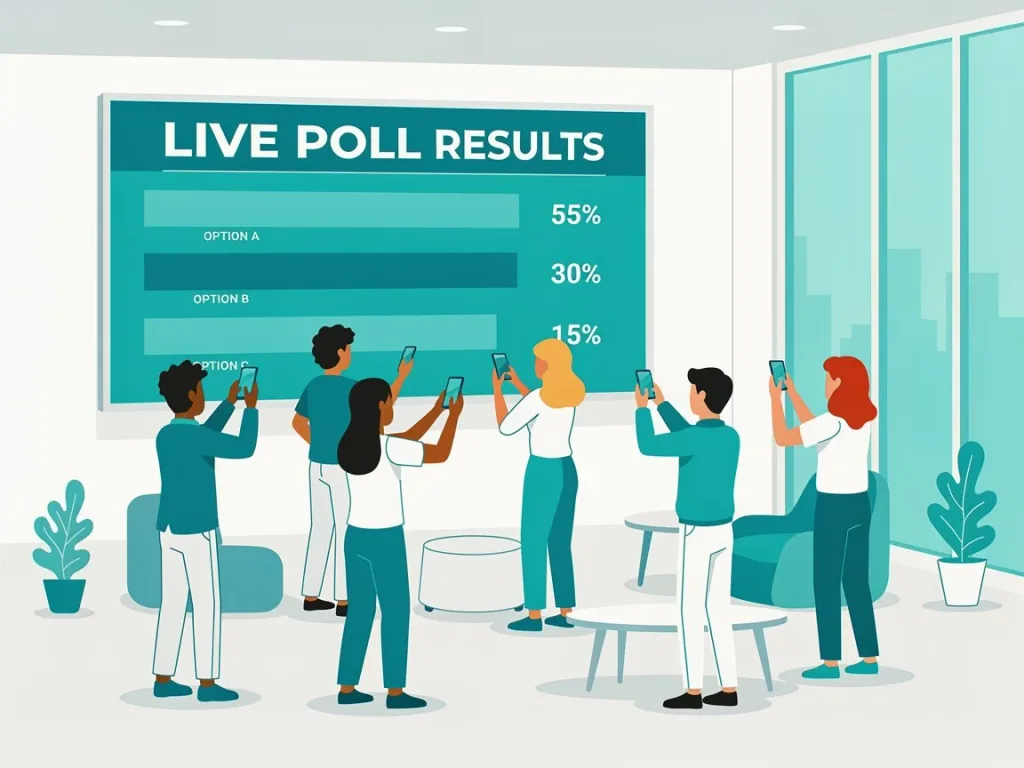
Live polls are an effective technique for getting your Gen Z audience involved. Pose one question only, allow participants to vote through their smartphones in a live poll trivia game or by raising hands, show the results and proceed with a short discussion on the topic. This way, people will actively participate in the event even before they get an opportunity to fall asleep.
Try it: Which one keeps you most engaged in a session? A) Quick quizzes B) Group challenges C) Open discussion D) Watching a demo. Vote now, then ask two people why they picked it.
2. Conduct a Quick Quiz
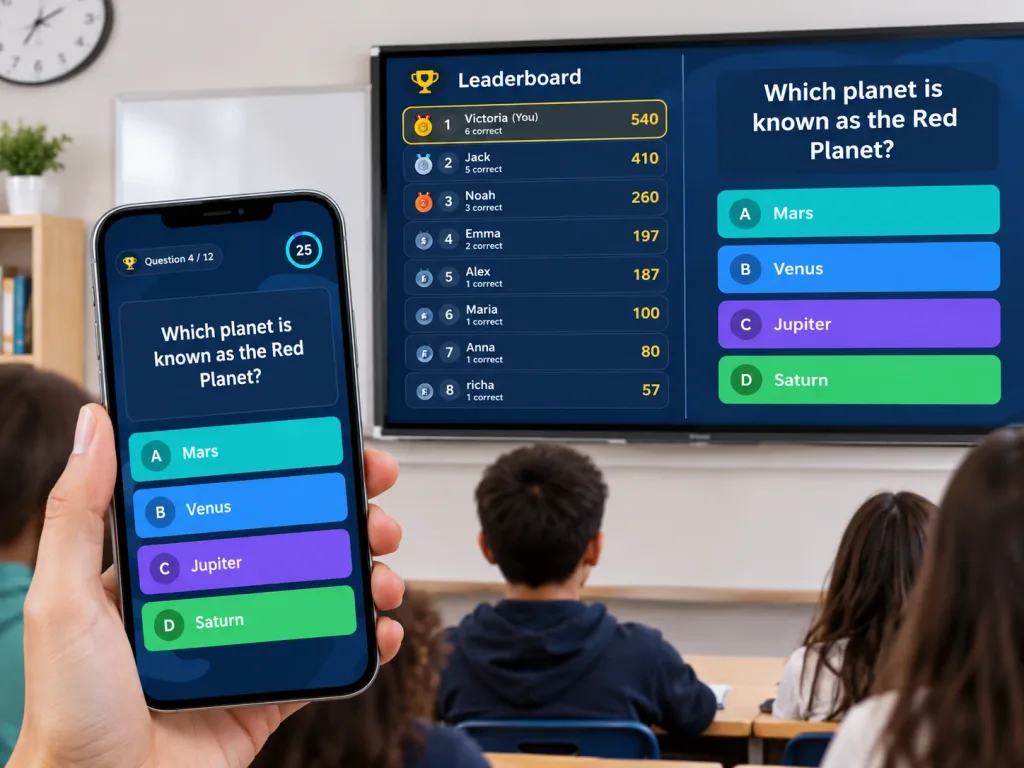
When you need your audience to participate and pay attention to you, conduct a short quiz with five or ten short questions. Questions should be either related to the topic, humorous or derived from the material previously presented. This way, people will be more interested in participating than in achieving good results.
Try it: Which of these was the main reason we changed the process? A) Cost B) Safety C) Speed D) Because the CEO lost a bet. Always add one funny wrong answer to keep it light.
3. Assign Your Audience a 60-Second Task
Divide your listeners into smaller teams and assign them an easy task to do within a minute. For example, the task may be coming up with at least five ideas, making something out of the available materials or coming up with the most appropriate solution to a given problem. Need more formats? Try these team games.
Try it: You have 60 seconds. List five ways to make Monday meetings less painful. Go!
4. Use Meme Prompting
When memes work for an audience, there is no need to force them. Present an image and encourage participants to come up with captions related to the subject matter. During the training, the prompt can be based on a familiar issue from the corporate environment. The task is effective because it requires the comprehension of the concept.
Try it: Show a photo of someone staring at an overflowing inbox. Prompt: “Caption this as how you felt the first time you used our new process.” Best caption wins.
5. Host a Pop Culture Quiz
A pop culture quiz is an excellent way to create an immediate buzz at the start of an event. It should combine various types of culture, such as music, films, gaming, sports, online culture, and current events. Do not assume that all the participants are into the same things, and keep it short with easy-to-answer questions. Short on prep time? Launch a ready-made game such as Pop Culture & Media or Celebrity & Pop Culture Trivia and play in minutes.
Try it: Name that game: you build, mine, and craft in a world made of blocks. (Answer: Minecraft.) Add one music question and one film question to complete a three-question round.
Tired of Silent Rooms and Blank Stares?
Build a live quiz in minutes and let everyone join from their phone. No more talking at people.
6. Create a Scenario Exercise
Give the group a brief situation with two or three options to choose from. Discuss what will happen if they choose a certain course of action. The exercise is appropriate for such subjects as customer service, leadership, safety, marketing, and classroom matters. Participants learn how consequences develop depending on the decision made. “What if” questions make great starting prompts.
Try it: A customer is angry about a late order and wants a refund. Do you: A) Refund immediately B) Offer a replacement C) Escalate to a manager? Vote, then discuss what happens next for each choice.
7. Conduct a Debate
The argument or debate doesn’t necessarily require a stage, microphones, and twenty minutes of introduction. Provide two teams with a question and three minutes to prepare their argument. Ask each team to argue their position in one minute, and provide time for response. This way, people will practice quick thinking without having a session to be a speech class. This or that questions work well as debate starters.
Try it: Should meetings be replaced by short written updates? Team A says yes, Team B says no. You have three minutes to prepare and one minute each to argue.
8. Let People Rank
Provide five alternatives, and ask people to rank them according to their preferences. The alternatives can be anything from ideas for a business to solutions to certain problems, skills that should be developed, various designs, or anything else. Let small groups present their reasons for choosing the top three items on the list. It’s usually the discussion that makes this exercise great.
Try it: Rank these five skills from most to least important for a first job: communication, AI tools, time management, teamwork, creativity. Groups defend their top three.
9. Try the Two-Minute Creative Sprint
Ask people to spend two minutes creating something tiny. The activity can be writing a headline, drawing a sketch, naming a product, making up a slogan or suggesting a solution to a certain problem. Limited time prevents participants from overthinking the exercise. At the end of the sprint, let some of them share what they created. It also works as one of many quick bell ringer activities.
Try it: You have two minutes. Write a six-word slogan for today’s topic. Bonus points if it would fit on a T-shirt.
10. Play “Spot the Fake”
Provide three facts or examples, but make one of them false. Challenge people to identify the false information and explain their reasoning. This activity will work great in classroom settings, product training, media literacy, and even at events. It is a game-like activity that requires attention to detail. Ready-made true or false questions can save you prep time.
Try it: Which one is false? 1) Octopuses have three hearts. 2) Honey almost never spoils. 3) Goldfish have a three-second memory. (Answer: #3.) Now swap in three facts from your own topic.
Spending Hours Prepping Activities Nobody Finishes?
Pick a game style, add your questions, and host it live in your class, workshop, or event.
11. Compete in Answering Questions
Don’t ask the whole room the questions one by one; instead, divide people into groups and give each group the same small task list to accomplish as quickly as possible. The prize should not be the only thing of value; the excitement of the competition is the prize itself. You can even host it like a game show.
Try it: Race: you have three minutes to find five facts about today’s topic. The first team with five verified facts wins. Add a bonus point for the funniest fact.
12. Give People a Social Post Task
Ask people to summarize the topic in a social media post. In most cases, they will have to create a caption, a headline, or three key points. This is an effective exercise that makes people extract the key ideas rather than just repeat everything they’ve heard. This technique is especially good for marketing and communication topics.
Try it: Summarize today’s session as a post in under 20 words, plus one hashtag. Share your favorite aloud.
13. Conduct Speed Networking
Speed networking makes the awkward experience of “go and talk to people” more bearable. Break participants down into pairs and give them two minutes to answer one question. Change partners and change questions every round until everyone in the room has talked to at least a few other participants. For question ideas, see these icebreaker games.
Try it: Round 1: What’s one app you couldn’t live without? Round 2: What’s one skill you want to learn this year? Round 3: What’s the best advice you’ve ever received? Swap partners after each round.
14. Use Storytelling to Make the Point Stick
Open with a 60-second story: a real customer complaint, a classroom moment, or a mistake you made. Stop before the ending and ask the group, “What would you do next?” Let pairs predict the outcome, then reveal what actually happened. A story gives Gen Z context and stakes that a slide of bullet points can’t, and the prediction step turns listening into participation.
Try it: Tell it like this: “On my first day, I accidentally sent a client email to the whole company…” Stop there and ask: “What do you think happened next?”
15. Conclude with the One Thing Challenge
Don’t just ask if there are any questions at the end of the session and wait for the awkward silence. Ask participants to tell you one thing they can do to improve their performance based on what they learned during the session. This works much like an exit ticket. For other ways to close, browse these exit ticket ideas.
Try it: Finish this sentence in the chat or on a sticky note: “Tomorrow, I will try…”
How to Run These Gen Z Activities Live
Most of the activities above need nothing more than a question and a few minutes. For polls, quizzes, and team competitions, a tool like TriviaMaker’s online quiz maker lets you build a quiz, pick a game style, and host it live while participants join from their phones. You can speed up prep with the AI quiz maker, or use crowd mode when the whole room plays together.
Want Gen Z to Actually Remember Your Session?
Polls, quizzes, team games, and live competitions in one place. Sign up and run your first game today.
Gen Z Engagement Should Have a Point
Learning how to engage Gen Z is not about adding memes to every slide or turning every meeting into a game show. Good interaction gives people a reason to think, choose, build, answer, or talk. It keeps the session moving while helping the main idea stick. The activity should support the topic rather than become the entire topic.
Start small if you are not used to interactive sessions. Add one poll, one challenge, and one simple closing task to your next class, workshop, or event. Watch which one creates the most energy and the most useful discussion. Then keep what works and drop what does not. For more ideas, explore these student engagement tools.
Frequently Asked Questions About Engaging Gen Z
How do you engage Gen Z in a presentation or training session?
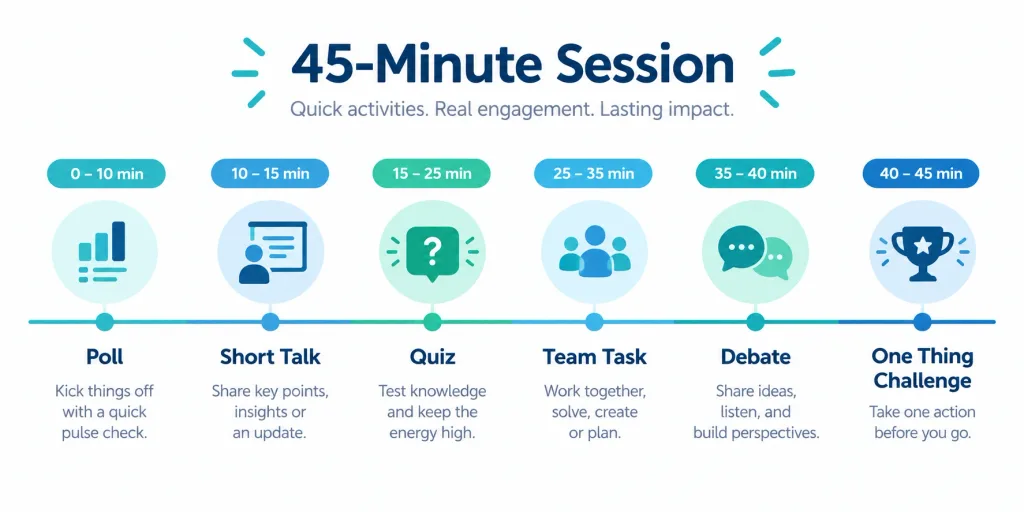
Break the session into short, interactive moments instead of one long talk. Start with a live poll or quick quiz, run a 1 to 5 minute activity every 10 to 15 minutes, let people respond from their phones, and finish by asking each person for one thing they will do differently.
What activities work best for engaging Gen Z?
Live polls, quick quizzes, pop culture trivia, debates, scenario exercises, and two-minute creative sprints work well. They are short, easy to join, and give instant feedback. Mix two or three formats in one session so the pace keeps changing.
Why is it hard to engage Gen Z?
Usually the problem is the format, not the audience. Passive sessions with long lectures give people no way to respond. Deloitte’s 2025 survey found that 88% of Gen Z respondents value on-the-job learning and practical experience, which suggests many prefer learning by doing and discussing.
How can I engage Gen Z students in the classroom?
Use quick quizzes, 60-second team tasks, “Spot the Fake,” and small-group competitions instead of whole-class questioning. Keep rules simple and let students answer on their own devices. You can find more formats in these interactive classroom games.
How do you engage Gen Z employees at work?
Offer hands-on learning, short team challenges, scenario exercises, and regular chances to ask for guidance. Light competition such as trivia games for work builds connection without feeling forced.
How do you engage Gen Z in virtual or remote sessions?
Use live polls, paired breakout questions, and online quizzes so everyone participates, not just the loudest voices. Hosting online trivia on Zoom is an easy way to start, and these virtual team building activities add more options.
What is the best tool for running live quizzes and polls?
Choose a tool that lets you build a quiz quickly, host it live, and have participants join from their phones. TriviaMaker is one option, and you can compare others in this list of the best quiz makers.
Ready to Turn These Ideas Into a Live Game?
Create your first quiz in minutes and watch your audience actually join in.
Related Reads
- Interactive Classroom Games: Fun formats to keep students involved all lesson long.
- Employee Engagement Activities: Ideas to energize teams and keep them connected.
- Team Building Games: Simple games that help groups work better together.
- Trivia Games for Work: Easy trivia formats for meetings and office events.
- Online Trivia Games on Zoom: How to run trivia for remote and hybrid groups.
- Icebreaker Games for Students: Quick openers that get everyone talking.
- This or That Questions: Easy prompts for polls, debates, and discussion starters.
- Create Interactive Quizzes: A step-by-step look at building quizzes people enjoy.