
Create a Free Kahoot-Style Quiz in Minutes
Kahoot taught your students what to expect. TriviaMaker surprises them. Create the same multiple-choice quiz you'd make on Kahoot - then run it as a Grid game show, a Wheel spin, or a Hangman round. One platform. Seven formats. No student logins.
vs Kahoot $49.99/yr vs Kahoot's $228/yr · 7 formats vs 1 · 20 free players vs 10
Free plan - no credit card · No student accounts needed · 7-day money-back guarantee











What TriviaMaker Does That Kahoot Can't
Kahoot is fine - until your students know exactly what's coming every single time. TriviaMaker is the free Kahoot alternative teachers switch to and don't go back from.
7 Game Formats
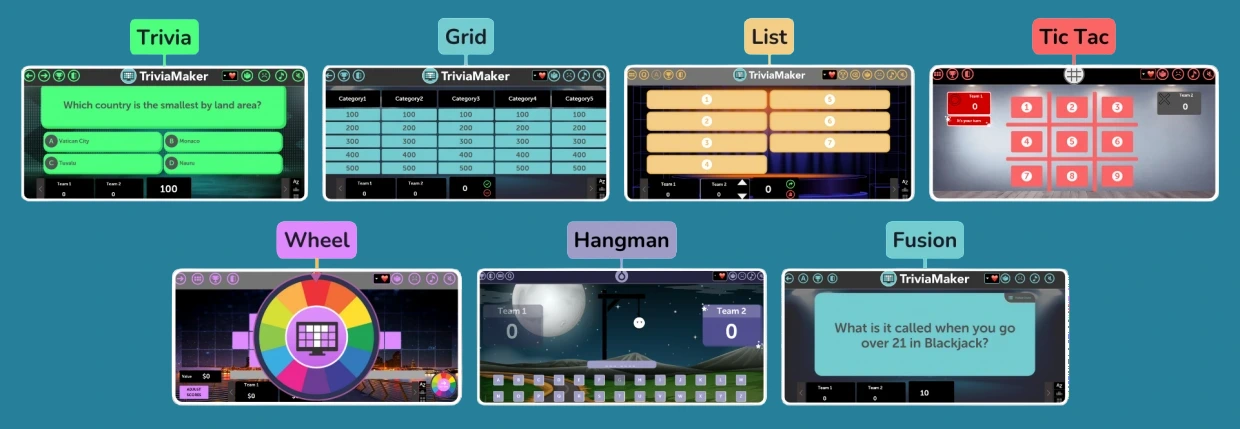
Grid, List, Wheel, Hangman, TicTac, Fusion, Trivia. Run the same questions in a different format every session - keeps students genuinely curious what's next.
No Student Login Needed
Project it on your SmartBoard. Split into teams. Play. No phones, no accounts, no COPPA worries. This is the one feature no other platform matches.
78% Cheaper Than Kahoot
Kahoot's teacher plan: $228/year. TriviaMaker Premium Plus: $49.99/year. That's $178 back in your pocket - every year.
Saves Time - AI Builder Included
Enter a topic and the AI question generator builds your quiz. No more copy-pasting from worksheets. Free plan users get access to the core builder instantly.
Works on Every Device
iOS, Android, web browser, Apple TV. Run it in your classroom, in a Zoom call, or on a big event screen. The game shows up wherever you need it.
Live Events & Corporate Training
Crowd Mode supports up to 2,000 live participants on their own phones - no app download. Perfect for conferences, onboarding, and all-hands meetings.
Create a Kahoot-Style Quiz in 3 Steps
From zero to running your first game in under 5 minutes. No tutorial needed - the builder is that intuitive.

Select a Template
Choose from 7 game styles. Start with Trivia for a Kahoot-style feel, or pick Grid for the game-show experience your class hasn't seen before.

Add Your Questions
Type, paste, or use the AI generator to build your question set. Add images, videos, and multiple-choice answers. Runs on any topic or subject.
Launch & Host Like a Pro
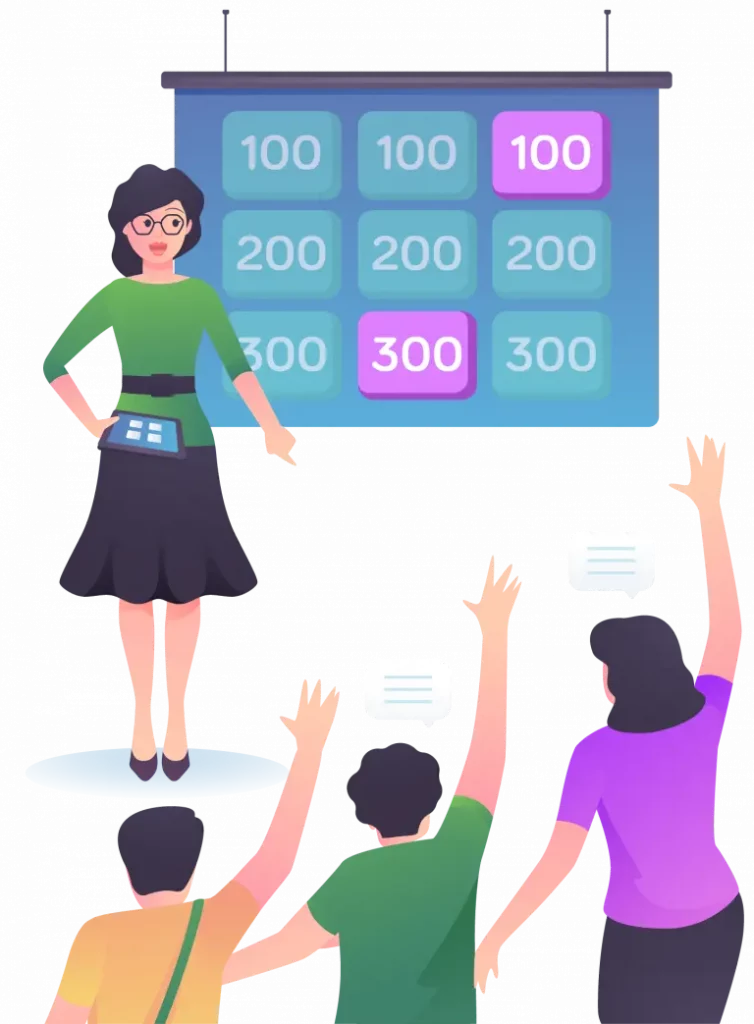
Share your screen or use Crowd Mode. Students join instantly - no accounts, no app download. You control the pace, the drama, the reveal.
Ready to build your first quiz?
No Kahoot limitations. No $19/month subscription. Start free, run it today.
Turn Lessons Into Games Students Actually Want to Play
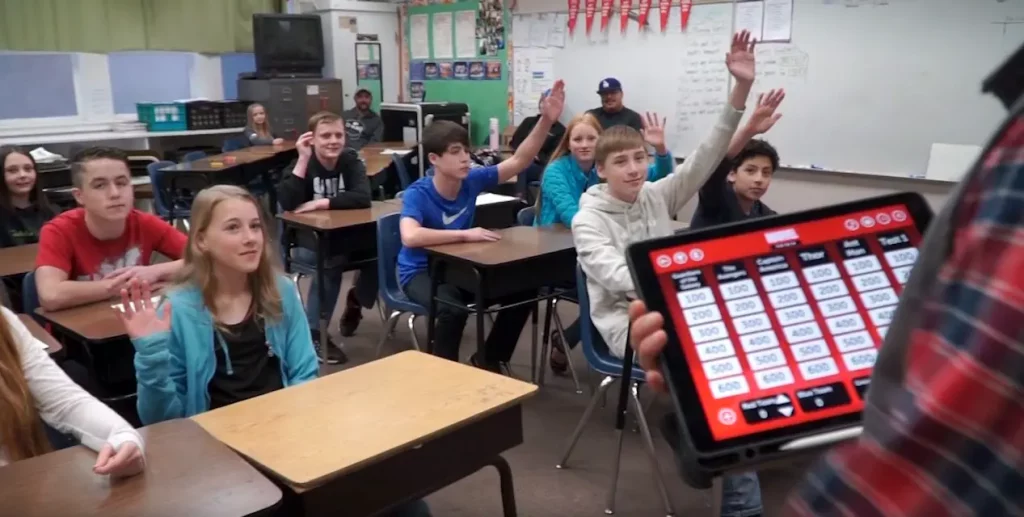
TriviaMaker turns your existing quiz content into a live game show. The Grid format gives students category boards and point values - the same electric energy as a TV game show, with your own curriculum inside.
- Works for any subject - Math, History, Science, ELA, Languages
- Students remember more when content feels like a game
- Add images, videos, and GIFs to any question
- Instant feedback after each answer
Make a Kahoot-Style Quiz - Then Unlock 6 More Formats
TriviaMaker's Trivia Style is the closest thing to Kahoot - multiple choice, timer, live scores. But unlike Kahoot, you can run the same questions tomorrow as a Grid board or Wheel game without rebuilding anything.
- Multiple choice with images and videos (like Kahoot)
- Grid, Wheel, Hangman - formats Kahoot doesn't have
- Fully customizable colors, logo, music, fonts
- Works on iOS, Android, Apple TV and web

Training Sessions People Actually Stay Awake For
Compliance training. Onboarding. Knowledge checks. TriviaMaker turns all of it into a live game show. Use Crowd Mode so every participant competes on their own phone - live leaderboard, real competition, real retention.
- Crowd Mode - up to 2,000 participants on their own phones
- No app download - players join via browser link
- Works on Zoom, Teams, Google Meet - share your screen and go
- Instant results to see what your team actually knows

Liven Up Any Event With Live Trivia - No Setup Required
Project TriviaMaker on a big screen and let it run. Themed trivia nights, family reunions, church events, pub quizzes - the Wheel and Grid formats create genuine crowd energy without you needing to host manually.
- Works on Apple TV - no laptop or HDMI cable needed
- Pick a theme - company facts, Bible, sports, pop culture
- Pre-made game library - thousands of teacher & host games
- Custom branding - your logo, your colors on every screen
Why Teachers Choose TriviaMaker Over Kahoot
A direct, honest feature comparison. No marketing spin.
| Feature | Kahoot | TriviaMaker |
|---|---|---|
| Free plan | ⚡ Up to 10 players | ✓ 20 Crowd Mode players |
| Game formats | ✕ 1 (multiple choice) | ✓ 7 styles - Grid, Wheel, Hangman & more |
| Student login required | ⚡ Nickname required every session | ✓ Not required - one projected screen |
| AI quiz generator | ⚡ Paid plans only | ✓ Included on paid plans |
| Custom branding | ✕ Limited, higher tiers only | ✓ Logo, colors, music, fonts |
| Max players (paid) | Up to 800–2,000 (enterprise) | ✓ Up to 2,000 (Enterprise) |
| Annual price (best plan) | $228/year | $49.99/year - 78% less |
| Money-back guarantee | ⚡ Trial on some plans | ✓ 7-day money-back |
5 Tips to Make Your Kahoot-Style Quiz Shine
Whether you're building your first quiz or your fiftieth, these habits separate forgettable games from ones students ask to play again.
Welcome Audience Participation
Use open-ended questions, polls, and team challenges. Questions that invite discussion keep energy high and make students feel heard - not just tested.
Use Strong Visuals
High-quality images and GIFs complement every question. Visual context reduces confusion and makes answers more memorable - especially for visual learners.
Vary Question Difficulty
Mix easy wins with genuinely hard questions. Consistent difficulty kills momentum - peaks and valleys keep every player in the game until the final round.
Give Immediate Feedback
Explain the correct answer after each reveal. The moment right after a wrong answer is the highest-retention teaching moment in the whole session.
Build in a Grand Finale
Save your best question for last. Add a final wager round, a mystery category, or a sudden-death tiebreaker. Students remember the ending most.
Use a Different Format Each Time
TriviaMaker's edge over Kahoot: run Monday's review as a Trivia quiz, Wednesday's as a Grid board, Friday's as a Wheel game. Same questions. Different energy. Zero boredom.
Games Made by Real Teachers - Ready to Play Now
Browse thousands of pre-made games by subject and grade level. Play any of these as-is, or use them as a starting point for your own quiz.


Real Teachers. Real Classrooms. Real Results.
"I use TriviaMaker for test review in my class and the students love it! We switched from Kahoot and I'll never go back - the Grid format is a completely different level of engagement."
"Worked perfectly for our staff training day. People actually paid attention! Crowd Mode meant everyone's phone was part of the game - not a distraction. Best $49.99 I've spent on training tools."
"We use it all the time for Youth Group. We project it on the big screen and kids go crazy for the Wheel game. No one needs an account - you just show up and play. It's incredible."
Frequently Asked Questions
Ready to Create Your First Quiz With TriviaMaker?
No Kahoot limitations. No $19/month bill. Build a game and run it in your next class - free, in under 5 minutes.
Trusted by 500,000+ educators 4.5★ rated 7-day money-back on paid plans