


best online quiz maker have significantly improved student engagement in modern classrooms. Research from Stanford University shows that game-based assessments increase retention by 62% and reduce test anxiety by 34% compared to traditional testing.
However, not every quiz platform offers true gamification. While some tools simply digitize worksheets, effective platforms include leaderboards, real-time competition, sound effects, and game-show formats, turning assessments into experiences students enjoy.
Technical friction remains a common challenge. Logins, app installs, and device issues can interrupt learning, even with great content. That’s why this guide compares ten leading quiz makers based on ease of setup, engagement features, and accessibility, helping teachers choose the right tool quickly.
What Makes a Quiz Maker Truly Gamified?
Gamification goes beyond points and scores. The best online quiz maker uses proven engagement mechanics that encourage focus and motivation.
Key gamification features include:
- Real-time leaderboards for healthy competition
- Instant feedback with animations and sound
- Timed questions that add excitement
- Team-based gameplay for collaboration
- Achievement systems like badges and levels
Visual design also matters. Clean layouts, smooth animations, and thoughtful sound design help create a more immersive learning experience.
See These Gamification Features in Action
Before diving into the full comparison, experience what modern gamified learning looks like with our interactive demo.
No signup needed • Works instantly • 2-minute preview
The 10 Best Quiz Makers for Gamified Classroom Learning
1. TriviaMaker – Best for Zero-Friction Game Show Experiences ⭐
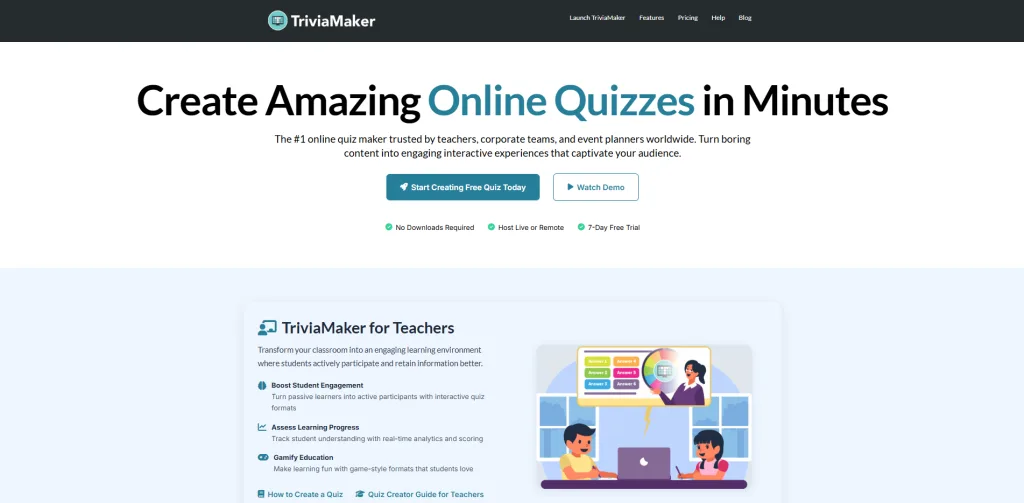
What It Is: TriviaMaker is a versatile online quiz maker that stands out for its interactive game show formats, like Grid and Wheel styles, while still supporting standard scored quizzes, making it ideal for classrooms and corporate events.
How It Works:
Teachers create games through an intuitive dashboard, then share a simple join code. Students access the game instantly through any browser without accounts, downloads, or app installations. The teacher controls all gameplay from presenter mode while students participate from their devices.
Why Teachers Choose TriviaMaker:
First and foremost, TriviaMaker eliminates the primary classroom technology pain point: student access barriers. Research shows teachers waste an average of 8.5 minutes per class period on login troubleshooting. TriviaMaker’s code-based system recovers this time for actual learning. Discover why this is the ultimate quiz maker for teachers.
Additionally, TriviaMaker offers genuine format variety with eight distinct game show styles including Grid-style competitions, Wheel of Fortune-inspired spinners, competitive buzzer rounds, and List-style games reminiscent of Friendly Feud. This diversity prevents format fatigue throughout the school year.
Key Gamification Features:
- Authentic game show animations with professional sound design
- Complete presenter control (teacher orchestrates every moment)
- Team mode with customizable scoring algorithms
- Crowd mode supporting up to 2,000 simultaneous participants
- AI question generation creating complete games in 60 seconds
- Buzzer rounds for competitive live response gameplay
Want to see these features in action?
Explore our ready-made classroom trivia templates to experience multiple game formats, instant student access, and zero-setup gameplay across different subjects.
No downloads required • Works on any device • Perfect for testing before you commit
Pros:
- Zero student login requirements
- Eight diverse game formats
- Unlimited free games
- Works on any device with browser
- AI-powered question creation
- Large group support (2,000 players)
Cons:
- Advanced analytics require premium
- No offline mode
- Limited template customization in free tier
Best For: Teachers prioritizing authentic game show atmosphere without technical complications or lengthy setup procedures.
Pricing: Free unlimited games; Premium starts $6.99/month for analytics and branding.
Pro Tip: Launch with Grid-style format for your first implementation. The familiar layout helps students focus on content mastery rather than learning complex game mechanics.
2. Kahoot! – Best for Brand Recognition & Community Content
What It Is: Kahoot dominates market share as the most recognized gamified quiz platform, featuring an extensive library of community-created content and high-energy competition modes.
How It Works:
Teachers select or create multiple-choice quizzes, then launch live games where students join from individual devices. The signature music and color-coded answer buttons create immediate energy while timer pressure drives urgency.
Gamification Strengths:
Kahoot excels at creating energetic classroom moments through strategic use of music, color psychology, and leaderboard drama. The platform’s “ghost mode” allows students to compete against previous class performances, extending engagement beyond live sessions.
Key Features:
- Massive community content library (500M+ games)
- Student-friendly interface with minimal learning curve
- Challenge mode for asynchronous homework
- Reports showing question-level performance data
Pros:
- Extensive pre-made content
- Strong brand recognition
- Ghost mode for self-competition
- Active teacher community
Cons:
- Requires student account creation
- Free tier limits to 10 players
- Only multiple-choice format
- Can become repetitive
Best For: Schools already invested in Kahoot infrastructure or teachers prioritizing access to pre-made content libraries.
Unlike Kahoot, which requires logins and device setup, TriviaMaker uses instant join codes in any browser and offers seven game formats instead of just multiple-choice, making it easier and more engaging. Read the full Kahoot Vs TriviaMaker comparison
3. Quizizz – Best for Self-Paced Gamified Practice
What It Is: Quizizz (Now Wayground) combines gamification with self-paced learning, allowing students to progress individually while competing on shared leaderboards.
How It Works:
Unlike live-only platforms, Quizizz enables each student to work at their optimal pace while maintaining competitive elements through delayed leaderboard updates. Power-ups add strategic decision-making to gameplay.
Gamification Strengths:
Quizizz introduces unique mechanics through strategic power-ups students deploy during games. These include “50-50” (eliminate wrong answers), “Time Freeze” (pause timer), and “Streak Saver” (protect answer streaks), adding strategic depth beyond simple recall.
Key Features:
- Individual pacing with competitive elements
- Built-in meme reactions for engagement
- Strong homework mode with progress tracking
- Question teleporting for reviewing mistakes
Pros:
- Students work at own speed
- Power-ups add strategy
- Good for homework
- Meme integration appeals to teens
Cons:
- Requires student accounts
- Longer setup time
- Interface complexity
- Free tier limited to 5 games
Best For: Teachers emphasizing homework assignments over live classroom competitions.
TriviaMaker vs Quizizz: Quizizz focuses on self-paced individual practice while TriviaMaker specializes in live, teacher-led game show experiences creating shared classroom energy.
4. Gimkit – Best for Strategy-Based Competition
What It Is: Gimkit transforms quizzes into economic strategy games where students earn virtual currency and make investment decisions affecting gameplay outcomes.
How It Works:
Beyond answering questions correctly, students choose between earning more per question, answering faster, or unlocking power-ups. This economic layer particularly engages students who enjoy resource management gameplay.
Gamification Strengths:
Gimkit’s unique approach adds meta-strategy where tactical decisions matter as much as content knowledge. Game modes like “Trust No One” (social deduction) and “Floor is Lava” (survival challenges) completely reimagine traditional quiz gameplay.
Key Features:
- Multiple investment strategies during play
- Creative themed modes beyond standard quizzes
- High replay value through strategic variety
- Detailed analytics showing misconception patterns
Pros:
- Deep strategic gameplay
- Multiple creative modes
- Strong engagement metrics
- Good for math/economics
Cons:
- Free tier severely restricted (5 games total)
- Requires student accounts
- Premium expensive ($59.88/year)
- Complex for elementary students
Best For: Math teachers and educators developing strategic thinking skills alongside content mastery.
5. forms.app – Best for Beautiful-Looking Quizzes with Unlimited Responses
What It Is: forms.app is a polished, full-featured form and quiz builder that goes beyond simple data collection and offers unlimited responses. It’s built for creators, educators, and businesses who need scored quizzes, personality tests, and knowledge assessments that can be embedded anywhere, with conditional logic, custom results pages, and automatic scoring built in.
How It Works: You either describe your quiz to the AI generator, choose from free quiz templates, or build from scratch using the drag-and-drop editor. Respondents take the quiz in a clean, distraction-free interface: either as a list view or one question at a time in step view. Results, scores, and custom endings can be shown automatically based on each respondent’s answers.
Quiz & Assessment Strengths: forms.app’s auto-scoring and conditional logic allow you to create knowledge quizzes that show different results pages or follow-up questions depending on how someone responds. This makes it especially powerful for lead qualification quizzes, training assessments, and personality-style quizzes where the outcome needs to feel personalized. With 5,000+ templates and AI-assisted creation, building a polished, on-brand quiz takes minutes.
Key Features:
- AI quiz generator that creates scored quizzes from a plain-language prompt
- Auto-scoring with custom results and multiple endings based on score ranges
- Conditional logic for personalized quiz paths
- Step view (one question at a time) and list view layout options
- 5,000+ ready-made templates, including quizzes, surveys, and assessments
- Embeddable on any website with no coding required
- Native integrations with Google Sheets, HubSpot, Mailchimp, and Zapier
Pros:
- Unlimited responses and team members, as well as all 30+ field types and conditional logic, are included on the free plan
- AI form and quiz generator dramatically reduces creation time
- Clean, mobile-friendly respondent experience
Cons:
- No live game-show style gameplay
- No leaderboard or player-vs-player mechanics
- Less suited for gamified live events than platforms like Kahoot or TriviaMaker
Best For: Educators, marketers, and businesses who need scored assessments, lead generation quizzes, or embeddable knowledge tests.
TriviaMaker vs forms.app: TriviaMaker is built for high-energy live game experiences with multiple game show formats and real-time competition. forms.app is built for self-paced scored quizzes, lead capture, and assessments where personalized results, professional look, and data collection matter more.
6. Quizalize – Best for Adaptive Learning Assessment
What It Is: Quizalize uses AI-powered adaptive difficulty that automatically adjusts question complexity based on individual student performance patterns.
How It Works:
As students answer questions, Quizalize’s algorithm identifies mastery levels and adjusts subsequent question difficulty accordingly. The fantasy adventure theme provides narrative context for progression.
Gamification Strengths:
Quizalize’s adaptive system ensures appropriate challenge levels for all students simultaneously – advanced learners face harder questions while struggling students receive scaffolded support, all within the same game session.
Key Features:
- AI-powered difficulty adjustment
- Adventure map progression system
- Detailed analytics identifying gaps
- Standards-aligned question banks
Pros:
- True differentiation
- Good analytics
- Adventure theme
- Adaptive difficulty
Cons:
- Steeper learning curve
- Premium required for best features
- Requires student accounts
- Limited game formats
Best For: Teachers prioritizing differentiated instruction and data-driven decision making.
7. Socrative – Best for Quick Formative Assessment
What It Is: Socrative focuses on rapid formative assessment with one gamified mode (“Space Race”) complementing its assessment-focused design.
How It Works:
Teachers launch quick polls, exit tickets, or quizzes with immediate result visualization. Space Race mode adds competitive elements through team-based racing mechanics where correct answers propel spaceships forward.
Gamification Strengths:
While limited to a single game mode, Socrative’s Space Race effectively creates competitive energy during formative checks. The simplicity allows for spontaneous implementation without extensive planning.
Key Features:
- Quick exit ticket functionality
- Real-time result visualization
- Space Race team competition
- Simple question creation
Pros:
- Very simple interface
- Quick deployment
- Good for exit tickets
- Free for 50 students
Cons:
- Only one gamified mode
- Minimal game elements
- Limited engagement features
- Basic analytics
Best For: Teachers prioritizing assessment functionality over entertainment value.
8. ClassPoint – Best for PowerPoint Integration
What It Is: ClassPoint integrates gamification directly into Microsoft PowerPoint, adding interactive quiz features and reward systems to existing presentation workflows.
How It Works:
Teachers install the ClassPoint add-in, then add interactive questions directly to PowerPoint slides. Students earn stars for participation, unlock levels, and compete on leaderboards – all within familiar PowerPoint presentations.
Gamification Strengths:
ClassPoint’s seamless PowerPoint integration eliminates platform-switching friction. Teachers already creating slide-based lessons can add gamification without rebuilding content in separate tools.
Key Features:
- Native PowerPoint integration
- Stars and level progression
- Built-in leaderboards
- Multiple question types
Pros:
- Works in PowerPoint
- No separate platform
- Quick formative checks
- Familiar interface
Cons:
- Requires PowerPoint subscription
- Limited game variety
- Desktop only (Windows/Mac)
- Learning curve for advanced features
Best For: Teachers already creating PowerPoint-based lessons wanting integrated gamification.
9. Quizlet Live – Best for Vocabulary Mastery
What It Is: Quizlet Live transforms flashcard sets into fast-paced team competitions focused on term-definition matching and vocabulary acquisition.
How It Works:
Teachers select existing Quizlet study sets, then launch Live games where teams race to match terms with definitions. Incorrect answers reset team progress, encouraging collaboration and peer teaching.
Gamification Strengths:
Quizlet Live’s team dependency mechanics create natural peer instruction moments. Because incorrect answers penalize the entire team, students actively help each other understand content rather than competing individually.
Key Features:
- Fast-paced team matching
- Works with existing Quizlet sets
- Free and simple
- Good for vocabulary
Pros:
- Excellent for term memorization
- Team collaboration required
- Free platform
- Large existing content library
Cons:
- Limited to matching format
- Requires student accounts
- Only good for vocabulary/definitions
- Limited customization
Best For: Foreign language teachers, science vocabulary instruction, and terminology-heavy subjects.
10. Blooket – Best for Elementary Students (K-5)
What It Is: Blooket gamifies learning through video game-inspired themes including Tower Defense, Battle Royale, Racing, and Collection formats appealing to younger audiences.
How It Works:
Teachers create question sets, then students play through various game mode “skins” that transform the same content into different gameplay experiences. Collectible characters (“Blooks”) encourage repeated participation.
Gamification Strengths:
Blooket’s cute character designs and familiar video game mechanics create immediate appeal for younger students. The collectible aspect triggers the “completionist” psychology encouraging sustained engagement over time.
Key Features:
- Seven distinct game modes
- Collectible character system
- Simple question import tools
- Homework mode for practice
Pros:
- High visual appeal
- Multiple game modes
- Great for elementary
- Active development
Cons:
- Can feel chaotic in large classes
- Limited question types
- Requires accounts
- Some modes better for certain subjects
Best For: Elementary teachers wanting high visual engagement and format variety.
Comprehensive Feature Comparison Table
| Feature | TriviaMaker | Kahoot | Quizizz | Gimkit | Blooket | forms.app |
|---|---|---|---|---|---|---|
| No Student Logins | ✅ Yes | ❌ No | ❌ No | ❌ No | ❌ No | ❌ No |
| Game Formats | 8 types | 1 type | 1 type | 5 modes | 7 modes | 1 type |
| Free Games | Limited | Limited | 5 total | 5 total | Good | 5 quizzes, unlimited responses |
| Setup Time | 30 sec | 2 min | 3 min | 2 min | 2 min | 1 min |
| Team Mode | ✅ Yes | ✅ Yes | ✅ Yes | ❌ No | ✅ Yes | ❌ No |
| Buzzer Rounds | ✅ Yes | ❌ No | ❌ No | ❌ No | ❌ No | ❌ No |
| AI Questions | ✅ Yes | ✅ Yes | ✅ Yes | ❌ No | ❌ No | ✅ Yes |
| Max Players (Free) | 20 | 10 | 50 | N/A | 50 | Unlimited |
| Mobile App | ✅ Yes | ✅ Yes | ✅ Yes | ✅ Yes | ✅ Yes | ✅ Yes |
How to Choose Your Ideal Quiz Maker: Decision Framework
Choose TriviaMaker If You Prioritize:
✅ Authentic game show atmosphere – TriviaMaker delivers genuine Grid-style games, Wheel spinners, and List-style competitions with professional animations that create television-quality experiences.
✅ Zero technical friction – No student logins, app downloads, or account management required. Students join in seconds using simple codes, recovering valuable instructional time.
✅ Large group capabilities – Crowd mode handles school assemblies, large lectures, or district-wide events with up to 2,000 simultaneous participants without performance degradation.
✅ Format diversity – Eight distinct game show formats prevent the format fatigue that occurs when using identical quiz structures throughout the academic year.
Real Classroom Success Story
Implementation Case Study: Jefferson Middle School
Ms. Chen’s 8th-grade social studies classes struggled with Friday review engagement – only 35% of students actively participated in traditional Q&A sessions. After implementing best online quiz maker through TriviaMaker’s Grid-style games, participation increased to 94% within three weeks.
Success Factors:
- Zero setup friction – No technical support tickets or password reset requests
- Format rotation – Different game show format each Friday maintained novelty
- Team mode implementation – Peer teaching occurred organically during gameplay
- Sustainable creation – AI question generator made weekly preparation realistic
Most significantly, her semester exam scores improved by 15% year-over-year in units where she consistently used gamified review sessions, demonstrating measurable academic impact beyond engagement metrics alone.
What Teachers Really Think
“My 4th graders literally cheer when I announce Blooket. Tower Defense is their favorite.”
– Jennifer L., Elementary Teacher
“I felt embarrassed using cartoon graphics during our school board presentation.”
– Maria Santos, Department Head
“For parent nights and professional presentations, TriviaMaker transformed my engagement.”
– Jennifer Martinez, 8th Grade Science
Free educator access • No credit card • Start in 2 minutes
Frequently Asked Questions
What’s the best free alternative to Kahoot in 2026?
TriviaMaker is a great free alternative, offering unlimited games with no student logins and eight game show formats, compared to Kahoot’s single multiple-choice style.
Do students need accounts for gamified quiz platforms?
It depends on the platform. TriviaMaker requires no accounts; participants just enter a code. Other platforms like Kahoot, Quizizz, and Gimkit require student accounts.
Which quiz maker handles large groups effectively?
TriviaMaker supports up to 2,000 participants in Crowd Mode and requires no app downloads, unlike most free platforms that cap at 50–100 students.
How long does gamified quiz creation take?
With TriviaMaker’s AI generator, teachers can create a full game in under 5 minutes. Manual creation for a 20-question game usually takes 10–15 minutes.
Does gamification improve learning outcomes?
Yes. Studies show gamified learning can boost retention by 50–62%, especially for review and recall practice. Effectiveness depends on quality implementation.
Can these platforms work in hybrid or remote classrooms?
Yes. Platforms like TriviaMaker and Kahoot integrate with video conferencing, allow remote participation, and support asynchronous play with competitive leaderboards.
Conclusion: Transform Your Classroom with Gamified Quiz Makers
Quiz makers for gamified classroom learning have evolved dramatically beyond simple digital worksheets with timers. In 2025, leading platforms create authentic game show experiences that students genuinely anticipate rather than merely tolerate as assessment requirements.
While Kahoot maintains market dominance through brand recognition, and Quizizz excels at self-paced gamified homework, TriviaMaker emerges as the optimal choice for live classroom engagement. Its revolutionary combination of zero student login requirements, eight distinct game show formats, and AI-powered question generation delivers the most streamlined path from concept to active gameplay.
Your Quick Start Action Plan:
Step 1: Visit TriviaMaker.com and create your free account (30 seconds)
Step 2: Select Grid-style format for your initial implementation (familiar and effective)
Step 3: Use AI question generation with a topic keyword to create content instantly
Step 4: Share your screen and distribute the join code to students
Step 5: Experience the transformation as your classroom becomes an engaging game show studio
Remember: the most effective quiz maker isn’t the platform with the most features, it’s the one students actually get excited about and teachers can launch in under 60 seconds. When Friday review becomes your class’s favorite moment rather than a tedious obligation, you’ve discovered your ideal tool.
Ready to Revolutionize Classroom Engagement?
Try TriviaMaker free today with unlimited games and no credit card required. Your future teaching self (and your students) will appreciate the decision.
Join 50,000+ educators transforming their classrooms • Free forever plan available