
If you’re searching for Wooclap alternatives, you’re not alone. While Wooclap has helped thousands of educators with interactive polling, many teachers, corporate trainers, and event planners now need more flexibility, better pricing, or deeper engagement features.
In 2025, interactive learning has become non-negotiable. Modern engagement tools go far beyond simple polls, offering gamified experiences, stronger branding options, and smoother integrations that Wooclap doesn’t always cover.
This guide breaks down the top Wooclap alternatives for every scenario. Whether you’re teaching a class of 30, training a team of 500, or running a hybrid event, you’ll find the platform that fits your needs perfectly.
Understanding Wooclap: Strengths and Limitations
What is Wooclap?
Wooclap is an interactive presentation platform designed to boost audience participation through live polls, quizzes, and Q&A sessions. Originally developed for European universities, it has gained popularity among educators worldwide. The platform integrates with PowerPoint and offers multiple question types including multiple-choice, word clouds, and open-ended questions.
What Wooclap Does Well
First and foremost, Wooclap excels at simplicity. Teachers can create basic polls within minutes without extensive training. Additionally, the platform offers excellent PowerPoint integration, allowing educators to embed interactive elements directly into existing presentations. Furthermore, Wooclap’s real-time feedback features help instructors gauge comprehension instantly.
The platform also supports multiple languages, making it suitable for international educational institutions. Meanwhile, its clean interface ensures that students can participate without confusion or technical difficulties.
Where Wooclap Falls Short
However, several limitations drive users toward Wooclap alternatives. First, the free tier restricts you to just two questions per presentation, which severely limits classroom usage. Second, participant caps become problematic for large lectures or corporate events exceeding 1,000 attendees.
Moreover, Wooclap lacks the game variety that modern learners expect. While it handles polls effectively, it doesn’t offer competitive trivia formats, wheel games, or other engaging activities. Additionally, branding customization remains limited on lower-tier plans, creating challenges for corporate trainers who need professional polish.
Pro Tip: Before switching platforms, list your three must-have features. This clarity will help you evaluate
Wooclap alternatives objectively rather than getting distracted by flashy features you’ll never use.
Essential Criteria for Evaluating Wooclap Alternatives
Participant Scalability
Your chosen platform must accommodate your largest anticipated audience. Classroom teachers typically need support for 25-50 students, while corporate trainers often host sessions with 100-500 participants. In contrast, event planners require platforms that handle 1,000+ attendees without lag or disconnections.
Furthermore, consider whether participants need to create accounts. No-login options dramatically reduce friction and technical support requests.
Game and Interaction Variety
Beyond traditional multiple-choice questions, modern Wooclap alternatives offer diverse engagement formats. These include:
- Competitive trivia games with leaderboards and timers
- Word clouds for brainstorming sessions
- Spin-the-wheel activities for random selection
- Grid-based games like Tic-Tac-Toe or Jeopardy
- Video-based responses for deeper engagement
- Live Q&A with moderation features
Variety matters because different learning objectives require different approaches. Quick knowledge checks work well with fast-paced quizzes, while conceptual discussions benefit from open-ended questions and word clouds.
Professional Presentation Quality
If you’re representing a brand or institution, presentation quality becomes non-negotiable. Look for Wooclap alternatives that offer:
- Custom branding (logos, colors, fonts)
- Native TV apps for large-screen displays
- Professional templates and themes
- Export capabilities for results and analytics
- White-label options for enterprise clients
Technical Requirements and Accessibility
Platform compatibility determines whether your audience can actually participate. Therefore, verify that your chosen alternative supports:
- Web browsers (Chrome, Safari, Firefox, Edge)
- Mobile devices (iOS and Android)
- SMS participation for areas with limited internet
- Accessibility features (screen readers, keyboard navigation)
- Offline mode for unreliable connections
Pricing Models and Value
Free plans work well for occasional users, but regular facilitators need sustainable pricing. Compare not just the sticker price but the value per participant. Some platforms charge per host, while others bill based on participant count or feature access.
Additionally, watch for hidden costs like SMS messaging fees, data export charges, or mandatory annual contracts.
Quick Comparison: Top Wooclap Alternatives at a Glance
| Platform | Best For | Free Tier Limit | Key Strength | Starting Price |
|---|---|---|---|---|
| TriviaMaker | Game variety & TV apps | 50 participants | 7+ game formats, professional polish | Free tier available |
| Mentimeter | Polling & analytics | 2 questions | Real-time word clouds, data visualization | $11.99/month |
| Slido | Q&A & webinars | 3 polls | Enterprise integration, moderation tools | $10/month |
| Kahoot! | Quick classroom quizzes | Basic features | Massive content library, brand recognition | Free tier available |
| Poll Everywhere | Academic institutions | 25 responses | SMS polling, LMS integration | $480/year |
| AhaSlides | Budget-conscious users | Unlimited participants | Cost-effective, decent features | $7.95/month |
🎯 Try TriviaMaker Free – No Credit Card Required
Create your first interactive game in under 5 minutes. 50 participants free, 7 game formats, zero participant login.
Start Creating Free Games →Top 6 Wooclap Alternatives for 2026
1. TriviaMaker – an AI-powered quiz generator designed for Educators and corporate trainers.
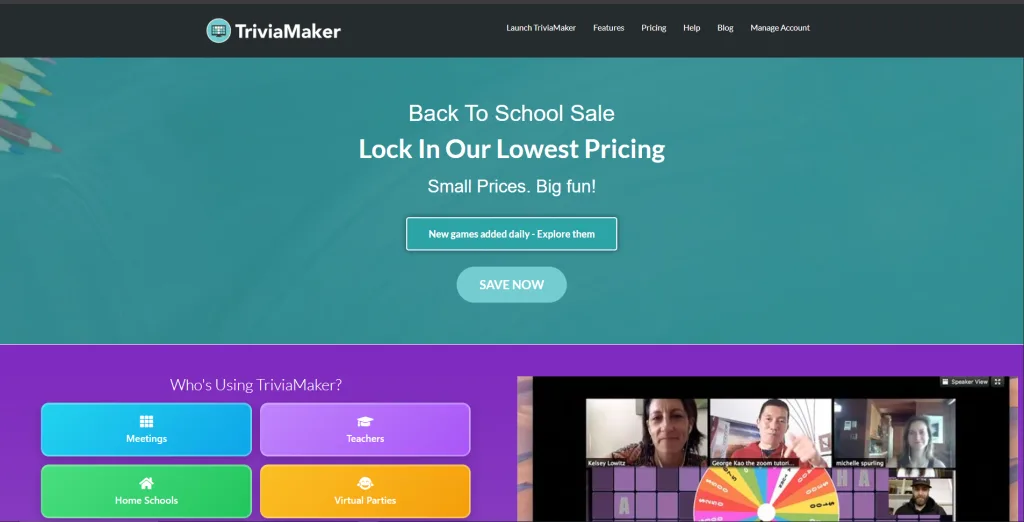
When evaluating Wooclap alternatives, TriviaMaker stands out for its exceptional game variety and professional presentation capabilities. Unlike single-format platforms, TriviaMaker offers seven distinct game styles including Grid Trivia, List Style Wheel of Fortune, Classic Trivia, Tic-Tac-Trivia, and more.
Key Features That Set TriviaMaker Apart
Native TV Apps: TriviaMaker provides dedicated applications for Apple TV, Android TV, and Amazon Fire TV. This feature transforms any classroom or conference room into an engaging game show environment without complicated screen mirroring or HDMI cables.
Zero Participant Login: Students and attendees join simply by visiting a URL or scanning a QR code. They don’t need to download apps or create accounts, eliminating the primary barrier to participation.
Enterprise Customization: Corporate trainers benefit from comprehensive branding options including custom logos, color schemes, and even white-label solutions for client-facing presentations.
Real-Time Analytics: Track individual and team performance with detailed reports. Export data to identify knowledge gaps and measure learning outcomes effectively.
Ideal Use Cases for TriviaMaker
K-12 Education: Teachers appreciate the variety of game formats for different subjects. Use Grid Trivia for vocabulary review, Wheel of Fortune for team-building activities, or Classic Trivia for comprehensive assessments.
Corporate Training: Make compliance training actually engaging with competitive team formats. The professional polish ensures your content reflects well on your organization.
Large Events: Scale seamlessly to thousands of participants with the platform’s robust infrastructure. Native TV apps ensure crisp, professional displays on large screens.
Pricing Structure
TriviaMaker offers a generous free tier suitable for small classrooms. Premium plans unlock unlimited participants, advanced analytics, and branding options. Enterprise pricing provides white-label solutions and dedicated support.
For detailed pricing and plans, visit TriviaMaker‘s official pricing page.
Pro Tip: Start with TriviaMaker’s free tier to test different game formats with your audience. Pay attention to which styles generate the most enthusiastic participation, then build that format into your regular rotation.
🚀 Ready to Transform Your Classroom or Training Sessions?
Join 2,000+ educators using TriviaMaker for interactive learning experiences students actually enjoy.
Create Your Free Account →Why educators choose TriviaMaker:
- ✓ Used by top school districts
- ✓ 4.8/5 rating from teachers
- ✓ COPPA & FERPA compliant
2. Mentimeter – Best for Polling-Focused Presentations
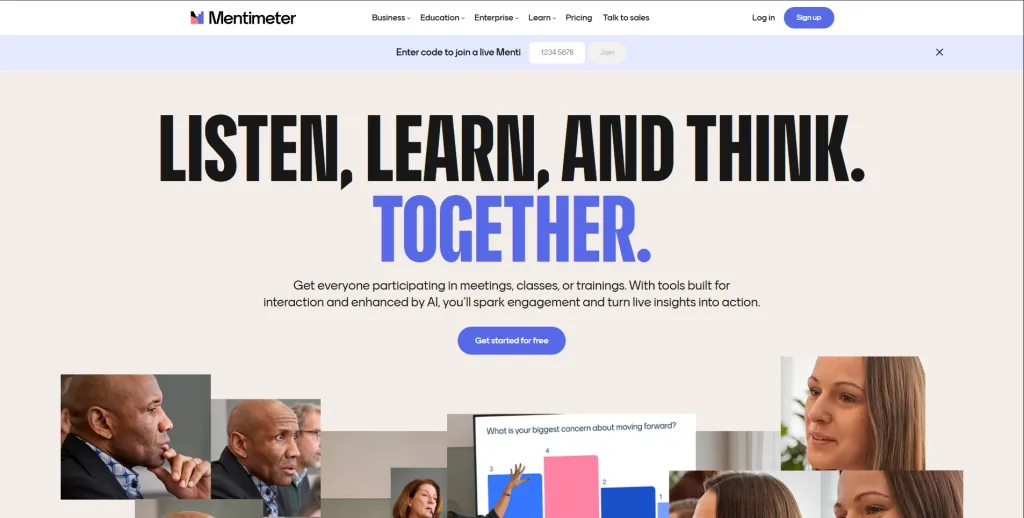
Among Wooclap alternatives, Mentimeter excels at visual data representation and real-time polling. The platform specializes in transforming audience responses into beautiful word clouds, charts, and graphs that speakers can display immediately.
What Makes Mentimeter Stand Out
Visual Analytics: Mentimeter’s strength lies in its ability to create stunning visual representations of audience opinions. Word clouds form in real-time as participants submit responses, creating a dynamic, engaging display.
Presentation Integration: The platform integrates smoothly with existing presentation workflows. Import your PowerPoint slides and embed interactive elements without recreating your entire deck.
Professional Templates: Mentimeter offers polished templates for common scenarios like team check-ins, brainstorming sessions, and feedback collection.
Where Mentimeter Fits Best
Conference speakers find Mentimeter ideal for keynote presentations where visual impact matters more than competitive gaming. University professors use it for large lecture halls where quick comprehension checks help pace the lesson.
However, Mentimeter’s free tier limits you to just two questions, making it unsuitable for extensive classroom use without upgrading.
Mentimeter starts with a free tier (limited questions per presentation), and paid plans begin at about $10/month for education users, with more features, data export, and no participant caps.
For detailed pricing and plans, visit Mentimeter‘s official pricing page.
Limitations Compared to TriviaMaker: Mentimeter focuses primarily on polling and data visualization. It lacks the game variety and competitive elements that drive engagement in K-12 settings. Additionally, participant caps on lower-tier plans restrict its use for large events.
3. Slido – Best for Enterprise Q&A and Webinars
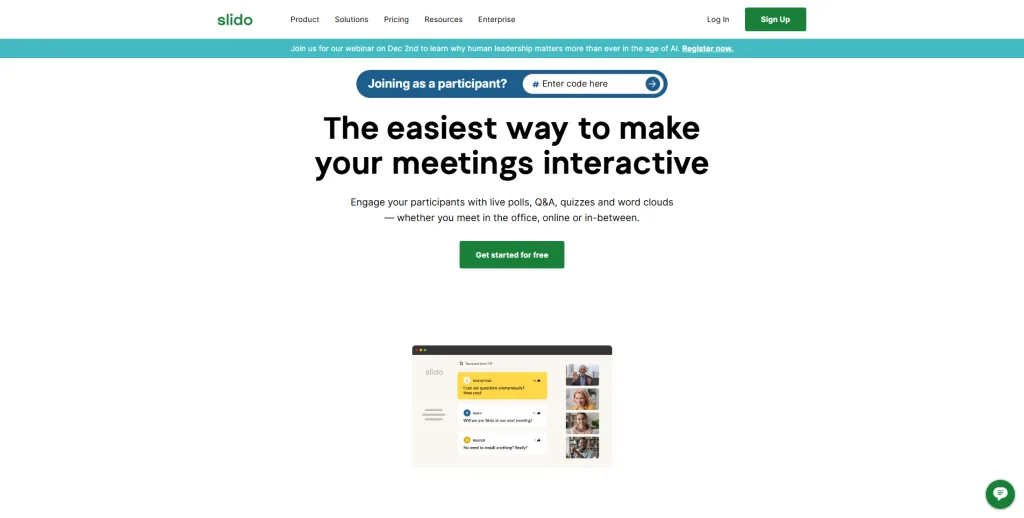
Slido positions itself as the premier solution for corporate town halls, webinar Q&A sessions, and virtual conferences. Consequently, it offers sophisticated moderation tools and enterprise integrations that other Wooclap alternatives lack.
Slido’s Enterprise-Grade Features
Q&A Moderation: Administrators can review questions before they appear publicly, merge duplicate questions, and highlight the most important topics. This control is essential for corporate communications where messaging must stay on-brand.
Webinar Platform Integration: Slido connects seamlessly with Zoom, Microsoft Teams, Webex, and Google Meet. Participants submit questions without leaving the webinar environment.
Analytics and Reporting: Enterprise plans provide detailed analytics showing participation rates, question themes, and engagement patterns across multiple events.
Best Applications for Slido
Corporate communicators use Slido for all-hands meetings where executives need to address employee questions efficiently. Event planners incorporate it into virtual conferences to manage speaker Q&A sessions professionally.
Slido provides a free plan with basic polling and Q&A features, enough for small meetings or classrooms. Their paid options begin around $10–$12.50/month (per presenter) for larger audiences and advanced moderation and analytics.
For detailed pricing and plans, visit Slido‘s official pricing page.
Limitations Compared to TriviaMaker: Slido excels at Q&A but offers limited game-based engagement. If you need competitive trivia or team-building activities, TriviaMaker provides far more options. Additionally, Slido’s pricing model becomes expensive for organizations hosting frequent events.
4. Kahoot! – Best for Simple Gamified Quizzes
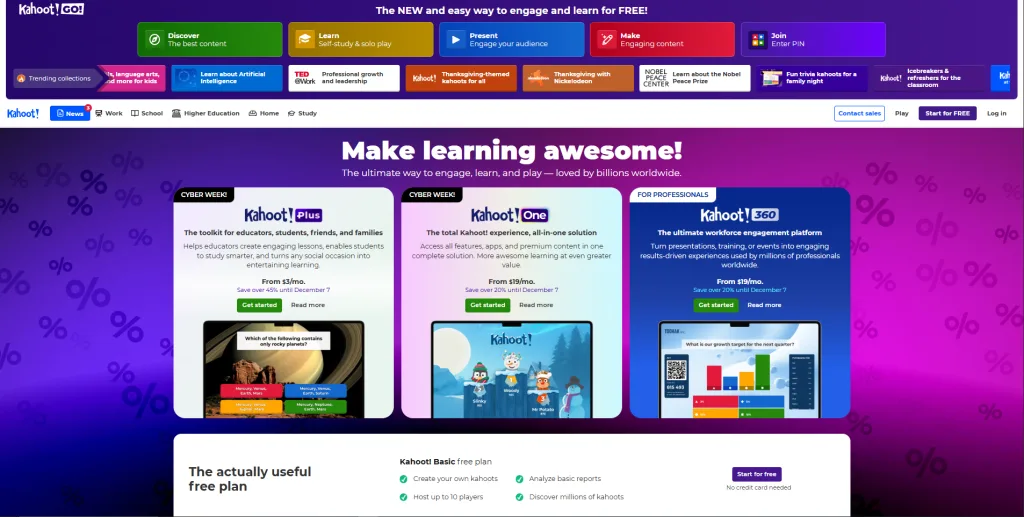
No discussion of Wooclap alternatives would be complete without Kahoot!, the platform that brought game-based learning into mainstream education. With over 9 billion participants served, Kahoot! has established itself as a household name in classrooms worldwide.
Kahoot!’s Proven Strengths
Massive Content Library: Teachers access millions of pre-made quizzes across every subject and grade level. This ready-made content saves significant preparation time for busy educators.
Brand Recognition: Students already know and enjoy Kahoot!, reducing the learning curve and resistance to participation.
Competitive Energy: Kahoot!’s fast-paced format with music and timers creates an exciting, game-show atmosphere that students genuinely enjoy.
Wooclap vs Kahoot- Which works best
Elementary and middle school teachers find Kahoot! perfect for end-of-week reviews and formative assessments. The competitive element motivates students who might disengage from traditional worksheets.
Kahoot! offers a free basic tier (up to ~40 participants) with simple quizzes and polls, ideal for small classrooms. The premium plans start at around $7.99/month for teachers needing more features and larger audience support.
For detailed pricing and plans, visit Kahoot‘s official pricing page.
Limitations Compared to TriviaMaker: Kahoot! requires participants to download an app or use a specific web interface, creating friction compared to TriviaMaker’s URL-only access. Moreover, Kahoot! offers essentially one game format (timed multiple-choice), while TriviaMaker provides seven distinct game styles. Finally, Kahoot!’s free tier includes advertisements that interrupt the learning experience.
5. Poll Everywhere – Best for Academic Institutions
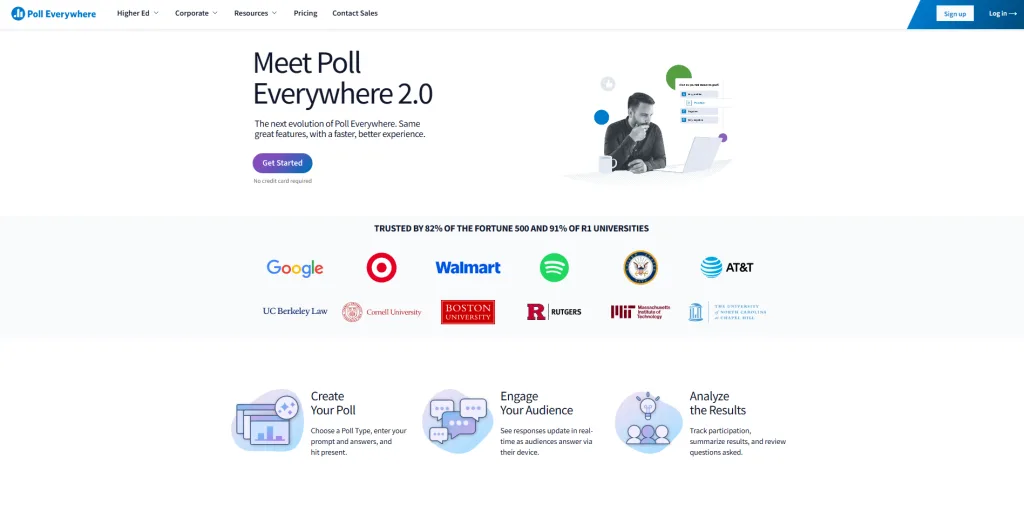
Poll Everywhere targets higher education and large academic institutions with its robust SMS polling capabilities and LMS integration. Therefore, it appears frequently on lists of Wooclap alternatives for university settings.
Poll Everywhere’s Academic Focus
SMS Participation: Students can participate via text message, crucial for institutions in areas with unreliable internet connectivity or students without smartphones.
LMS Integration: Poll Everywhere connects with Canvas, Blackboard, Moodle, and other learning management systems. Grades and participation data sync automatically.
Institutional Licensing: Universities can purchase site-wide licenses that give every faculty member access, simplifying procurement and budgeting.
Ideal Scenarios for Poll Everywhere
Large lecture halls at universities benefit from Poll Everywhere’s scalability and SMS options. Research institutions appreciate the data export capabilities for analyzing student comprehension patterns.
Poll Everywhere provides a free plan (for limited responses), useful for small groups or quick polls. Paid plans begin at around $9–$14 per month, giving access to more respondents, varied question types and presentation integrations.
For detailed pricing and plans, visit Poll Everywhere‘s official pricing page.
Limitations Compared to TriviaMaker: Poll Everywhere’s interface feels dated compared to modern alternatives. The platform focuses on functionality over visual appeal, which matters less in academic settings but becomes problematic for corporate events. Additionally, Poll Everywhere’s pricing model skews expensive for K-12 schools and small businesses, while TriviaMaker offers more accessible entry points.
6. AhaSlides – Best Budget-Friendly Alternative
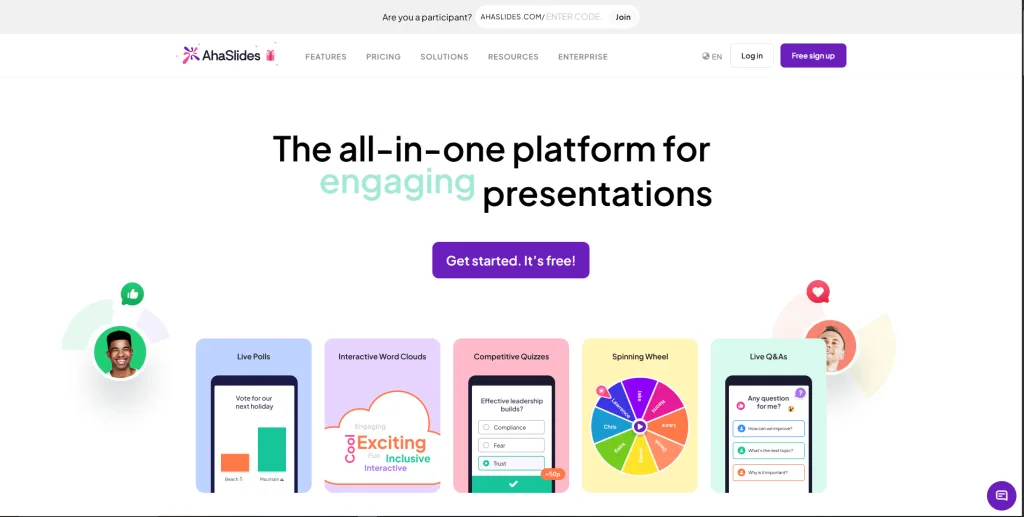
For educators and trainers working with tight budgets, AhaSlides offers surprising functionality at accessible price points. This makes it a popular Wooclap alternative for cost-conscious users.
What AhaSlides Brings to the Table
Unlimited Participants: Even the basic paid plan allows unlimited participants, removing the scaling concerns that plague other platforms.
Decent Feature Set: AhaSlides includes polls, quizzes, word clouds, Q&A, and basic gamification elements, covering most common use cases.
Affordable Pricing: Starting at just $7.95/month, AhaSlides costs significantly less than Mentimeter, Slido, or Poll Everywhere while offering comparable core functionality.
Where AhaSlides Makes Sense
Small businesses conducting monthly team meetings find AhaSlides perfect for maintaining engagement without breaking the budget. Nonprofit organizations and community groups use it for volunteer training and town halls.
AhaSlides offers a free plan for basic polling and quizzes, a solid entry point for educators or small teams. Paid plans start at $8/month, which unlock unlimited participants and full interactivity.
For detailed pricing and plans, visit AhaSlides‘s official pricing page.
Limitations Compared to TriviaMaker: AhaSlides lacks the polished interface and professional presentation quality that TriviaMaker provides. The game variety is also limited, you won’t find specialized formats like Grid Trivia or Wheel of Fortune. However, for basic polling and quizzing on a budget, AhaSlides delivers solid value.
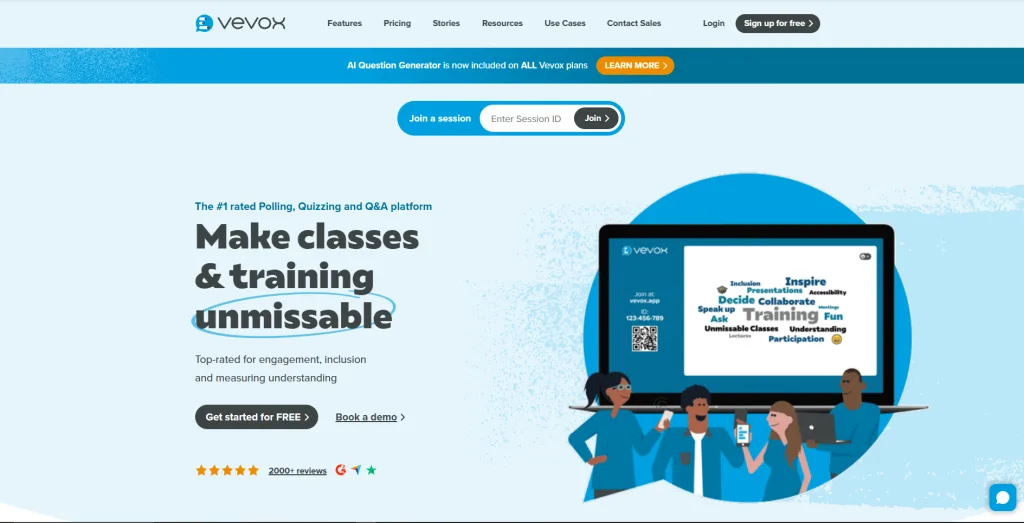
7. Vevox – Best for Universities & Large Lectures
For higher-education institutions needing secure, large-scale engagement, Vevox has become a trusted Wooclap alternative. Its focus on academic-friendly features makes it ideal for lecture halls, hybrid learning, and campus-wide training programs.
What Vevox Brings to the Table
Anonymous Participation: Students can answer freely without fear of judgment, encouraging honest feedback.
PowerPoint Integration: Vevox plugs directly into PowerPoint, making it easy for professors to run polls without switching platforms.
Enterprise Security: ISO-27001 certified, making it a strong choice for universities and corporate compliance teams.
Where Vevox Makes Sense
Large universities use Vevox to gather real-time lecture feedback, run revision sessions, and conduct attendance checks. Corporate HR teams also adopt it for town halls and pulse surveys.
Vevox offers a free tier for basic polling/Q&A, though with participant/feature limits, enough for small meetings or classroom sessions. Their paid plans typically start in the $7.75/month (education base) or higher for enterprise use depending on audience size.
For detailed pricing and plans, visit Vevox‘s official pricing page.
Limitations Compared to TriviaMaker
Vevox lacks TriviaMaker’s game variety, TV apps, and event-grade presentation visuals. It’s great for polling, less great for entertainment-first engagement or big-screen experiences.
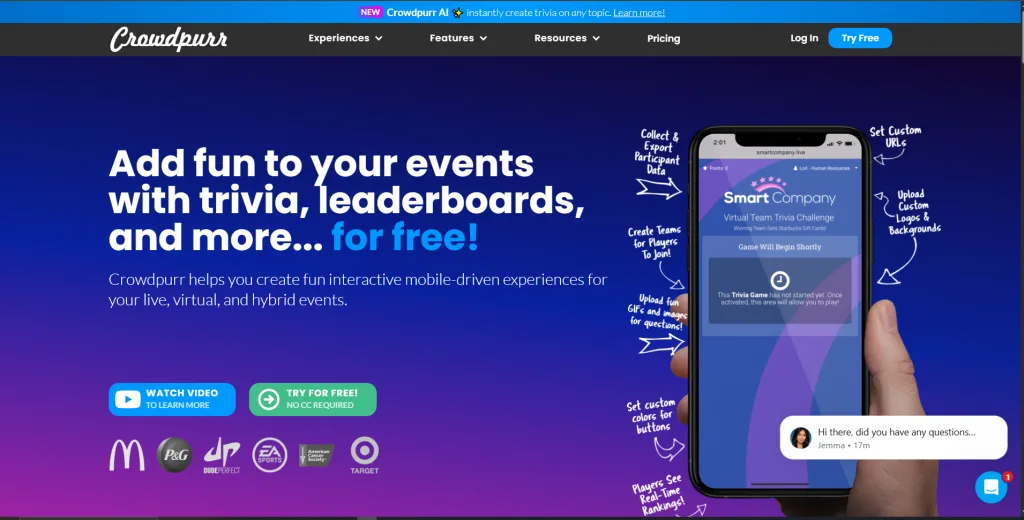
8. Crowdpurr – Best for Live Events & Conferences
If you’re hosting events that demand high-energy, audience-driven interaction, Crowdpurr is a strong Wooclap alternative. It’s built specifically for live experiences and crowd-based engagement.
What Crowdpurr Brings to the Table
Live Trivia Engine: Crowdpurr specializes in trivia games with leaderboards, ranking, and competitive play.
Projection-Ready Layouts: Designed for event screens, making it ideal for conferences, bars, and entertainment venues.
Participant Heatmaps & Reactions: Adds fun, interactive elements that boost audience excitement during live moments.
Where Crowdpurr Makes Sense
Event hosts, conference organizers, and entertainment venues use Crowdpurr for crowd trivia, competitions, and sponsored activities. It excels when engagement needs to be fun, loud, and energy-driven.
Crowdpurr offers a free plan with basic features and limited participant capacity, ideal for small events, classrooms, or trial runs. Paid plans start at $50/month and unlock larger audience sizes, live trivia, polls, leaderboards, and branding/customization options; pricing varies depending on event size and features.
For detailed pricing and plans, visit Crowdpurr ‘s official pricing page.
Limitations Compared to TriviaMaker
Crowdpurr is trivia-focused and doesn’t offer multiple professional game styles like Grid Trivia, Wheel, or List formats. It also lacks the polished, presenter-first UI and TV-ready apps found in TriviaMaker.
Feature-by-Feature Comparison
Game and Question Types
| Platform | Multiple Choice | Word Cloud | Open-Ended | Competitive Games | Specialized Formats |
|---|---|---|---|---|---|
| TriviaMaker | ✓ | ✓ | ✓ | ✓ (7+ formats) | Grid, Wheel, Tic-Tac |
| Mentimeter | ✓ | ✓ | ✓ | Limited | Word cloud focus |
| Slido | ✓ | ✓ | ✓ (Q&A focus) | ✗ | Polls and Q&A |
| Kahoot! | ✓ | ✗ | ✗ | ✓ (1 format) | Timed quiz only |
| Poll Everywhere | ✓ | ✓ | ✓ | ✗ | SMS polling |
| AhaSlides | ✓ | ✓ | ✓ | Basic | Standard formats |
Participant Experience Comparison
Login Requirements:
- No login required: TriviaMaker, AhaSlides
- Optional account: Mentimeter, Slido
- Account or app required: Kahoot!, Poll Everywhere
Device Compatibility:
- All platforms support web browsers and mobile devices
- TriviaMaker stands alone with native TV apps
- Poll Everywhere uniquely offers SMS participation
Branding and Customization
Full branding control: TriviaMaker (all plans), Mentimeter (Pro+), Slido (Enterprise)
Limited branding: Kahoot! (Premium), Poll Everywhere (Institutional), AhaSlides (Pro)
White-label options: TriviaMaker (Enterprise), Slido (Enterprise)
This distinction matters significantly for corporate trainers and agencies serving clients. Professional branding transforms a generic quiz into a branded experience that reflects organizational values.
Choosing Based on Your Specific Needs
For K-12 teachers and Educators
Priority Features: Easy setup, student engagement, curriculum alignment, budget-friendly pricing
Recommended Platforms:
- TriviaMaker – Offers the game variety that keeps elementary and middle school students engaged across different subjects and learning styles
- Kahoot! – Provides instant familiarity and a massive content library for quick implementations
- AhaSlides – Delivers essential features at prices that fit school budgets
Implementation Strategy:
Start by testing TriviaMaker’s different game formats with one class. Notice which formats generate the most enthusiasm, typically Grid Trivia for vocabulary subjects and Wheel of Fortune for team activities. Then, build a rotation of formats to maintain novelty throughout the semester.
Alternatively, combine platforms strategically. Use Kahoot! for Friday review sessions when you need quick implementation, but rely on TriviaMaker for major unit assessments where professional presentation and detailed analytics matter.
Pro Tip: Create a “game menu” poster in your classroom showing TriviaMaker’s different formats. Let students vote on which game style to use for each review session. This ownership increases engagement and helps you identify which formats work best for different content types.
For Corporate trainers and HR Teams
Priority Features: Professional branding, scalability, data tracking, ROI measurement
Recommended Platforms:
- TriviaMaker – Provides the customization and professional polish that reflects well on corporate brands as AI-powered quiz generator
- Slido – Excels at Q&A management for town halls and webinars
- Mentimeter – Creates visually stunning presentations for leadership meetings
Implementation Strategy:
Corporate trainers should prioritize platforms that make mandatory training feel less painful. TriviaMaker’s game variety transforms compliance training from a checkbox exercise into genuine engagement. Teams actually look forward to safety training when it includes competitive trivia with leaderboards.
Moreover, the analytics capabilities help demonstrate training effectiveness to stakeholders. Export completion rates, assessment scores, and engagement metrics to prove ROI and justify your training budget.
Pro Tip: Create team-based competitions during onboarding programs. New hires bond with their teams while learning company policies through TriviaMaker’s competitive formats. The social element accelerates cultural integration beyond what traditional presentations accomplish.
For Event Planners and Conference Organizers
Priority Features: Participant scale, technical reliability, entertainment value, ease of use for speakers
Recommended Platforms:
- TriviaMaker – Native TV apps and unlimited scaling make it perfect for hybrid and in-person events
- Slido – Enterprise-grade Q&A management for professional conferences
- Mentimeter – Visual polling for keynote speakers who want audience interaction
Implementation Strategy:
Event planners face unique challenges because they support multiple presenters with varying technical skills. Therefore, choose platforms with simple interfaces that speakers can master in a 15-minute training session.
TriviaMaker’s TV apps eliminate the most common technical failure point, screen mirroring and HDMI connections. Simply launch the TV app, enter your game code, and your content appears flawlessly on the main screen.
Additionally, test your chosen platform at your actual venue before the event. Verify WiFi capacity, screen connectivity, and participant load-handling with a small test group.
Pro Tip: Create a “technical failsafe kit” that includes mobile hotspots, backup devices, and alternative connection methods. Even the most reliable platforms occasionally encounter venue-specific network issues. Having backup plans prevents minor technical glitches from derailing entire sessions.
Implementation Guide: Transitioning from Wooclap
Step 1: Export Your Existing Wooclap Content
Before abandoning Wooclap completely, document your most successful presentations and questions. Screenshot or copy your best polls, quizzes, and Q&A prompts. This content represents tested, proven engagement that you’ll want to recreate on your new platform.
Wooclap doesn’t offer universal export formats, so manual documentation becomes necessary. Focus on your top 5-10 most-used presentations rather than trying to migrate everything at once.
Step 2: Select 2-3 Platforms to Test
Based on your specific needs identified earlier, choose two or three Wooclap alternatives for hands-on testing. Most platforms offer free trials or free tiers that allow meaningful evaluation.
For example, a corporate trainer might test TriviaMaker, Slido, and Mentimeter. Create the same presentation on each platform and deliver it to a small pilot group. Compare setup time, participant feedback, and technical reliability.
Step 3: Pilot with Small, Forgiving Groups
Never debut a new platform with your most important audience. Instead, test with colleagues, friendly classes, or internal team meetings where technical hiccups won’t damage your credibility.
During pilots, pay attention to:
- Setup time: How long did preparation actually take?
- Technical issues: What went wrong and why?
- Participant feedback: What did users enjoy or find frustrating?
- Your comfort level: Did you feel confident facilitating?
Step 4: Train Your Team
If you’re implementing a new platform across a department or organization, invest in proper training. Create quick-start guides with screenshots showing common tasks like creating questions, launching games, and viewing results.
Better yet, record short video tutorials demonstrating your organization’s most common use cases. A 5-minute video showing how to create a standard training quiz will answer 90% of colleague questions.
Step 5: Measure Success and Iterate
After your initial implementation, assess whether your new Wooclap alternative actually improved outcomes. Compare:
- Engagement rates: Are more people participating?
- Learning outcomes: Did assessment scores improve?
- Time efficiency: Does preparation take more or less time?
- Cost-effectiveness: Is the value worth the investment?
Based on these metrics, refine your approach or reconsider your platform choice. No selection is permanent, you can always switch again if results don’t meet expectations.
Best Practices for Maximizing Engagement
Start Strong with Icebreaker Questions
Regardless of which Wooclap alternative you choose, begin every session with a low-stakes, fun question. This warm-up helps participants familiarize themselves with the technology before you move to high-stakes content.
For example, start training sessions with “What’s your favorite Friday afternoon snack?” or “If you could have any superpower, what would it be?” These simple questions get everyone participating without performance anxiety.
Vary Your Question Types
Avoid monotony by mixing multiple-choice questions with open-ended prompts, word clouds, and competitive games. TriviaMaker’s variety of formats makes this particularly easy, alternate between Classic Trivia, Grid games, and Wheel activities to maintain novelty.
Provide Immediate Feedback
One key advantage of interactive platforms over traditional assessments is instant feedback. After each question, briefly explain the correct answer and address common misconceptions you notice in the results.
This immediate correction prevents students or trainees from leaving your session with incorrect information solidified in their memory.
Celebrate Participation, Not Just Correct Answers
In learning environments, fear of being wrong inhibits participation. Therefore, acknowledge all responses positively. Thank participants for sharing their thinking, even when their answers are incorrect.
For competitive games, consider team-based formats that distribute the pressure across multiple people rather than spotlighting individual students.
Use Results to Adjust Your Pacing
If 80% of participants miss a question, you’ve identified a knowledge gap that requires more instruction. Conversely, if 95% answer correctly, you can move through that content more quickly.
The real-time feedback that Wooclap alternatives provide enables this responsive teaching that traditional lectures can’t match.
Future Trends in Interactive Engagement Platforms
AI-Powered Content Creation
Several platforms, including TriviaMaker, are integrating AI-powered quiz creation tools that generate questions automatically from your source materials. Upload a PDF or paste article text, and the system creates relevant multiple-choice questions within seconds.
This technology dramatically reduces preparation time while maintaining question quality. However, human review remains essential, AI-generated questions occasionally include errors or unclear phrasing.
Advanced Analytics and Predictive Insights
Future platforms will move beyond simple score reporting to provide predictive analytics. Imagine systems that identify which students are likely to struggle on upcoming assessments based on their engagement patterns, allowing proactive intervention.
Corporate training platforms are already implementing skills gap analysis that recommends personalized learning paths based on assessment results.
Seamless LMS and Platform Integration
The friction between standalone engagement tools and existing learning management systems will continue to decrease. Expect deeper integrations that sync not just grades but also attendance, engagement metrics, and behavioral data.
This consolidation reduces administrative burden while providing more comprehensive learner profiles.
Enhanced Hybrid Event Capabilities
As hybrid events become permanent rather than pandemic-necessitated, platforms will improve the experience for remote participants. Features like virtual team rooms, breakout capabilities, and remote-specific engagement tools will help virtual attendees feel equally included.
📚 Further Reading
If you found this comparison helpful, you might also be interested in our other guides on selecting the right engagement platform:
- Gimkit Alternatives Explore other top tools for interactive presentations and polling in classrooms and corporate settings.
- Kahoot vs. TriviaMaker Get a detailed, head-to-head breakdown of these two popular platforms to see which fits your style.
- Kahoot Alternatives for Large Groups Discover platforms specifically built to handle big audiences, from corporate town halls to school assemblies.
- Blooket vs. Gimkit vs. Kahoot Compare three of the most popular gamified learning platforms used in classrooms today.
Frequently Asked Questions About Wooclap Alternatives
What is the best free alternative to Wooclap?
AhaSlides offers the best free tier with 50 participants and unlimited presentations per month, though with limited question types (5 quiz and 3 poll questions per presentation). TriviaMaker’s free plan supports 20 participants with limited access to three game styles (Grid, Trivia, and List). For full-featured access without participant limits on presentations, TriviaMaker’s Premium plan at $6.99/month (or $19/year) provides 50 participants and all seven game formats. For occasional classroom use with smaller groups, both platforms offer solid free options depending on your specific needs.
Can these tools integrate with my existing LMS?
Most Wooclap alternatives offer varying levels of LMS integration. Poll Everywhere provides deep integration with Canvas, Blackboard, and Moodle with automatic grade syncing. Kahoot! and Mentimeter offer basic LTI (Learning Tools Interoperability) connections for seamless authentication and gradebook updates. TriviaMaker does not offer native LMS integration but provides embedding capabilities that allow you to place games within your LMS pages, with manual grade export options for tracking student performance.
Which tool works best for large audiences exceeding 500 participants?
TriviaMaker, Slido, and Poll Everywhere handle large audiences reliably. TriviaMaker supports thousands of simultaneous participants, making it ideal for conferences and corporate events. Slido excels at managing Q&A for webinars and town halls. Always test at expected scale before critical events.
Do participants need to create accounts to join?
Account requirements vary by platform. TriviaMaker and AhaSlides require no login, users simply visit a URL or scan a QR code. Mentimeter and Slido allow anonymous participation with optional accounts. Kahoot! requires app installation or web login. Choose no-login platforms for maximum participation rates.
How do these tools handle student data privacy and COPPA compliance?
Reputable Wooclap alternatives comply with FERPA, COPPA, and GDPR. TriviaMaker, Kahoot!, and Nearpod specifically market COPPA compliance for K-12 use. Always verify current privacy policies before implementation. Platforms without required accounts generally pose lower privacy risks.
Can I use these platforms offline or with limited internet connectivity?
Most Wooclap alternatives require internet connectivity. Poll Everywhere’s SMS option works in low-bandwidth situations. Some Kahoot! modes allow question pre-loading with limited connectivity needed only for submission. For truly offline situations, consider presentation software with built-in polling.
What’s the typical learning curve for presenters new to these platforms?
Most platforms can be mastered in 15-30 minutes. TriviaMaker and Kahoot! offer particularly intuitive workflows. Mentimeter and Slido require 1-2 hours to explore advanced features like branding and analytics. Most platforms provide tutorial videos and sample content to accelerate learning.
Are there tools specifically designed for corporate training versus education?
Most Wooclap alternatives serve both markets. Slido and Mentimeter target corporate users with enterprise branding and webinar integration. Kahoot! focuses on K-12 with curriculum-aligned content libraries. TriviaMaker bridges both markets with game variety for education and professional polish for corporate settings.
🎯 Start Creating Engaging Interactive Games Today
Why settle for basic polls when you can have 7 game formats, TV apps, and unlimited creativity?
Create Your Free TriviaMaker Account →Free forever plan • No credit card • 50 participants included
Conclusion: Choosing the Right Wooclap Alternative for Your Needs
The search for Wooclap alternatives highlights a bigger shift in engagement expectations. Modern learners, from elementary students to corporate teams, want interactive, two-way experiences, not static presentations.
In this guide, we explored six top platforms, each strong in different scenarios. TriviaMaker stands out for those who need varied game formats, polished presentation quality, and dependable scaling. Its seven game styles keep sessions fresh, and the native TV apps make setup effortless.
Still, the best choice depends on your goals. Conference speakers may lean toward Mentimeter’s visual polling. Corporate teams might prioritize Slido’s robust Q&A tools. And educators watching their budgets may find AhaSlides more than enough.
Key Takeaways for Selecting Your Platform
Prioritize your top three requirements. Don’t get distracted by features you’ll never use. If you only need basic polling for monthly team meetings, AhaSlides’ affordable simplicity beats TriviaMaker’s comprehensive game library.
Test before committing. Every platform offers free trials or free tiers. Spend 30 minutes creating actual content you’ll use, not hypothetical examples. The platform that feels intuitive during real preparation will serve you better than the one with the most impressive feature list.
Consider your audience’s technical comfort. No-login platforms like TriviaMaker dramatically reduce participation barriers, especially important for K-12 students and less tech-savvy audiences.
Calculate total cost of ownership. A free platform that requires hours of setup time costs more than a paid solution you can implement in minutes. Factor in your time and stress, not just subscription fees.
Making the Transition Smoothly
Moving from Wooclap to a new platform requires intentional planning, but the improvement in engagement makes the effort worthwhile. Start small with low-stakes implementations, gather feedback systematically, and refine your approach before rolling out organization-wide.
Remember that technology serves learning goals, it doesn’t replace good instructional design. The most sophisticated platform can’t rescue poorly conceived content, while even simple tools become powerful in the hands of thoughtful educators.
Final Recommendation
For most readers evaluating Wooclap alternatives, TriviaMaker represents the optimal balance of functionality, reliability, and value. Its game variety addresses the primary weakness of polling-focused platforms, while native TV apps and no-login participation eliminate common technical frustrations. The professional polish ensures your content reflects well on your brand, whether you’re a teacher, trainer, or event planner.
However, don’t take our word for it, test it yourself. The free tier provides genuine functionality, not just a limited trial. Create an actual lesson, quiz, or presentation using content you’ll actually deliver. Judge the platform based on your experience, not just feature comparisons.
Start Creating Engaging Experiences with TriviaMaker for Free →