
You’ve just finished a presentation, and it’s time for the Q&A. When you open up Slido, the free plan’s limitations hit you again: not enough participants, a lack of engaging formats, or branding that doesn’t match your event. This frustrating experience leaves you wondering if there must be a better way to foster interaction. This is a common scenario, and it’s precisely why exploring powerful Slido alternatives has become a top priority for event planners, educators, and corporate trainers looking to elevate their audience engagement without breaking the bank. While Slido is a competent tool, its free version can feel restrictive, pushing users to seek platforms that offer more versatility, gamification, and presentation-grade features right from the start.
This comprehensive guide will walk you through the 10 best free Slido alternatives on the market today. We’ll dive deep into their features, pros, and cons, comparing them head-to-head to help you make an informed decision. While we’ll cover many excellent options, we’ll strategically highlight why TriviaMaker stands out as a superior choice for those who need more than just basic polling, they need a tool that transforms passive listeners into active participants.
Understanding Slido: A Brief Overview
Before we explore the alternatives, it’s essential to understand what Slido does well. Slido is primarily known for its clean, user-friendly interface focused on live Q&A sessions and simple polls. It integrates seamlessly with popular presentation software like PowerPoint and Google Slides, allowing presenters to crowdsource questions and gather real-time feedback. Its core strength lies in its simplicity and professionalism, making it a solid choice for straightforward corporate meetings and conferences where a formal Q&A is the main goal.
However, this focus on simplicity is also its biggest limitation. The free plan caps the number of participants and polls per event, and it lacks the robust gamification and quiz features that many educators and interactive event planners crave. This is where the search for a more dynamic platform begins.
Why Explore Slido Alternatives?
If Slido works, why switch? For many users, the “free” version of Slido is more of a limited-time trial than a long-term solution. The drive to find Slido competitors stems from several key pain points:
- Limited Free Plans: The most common reason for seeking alternatives is the restrictive nature of Slido’s free tier. Limits on audience size, the number of polls, and the lack of advanced features can be a major roadblock for anyone running regular events or larger sessions.
- Lack of Gamification: Modern audiences, especially in educational and training settings, expect more than just a multiple-choice poll. They crave competition, leaderboards, and game-like experiences. Slido’s offerings in this area are minimal, pushing users toward platforms built with engagement at their core.
- Customization Constraints: Branding is crucial for professional events. On Slido’s free plan, customization options are severely limited, preventing you from creating a cohesive experience that matches your organization’s look and feel.
- Need for More Than Just Polling: Many users are looking for an all-in-one solution that combines Q&A, quizzes, word clouds, and even presentation tools. Juggling multiple software solutions is inefficient, so they seek a more comprehensive platform.
Top 10 Free Q&A and Quiz Platforms to Consider
Here is our curated list of the 10 best free Slido alternatives, each with unique strengths to suit different needs. We’ll start with our top recommendation.
1. TriviaMaker: The Ultimate Engagement Powerhouse
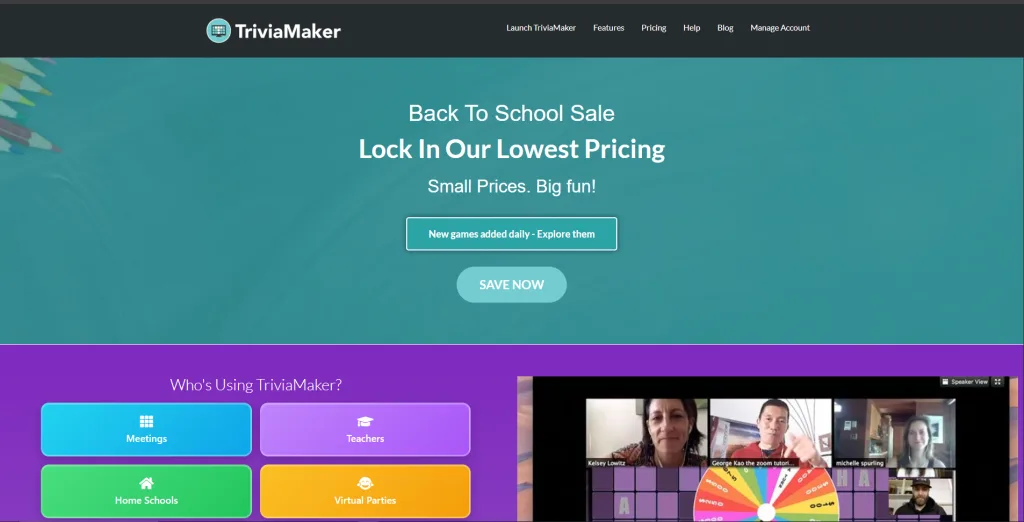
TriviaMaker stands out as a versatile, presentation-grade platform designed from the ground up to create highly engaging and interactive events. Although its name suggests a focus on trivia, it’s actually a powerful tool for conducting live Q&A sessions, dynamic polls, and comprehensive quizzes, making it a robust Slido alternative. Specifically, it’s built for presenters who want to go beyond simple interaction and create memorable, game-like experiences for their audience, whether in a classroom, a corporate training session, or a major conference.
Key Features:
- Multiple Game Formats: Choose from Grid, Multiple Choice, Wheel, and Trivia formats to keep your content fresh and exciting.
- Presentation-Grade Design: Create beautiful, professional-looking games and presentations with customizable themes, colors, and branding options.
- Live Leaderboards: Foster competition and engagement with real-time leaderboards that update after every question.
- Comprehensive Media Support: Easily incorporate images and videos into your questions to create richer, more immersive experiences.
- Team Play Mode: Divide your audience into teams to encourage collaboration and friendly competition, perfect for corporate events and classrooms.
- Powerful Q&A Module: Beyond quizzes, it offers a robust Q&A feature where audiences can submit and upvote questions, just like Slido.
How TriviaMaker Stands Out as a Slido Alternative Unlike Slido, which mainly offers polls, TriviaMaker is a full engagement platform with gamified quizzes, interactive Q&A, and presentation-quality design. It turns standard presentations into game-show experiences, boosting attention and retention. Plus, its free plan supports larger audiences and more features than Slido. Its multiple game formats and team-play options make events more dynamic and collaborative. This combination of fun, engagement, and versatility makes TriviaMaker ideal for educators, trainers, and event planners alike.
| Pros | Cons |
|---|---|
| Highly engaging and gamified interface | Learning curve can be steeper than Slido |
| Generous free plan | Less focused on “serious” corporate Q&A |
| Excellent customization and branding | |
| Supports team play and media integration |
Pricing Structure: TriviaMaker offers a generous free tier suitable for small classrooms. Premium plans unlock unlimited participants, advanced analytics, and branding options. Enterprise pricing provides white-label solutions and dedicated support.
— Sarah K., Corporate Event Manager
For detailed pricing and plans, visit TriviaMaker‘s official pricing page.
Best For: K-12 and higher education teachers, corporate trainers, and event planners who prioritize audience engagement, gamification, and creating a fun, memorable experience.
Our powerful AI Quiz Maker can even generate questions for you in seconds!
2. Kahoot!: The Gamification Giant
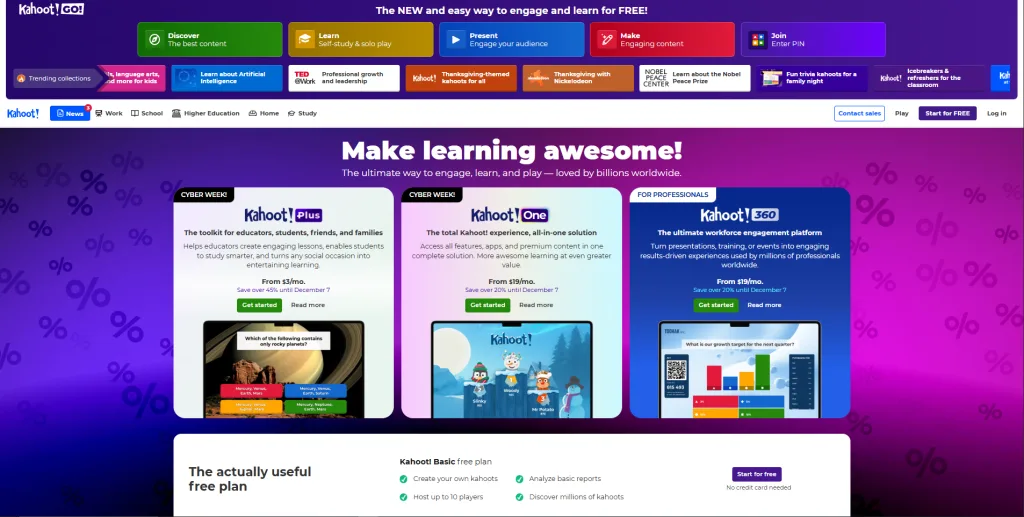
Kahoot! has established itself as one of the most recognizable names in gamified learning and assessments. Because of its popularity, it naturally becomes a strong Slido alternative for presenters who want to boost energy and engagement. Additionally, its fast-paced, music-driven quiz style is instantly familiar and consistently effective at capturing attention in both classrooms and casual group settings.
Key Features:
- Fast-Paced Quiz Format: Multiple-choice questions with a time limit, awarding points based on speed and accuracy.
- Massive Library of Ready-Made Kahoots: Access millions of public quizzes created by other users on almost any topic imaginable.
- Gamification Elements: Leaderboards, music, and colorful designs create a fun and competitive atmosphere.
- Various Question Types: Supports quizzes, true/false questions, polls, word clouds, and puzzles.
- Student-Paced Challenges: Assign challenges that students can complete at their own pace, perfect for homework or asynchronous learning.
How it Compares to Slido Kahoot! and Slido serve different primary purposes. Slido is optimized for formal, professional Q&A and data collection. Kahoot! is built for high-energy, gamified learning and review. If your main goal is to conduct a serious, moderated Q&A for a corporate AGM, Slido (or a similar tool) might be more appropriate. However, if you want to make learning fun, review material in a classroom, or add an ice-breaker quiz to your event, Kahoot! is one of the best Slido alternatives available.
| Pros | Cons |
|---|---|
| Extremely engaging and fun for participants | Can feel less professional than Slido |
| Huge library of pre-existing content | Free plan has limitations on question types |
| Very easy to use for both hosts and players | Not ideal for in-depth text-based Q&A sessions |
Pricing structure: Kahoot! offers a free basic tier (up to ~40 participants) with simple quizzes and polls, ideal for small classrooms. The premium plans start at around $7.99/month for teachers needing more features and larger audience support.
For detailed pricing and plans, visit Kahoot‘s official pricing page.
Best For: Teachers, students, and informal presenters looking to make learning and review sessions fun and competitive.
3. Mentimeter: AI-Powered Engagement Tool
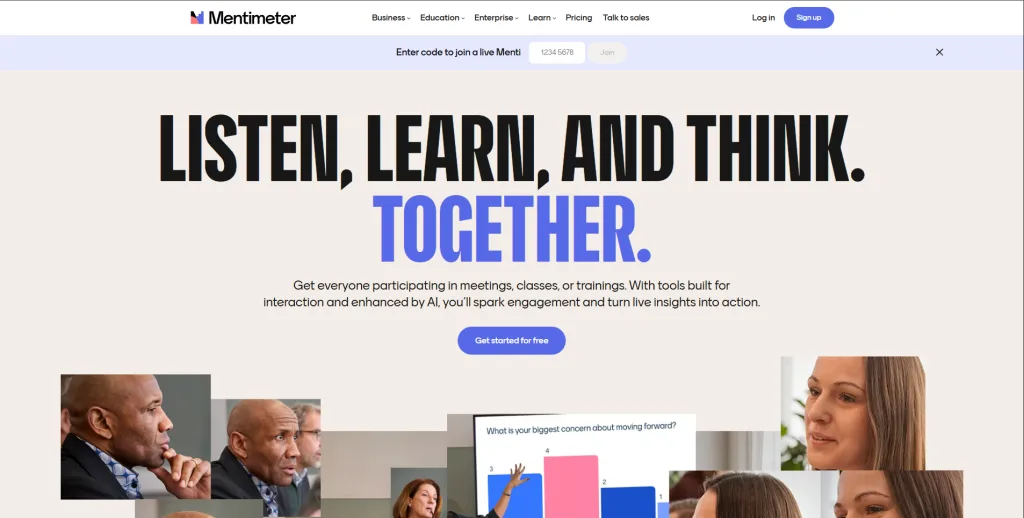
Mentimeter is a strong competitor in the interactive presentation space, positioning itself as a direct Slido alternative with a broader range of question types and a focus on beautiful data visualization. It’s known for its clean, modern interface and its ability to create visually stunning word clouds, scales, and other interactive slides that can be embedded directly into your presentation flow.
Key Features:
- Wide Variety of Question Types: Go beyond multiple choice with word clouds, open-ended questions, scales, ranking, and Q&A.
- Beautiful Data Visualization: Results are displayed in real-time with attractive, easy-to-read charts and animations.
- AI-Powered Features: Mentimeter is integrating AI to help generate quiz questions and summarize audience responses, saving presenters time.
- Presentation Integration: Works well with PowerPoint and Google Slides, and can be used to build an entire interactive presentation from scratch.
- Customizable Themes: Offers a good range of customization options in its free plan to match your branding.
How it Compares to Slido Mentimeter is a close Slido alternative, offering Q&A, polls, and a wider range of interactive slide types with attractive visualizations. Its free plan is competitive, and features like word clouds and ranking make it ideal for those seeking more creative engagement options.
| Pros | Cons |
|---|---|
| Excellent data visualization | Can become expensive with premium features |
| Wide variety of interactive question types | The free plan has a limit on the number of slides |
| Modern, user-friendly interface |
Pricing Structure: Mentimeter starts with a free tier (limited questions per presentation), and paid plans begin at about $10/month for education users, with more features, data export, and no participant caps.
For detailed pricing and plans, visit Mentimeter‘s official pricing page.
Best For: Presenters who value beautiful design and data visualization, and who need a wide variety of creative question types beyond simple polls.
4. Poll Everywhere: Classic Live Polling for All Occasions
Poll Everywhere is one of the original audience response systems and has been a staple in classrooms and conference halls for years. It’s a reliable and robust Slido alternative that specializes in live polling. It integrates deeply with presentation software, particularly PowerPoint, allowing you to embed polls directly into your slides for a seamless experience.
Key Features:
- Deep PowerPoint Integration: The Poll Everywhere for PowerPoint add-in is one of the best on the market, allowing for a truly native presentation experience.
- Wide Range of Question Types: Offers multiple choice, Q&A, word clouds, clickable images, rank order, and more.
- Reliable and Stable: As a long-standing platform, it’s known for its stability and ability to handle large audiences.
- Moderation Features: Strong tools for moderating Q&A sessions and filtering responses.
- Gradebook Integration: For educators, it can integrate with learning management systems (LMS) like Canvas and Blackboard.
How it Compares to Slido Poll Everywhere and Slido are very similar in their core offering of Q&A and polling. Poll Everywhere’s key advantage is its superior integration with PowerPoint, making it a favorite for presenters who live and breathe in that ecosystem. Slido’s interface is often considered slightly more modern and minimalist. The choice may come down to which presentation software you use and which platform’s interface you prefer.
| Pros | Cons |
|---|---|
| Excellent PowerPoint integration | The user interface can feel a bit dated |
| Very reliable and stable platform | The free plan is quite restrictive |
| Strong moderation and grading features |
Pricing Structure: Poll Everywhere provides a free plan (for limited responses), useful for small groups or quick polls. Paid plans begin at around $9–$14 per month, giving access to more respondents, varied question types and presentation integrations.
For detailed pricing and plans, visit Poll Everywhere‘s official pricing page.
Best For: Higher education professors and corporate presenters who heavily use PowerPoint and need a reliable, no-fuss polling and Q&A tool.
5. AhaSlides: Create Engaging Presentations with Interactive Features
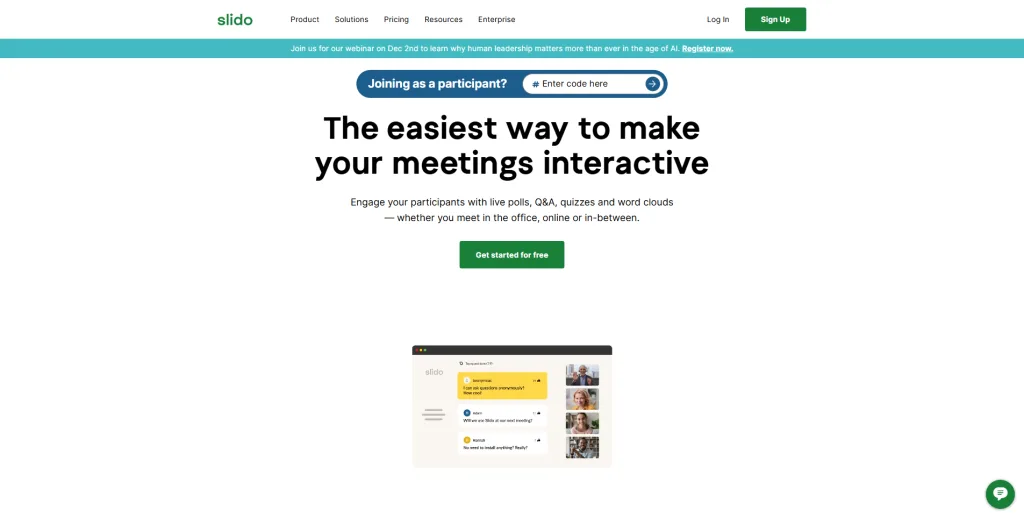
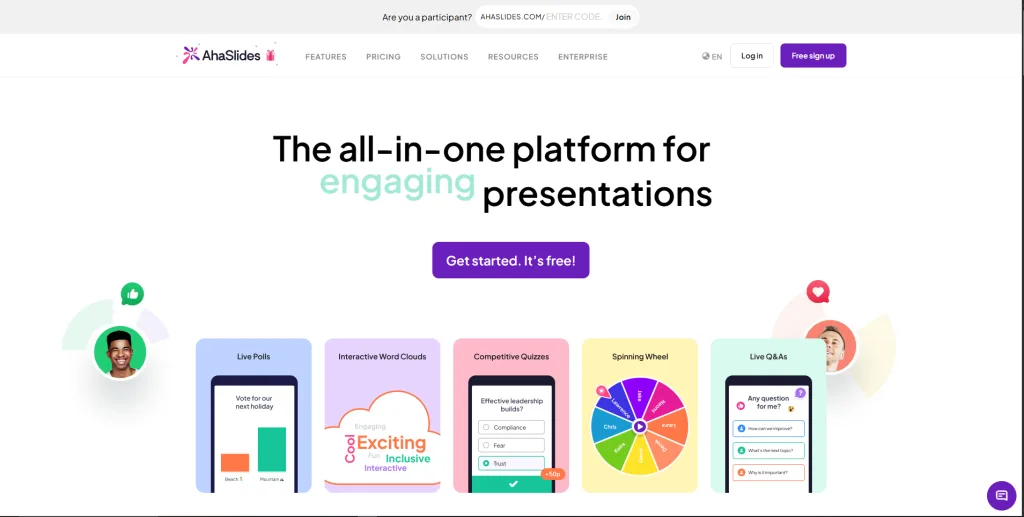
AhaSlides is another fast-growing Slido alternative that offers a comprehensive suite of interactive presentation tools. It aims to be an all-in-one platform where you can build your entire presentation, adding interactive slides like polls, quizzes, Q&A, word clouds, and brainstorming slides. It’s known for its vibrant design and generous free plan.
Key Features:
- All-in-One Presentation Builder: You can create your slides and add interactive elements within the same platform.
- Variety of Interactive Slide Types: Offers a huge range of options, including spinner wheels, brainstorming pads, and even karaoke-style lyric guessing games.
- Generous Free Plan: AhaSlides’ free tier is one of the most competitive, allowing for a good number of participants and interactive slides.
- Team Collaboration: Allows multiple users to build and edit presentations together.
- Audience Recording: A unique feature that lets you record your audience’s reactions and answers.
How it Compares to Slido AhaSlides is more of a full-fledged presentation platform than Slido. While Slido is an add-on to your existing presentation, AhaSlides wants to be the presentation itself. This makes it a great choice for those who want to build everything in one place. Its free plan is significantly more generous than Slido’s, making it a very attractive option for budget-conscious users.
| Pros | Cons |
|---|---|
| Extremely generous free plan | Can be overkill if you only need simple polling |
| Huge variety of creative slide types | |
| All-in-one presentation platform |
Pricing Structure: AhaSlides offers a free plan for basic polling and quizzes, a solid entry point for educators or small teams. Paid plans start at $8/month, which unlock unlimited participants and full interactivity.
For detailed pricing and plans, visit AhaSlides‘s official pricing page.
Best For: Users on a budget, creative presenters who want to build their entire presentation with interactive elements, and those who enjoy experimenting with different engagement formats.
6. Vevox: Leading Polling and Q&A Experience
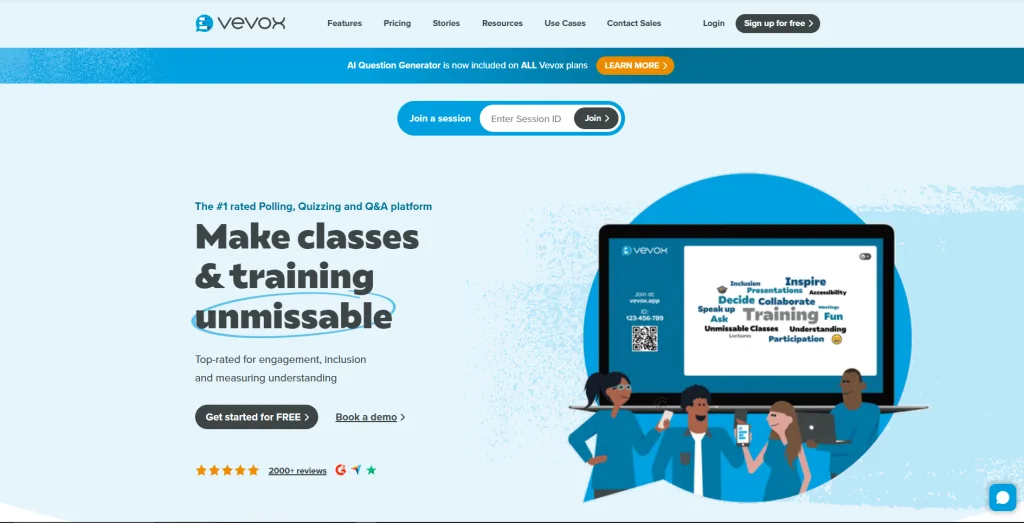
Vevox is a powerful Slido alternative that has gained significant traction, particularly in the higher education and corporate sectors. It positions itself as a premium, reliable platform for live polling, Q&A, and surveys. It emphasizes data security and provides a robust set of features for serious presenters.
Key Features:
- Live Polling and Q&A: Core features are robust and reliable, with excellent moderation tools for Q&A.
- Surveys: Allows you to create more detailed surveys for pre- or post-event feedback.
- Anonymous Participation: A strong focus on allowing participants to ask questions and provide feedback anonymously.
- Integration with PowerPoint and Teams: Seamlessly integrates with key presentation and communication platforms.
- Data and Reporting: Provides strong analytics and reporting features to understand your audience’s responses.
How it Compares to Slido Vevox is a direct competitor to Slido, with a very similar feature set. The choice between the two often comes down to specific enterprise requirements, pricing models, and user interface preference. Vevox often markets itself as having superior security and data handling capabilities, which can be a deciding factor for large corporations and universities. Its free plan is also quite capable, making it a worthwhile alternative to explore.
| Pros | Cons |
|---|---|
| Strong focus on security and reliability | Can be more expensive than other alternatives |
| Excellent moderation and reporting tools | The interface is less flashy than competitors |
| Good integration with enterprise tools |
Pricing Structure: Vevox offers a free tier for basic polling/Q&A, though with participant/feature limits, enough for small meetings or classroom sessions. Their paid plans typically start in the $7.75/month (education base) or higher for enterprise use depending on audience size.
For detailed pricing and plans, visit Vevox‘s official pricing page.
Best For: Higher education institutions and large corporations that prioritize data security, reliability, and comprehensive reporting.
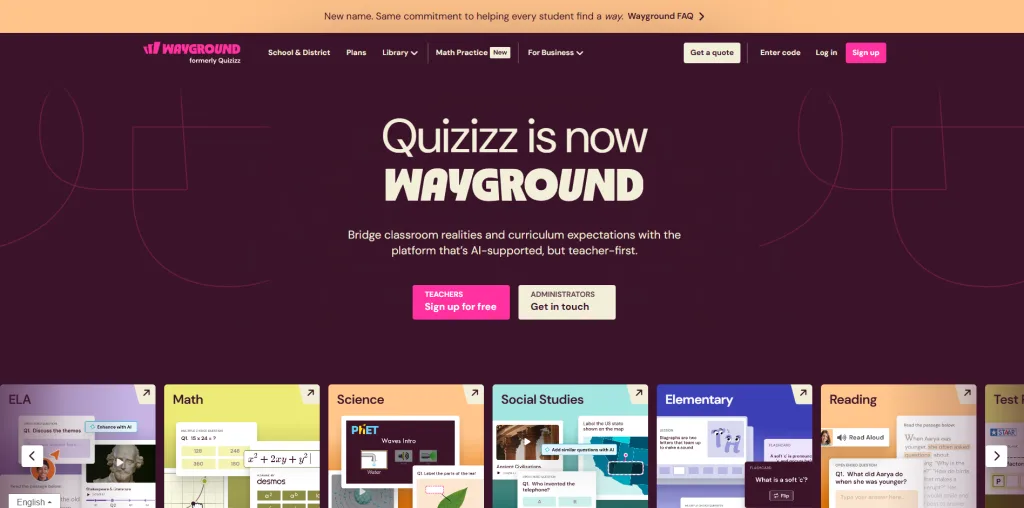
7. Quizizz: Gamified Learning and Assessment Platform
Similar to Kahoot!, Quizizz is a gamified learning platform that serves as an excellent Slido alternative for educational and training contexts. Its key differentiator is its “student-paced” mode, where participants can answer questions at their own pace rather than racing against a timer. This makes it ideal for homework, review sessions, and assessments where speed is not the primary metric.
Key Features:
- Live and Homework Modes: Conduct quizzes in real-time in class or assign them for students to complete on their own time.
- Student-Paced Gameplay: Participants answer questions at their own pace, reducing stress and focusing on comprehension.
- Meme-Based Feedback: Automatically adds funny memes to provide feedback after each question, which is highly engaging for younger audiences.
- Massive Question Library: Access a vast library of user-generated quizzes and questions.
- Detailed Reports: Provides in-depth reports to track student progress and identify areas for improvement.
How it Compares to Slido Quizizz and Slido serve fundamentally different purposes. Slido is for live, in-the-moment interaction during a presentation. Quizizz is a tool for creating gamified assessments and reviews. While both can be used in a classroom, Quizizz is far superior for formal quizzing and homework, while Slido is better for gathering quick, real-time feedback or questions during a lecture.
| Pros | Cons |
|---|---|
| Excellent for homework and self-paced quizzes | Not designed for live Q&A or polling during a presentation |
| Highly engaging with memes and gamification | |
| Detailed reporting and analytics |
Pricing Structure: Quizizz offers a free plan for basic engagement features, a solid entry point for small teams or educators just getting started with interactive presentations. Paid plans start at $10/month, which unlock greater participant capacities and a wider range of interactive tools.
For detailed pricing and plans, visit Quizizz‘s official pricing page.
Best For: K-12 teachers looking for a fun way to assign homework and conduct review sessions, and corporate trainers for asynchronous training modules.
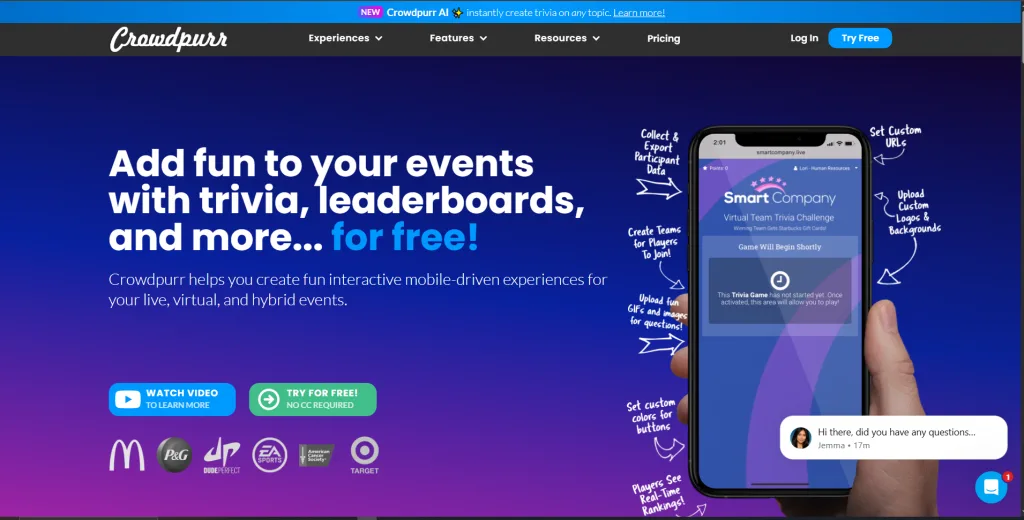
8. Crowdpurr: Real-Time Interaction and Engagement Tool
Crowdpurr is a powerful Slido alternative designed specifically for live events, from small meetings to large-scale conferences and virtual events. It offers a wide range of interactive experiences, including live polling, Q&A, trivia quizzes, and social walls. It’s known for its reliability and ability to handle large audiences without a hitch.
Key Features:
- All-in-One Event Interaction: Combines polling, Q&A, quizzes, and social media displays into one platform.
- Social Wall: Aggregate and display social media posts from platforms like Twitter and Instagram using a custom hashtag.
- Geolocation-Based Polls: A unique feature that allows you to segment poll results based on audience location.
- Professional Look and Feel: Designed with a clean, professional interface suitable for corporate and conference settings.
- Excellent Technical Support: Known for providing strong support for event planners.
How it Compares to Slido Crowdpurr is a more feature-rich alternative to Slido, especially for larger, more complex events. While Slido focuses on the essentials of Q&A and polling, Crowdpurr adds layers like social walls and geolocation, making it a more comprehensive event engagement tool. Its pricing model is also geared towards events, making it a strong contender for event planners.
| Pros | Cons |
|---|---|
| Excellent for large-scale events | Can be more complex to set up than simpler tools |
| Unique features like social walls | The free plan is more of a demo than a functional tool |
| Professional and reliable |
Pricing Structure: Crowdpurr offers a free plan with basic features and limited participant capacity, ideal for small events, classrooms, or trial runs. Paid plans start at $50/month and unlock larger audience sizes, live trivia, polls, leaderboards, and branding/customization options; pricing varies depending on event size and features.
For detailed pricing and plans, visit Crowdpurr ‘s official pricing page.
Best For: Professional event planners, conference organizers, and marketing agencies running large-scale hybrid or virtual events.
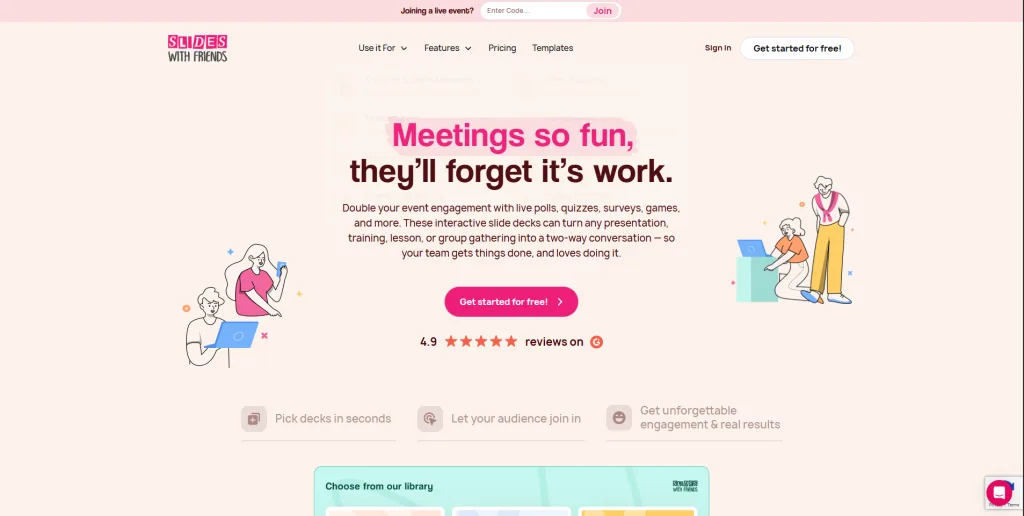
9. SlidesWith: Interactive Presentations Made Easy
SlidesWith is a newer player in the market that has quickly gained popularity as a fun and engaging Slido alternative. It focuses on turning presentations into interactive, game-like experiences. It’s particularly well-suited for team-building activities, icebreakers, and informal presentations where the primary goal is to have fun and connect with the audience.
Key Features:
- Game-Like Presentation Format: Turns your presentation into a series of interactive slides, including trivia, “this or that,” and drawing games.
- Easy to Use: Very user-friendly interface that makes it quick to create and launch an interactive presentation.
- Focus on Fun and Connection: The platform is designed to encourage laughter and interaction, rather than formal data collection.
- Team Mode: Excellent for dividing participants into teams for collaborative play.
How it Compares to Slido SlidesWith is the antithesis of Slido’s formal, professional approach. Where Slido is for serious Q&A, SlidesWith is for fun and games. It’s a fantastic choice for a team-building event or a classroom icebreaker, but it would be an inappropriate tool for a formal shareholder meeting. It’s a niche but highly effective alternative for specific use cases.
| Pros | Cons |
|---|---|
| Extremely fun and engaging | Not suitable for formal or serious presentations |
| Very easy to use | Limited feature set compared to other alternatives |
| Excellent for team-building |
Pricing Structure: SlidesWith offers a free plan for basic engagement, a solid entry point for small teams or educators. Paid plans start at $10/month (billed annually), which unlock more participants, advanced game types, and custom branding.
For detailed pricing and plans, visit SlidesWith‘s official pricing page.
Best For: Team leaders, HR professionals, and anyone looking to add a fun, game-like element to their presentation or meeting.
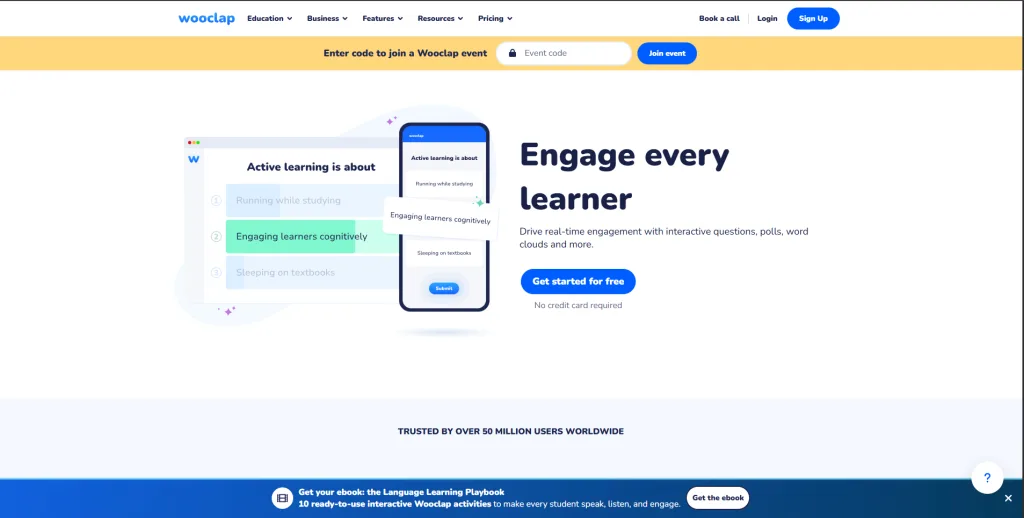
10. Wooclap: Maximizing Audience Engagement
Wooclap is a comprehensive audience engagement platform and a strong Slido alternative that boasts an impressive 42 different interactive question types. It’s designed to help presenters capture and maintain audience attention in a variety of settings, from classrooms to business meetings. It places a strong emphasis on the science of learning and engagement.
Key Features:
- Massive Variety of Question Types: From standard polls and Q&A to more creative options like “Find on Image,” “Matching,” and “Audio polls.”
- Integration with LMS and Video Conferencing: Works well with tools like Moodle, Canvas, Zoom, and Microsoft Teams.
- Competition Mode: Can be used to run head-to-head competitions, similar to Kahoot!.
- PowerPoint Integration: A robust plugin allows you to add Wooclap interactions directly into your PowerPoint slides.
- Focus on Pedagogy: The platform is built with a strong foundation in educational science, aiming to improve learning outcomes.
How it Compares to Slido Wooclap is a feature-rich alternative to Slido, offering a much wider variety of ways to interact with your audience. If you feel limited by Slido’s standard polls and Q&A, Wooclap’s extensive library of question types will feel like a breath of fresh air. It’s a powerful tool for educators who want to experiment with different engagement techniques to see what works best for their students.
| Pros | Cons |
|---|---|
| Huge variety of interactive question types | The sheer number of features can be overwhelming |
| Strong educational pedagogy behind it | |
| Excellent integration with popular tools |
Pricing Structure: Wooclap offers a free plan for basic classroom engagement, a solid entry point for educators. Paid plans start at $8/month (billed annually), which unlock unlimited participants, events, and all question types.
For detailed pricing and plans, visit Wooclap‘s official pricing page.
Best For: Educators and instructional designers who want a wide range of tools to experiment with and maximize audience engagement.
Comparing Features: How These Platforms Stack Up Against Slido
To help you make a decision, here is a comparison table of some of the top Slido alternatives we’ve discussed.
| Feature | Slido | TriviaMaker | Kahoot! | Mentimeter | Poll Everywhere |
|---|---|---|---|---|---|
| Primary Focus | Q&A & Polling | Gamified Engagement | Gamified Quizzes | Interactive Slides | Live Polling |
| Free Plan | Limited | Generous | Limited | Good | Very Limited |
| Q&A Module | Excellent | Excellent | No | Excellent | Excellent |
| Gamification | Low | Very High | Very High | Medium | Low |
| Customization | Low (Free) | High | Medium | Good | Medium |
| PowerPoint Integration | Excellent | Good | Good | Good | Excellent |
| Team Play | No | Yes | Yes | No | No |
| Best For | Corporate Q&A | Education, Training | Education, Icebreakers | Creative Presenters | PowerPoint Users |
How to Choose the Right Platform for Your Needs
With so many excellent Slido alternatives available, selecting the best platform depends entirely on your specific needs and requirements. To help you make an informed decision, here are some key factors to consider:
1. Assess Your Primary Use Case
- For Formal Q&A at a Conference: Stick with tools like Slido, Poll Everywhere, or Vevox, which have strong moderation and professional presentation features.
- For Classroom Engagement and Review: TriviaMaker, Kahoot!, and Quizizz are your best bets. Their gamification features are specifically designed to make learning fun.
- For Creative, Interactive Presentations: Mentimeter and AhaSlides offer the widest range of creative question types like word clouds and brainstorming pads.
- For Team Building and Icebreakers: TriviaMaker and SlidesWith are perfect for creating fun, collaborative experiences.
2. Consider Your Budget (Free vs. Paid)
All the platforms on this list offer a free plan, but their generosity varies. If you’re on a tight budget, start with the most generous free plans like AhaSlides and TriviaMaker. If you have a budget, compare the premium features carefully. Do you need more participants, more question types, or advanced reporting? Make sure the paid plan you choose aligns with the features you’ll actually use.
3. Check Integration with Existing Tools
How you present is crucial. If you live in PowerPoint, Poll Everywhere’s deep integration is a major advantage. If you’re a Google Slides user, ensure the platform you choose has a robust add-on. Also, consider integration with your Learning Management System (LMS) or video conferencing tools like Zoom and Microsoft Teams.
4. Prioritize the User Experience
Both your experience as the presenter and your audience’s experience are important. A platform that is confusing for you to set up or difficult for your audience to join will kill engagement. Most platforms offer a free demo or trial, so take advantage of them to see which interface you prefer.
Frequently Asked Questions
What is the best free Slido alternative?
Determining the best free Slido alternative ultimately depends on your specific needs and use case. For overall engagement and a generous free plan, TriviaMaker stands out as an excellent choice. If you prioritize beautiful, creative presentations, Mentimeter emerges as a top contender. Meanwhile, for pure, high-energy quizzing, Kahoot! continues to be a favorite among educators.
Are free versions of these platforms reliable?
Yes, the free versions of these platforms are reliable for their intended purpose. However, they come with limitations on audience size, the number of interactive slides per presentation, or access to advanced features. They are perfect for testing the platform and for smaller, informal events.
Can I use these tools with PowerPoint?
Most of these platforms offer some level of integration with PowerPoint. Poll Everywhere and Mentimeter are particularly known for their excellent PowerPoint add-ins, which allow you to embed interactive elements directly into your slides for a seamless experience.
Which Slido alternative is best for a large conference?
For large conferences, you need a platform that is reliable, can handle a large number of participants, and has strong moderation features for Q&A. Crowdpurr, Vevox, and Poll Everywhere are all excellent choices designed with large-scale events in mind.
How can I transition from Slido to a new platform smoothly?
Transitioning is usually straightforward. Most platforms allow you to create an account and build your presentation or quiz in minutes. The key is to prepare your questions beforehand. To ensure a smooth transition for your audience, provide clear instructions on how to join the new session (e.g., the website URL or access code) and do a quick test run before your live event.
Related Reads – You might like!
- Best Wooclap Alternatives for Interactive Tools
- Top Gimkit Alternatives for Engaging Learning
- Find the Best Blooket Alternatives
- Explore Quizziz Alternatives for Teachers and Presenters
Conclusion: Finding Your Perfect Engagement Partner
While Slido has its merits as a simple, professional Q&A tool, its limitations often lead users on a search for more versatile and engaging solutions. The world of Slido alternatives is rich with options, each with unique strengths. From the gamification powerhouses like TriviaMaker and Kahoot! to the creative presentation tools like Mentimeter and AhaSlides, there is a perfect platform for every need. For those seeking a comprehensive online quiz maker that combines engagement with professional results, the choice becomes clear.
After a comprehensive review, it’s clear that for those seeking to truly transform their events from passive presentations into interactive experiences, TriviaMaker stands out. It masterfully balances the professional Q&A functionality of Slido with the high-energy gamification that modern audiences crave. Its generous free plan, presentation-grade design, and unique team-play features make it the most versatile and engaging option for educators, trainers, and event planners who refuse to settle for the ordinary.
Don’t let a limited platform constrain your potential. It’s time to explore what’s possible and create events that are not only informative but truly unforgettable.