
Your new hire starts Monday. Your compliance deadline is Friday. And your last all-hands training had half the room checking their phones. Sound familiar? You don’t need another PowerPoint-and-pray session – you need a tool that makes employees want to pay attention. Here are the 10 best quiz tools HR teams are switching to in 2026, ranked for real corporate use.
Whether you’re onboarding 10 new hires or running a company-wide compliance rollout for 500 employees, the right online quiz maker makes the difference between company training that sticks and training that’s forgotten by Tuesday. We’ll cover pricing, participant limits, AI features, and which tool fits your team size – so you can stop researching and start training.
Why Interactive Training Outperforms Traditional Methods
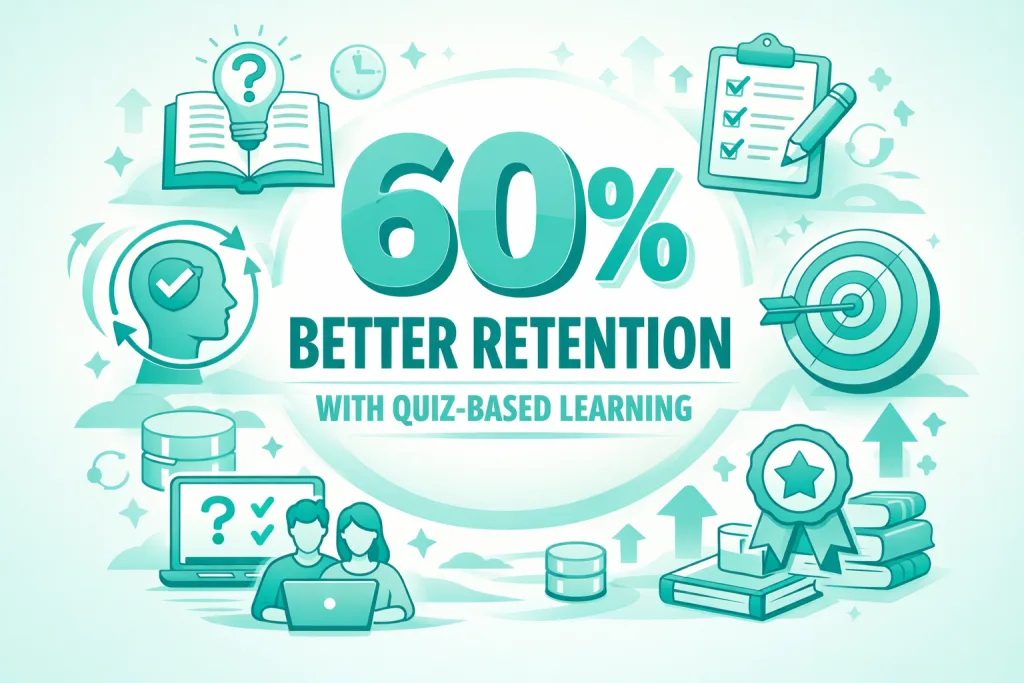
The numbers are damning: only 12% of employees apply skills learned in training back to their jobs, and the average worker spends just 24 minutes per week on professional development. Disengaged employees cost organizations $450–550 billion annually in lost productivity – yet most companies keep running the same ineffective sessions. Interactive quiz-based training and employee engagement training methods fix this by turning passive observers into active participants, and the ROI is measurable: knowledge retention improves by up to 60%, completion rates climb, and your L&D team can finally show stakeholders real numbers. For more on driving workplace engagement through gamification, see our guide on trivia games for work.
8 Features Every Corporate Training Quiz Tool Must Have
Before spending a dollar, run every tool on your shortlist through this checklist. One weak link – like participant limits that cap out at your team size, or no mobile support for remote workers – can derail an entire rollout.
✅ Scalability (10–2,000+ participants): Verify participant limits at each pricing tier. A tool that works for 20 people today should still work for 500 next year.
✅ Analytics & Reporting: You need completion rates, average scores, time-per-question, and individual performance – all exportable for stakeholder review. If you can’t prove ROI, budgets get cut.
✅ LMS Integration: SCORM compliance ensures your quiz data flows into your existing Learning Management System without a custom IT project.
✅ Mobile Accessibility: Remote and hybrid teams expect to participate from any device. Non-negotiable.
✅ Customization & Branding: White-label options keep training on-brand and professional. Employees trust branded experiences.
✅ AI-Powered Question Generation: The best tools generate entire interactive quizzes from your existing documents or URLs – cutting prep time by up to 70%.
✅ Multiple Question Types: True/false, ranking, matching, and open-ended questions test deeper understanding than multiple-choice alone.
✅ Zero Participant Friction: The single biggest predictor of completion rates. If employees need to download an app, create an account, or wait for IT – many won’t bother.
📊 Quick Comparison: All 10 Tools at a Glance
Click any tool name to jump to its full review below ↓
| Tool | Best For | Price Starts At | Max Participants | AI |
|---|---|---|---|---|
| Kahoot! 360↓ | Live workshops & meetings | $19/month | 50 | ◐ |
| TriviaMaker ↓ ⭐ BEST VALUE | Large-scale events & onboarding | $4.20/month $0.25/employee (200 users) | 200 Enterprise: 2,000 | ✓ |
| Quizizz ↓ | Self-paced & async learning | $75/month | 150 | ◐ |
| ProProfs Quiz ↓ | Quick compliance deployment | $39.99/month | 300 | ✓ |
| Mentimeter ↓ | Real-time polling & town halls | $21/month | Unlimited | ✗ |
| Waybook ↓ | SOP docs & knowledge checks | $119/month | N/A seat-based tool | ✓ |
| TalentLMS ↓ | All-in-one LMS & certification | $149/month | 40 | ✓ |
| Trainual ↓ | Process docs & role onboarding | Contact for pricing | N/A not a live session tool | ◐ |
| Genially ↓ | Interactive async content | $10/month | N/A not a live session tool | ✓ |
| Mindstamp ↓ | Interactive video training | $99/month | N/A video viewer tool | ◐ |
Table insight: Five of the ten tools above cannot host a live group training session at all – no trainer controls, no real-time leaderboard, no shared screen. Of the five that can, only TriviaMaker combines live session hosting, AI quiz generation, and full branding customization at $0.25 per employee per year (200 users, $49.99/year total). The next closest live session tool is Kahoot! 360 at $19/month – nearly 5× more expensive annually for fewer participants and no AI on the entry plan.
Top 10 Quiz Tools for Corporate Training & Employee Onboarding
1. Kahoot! – Best for Gamified Live Training Sessions
Kahoot! brings competitive energy to corporate training with game-based learning. Its vibrant interface and music-driven countdown timers create excitement, making it particularly effective for live workshops and corporate team building sessions. However, its focus on live sessions may not suit asynchronous training needs.
Key Features:
- Live and self-paced modes for flexible delivery
- Team-based competitions fostering collaboration
- Extensive question bank with pre-made corporate content
- Integration with Microsoft Teams and Zoom
Pricing: $19/month (360 Pro Start – 50 participants) | $25/month (360 Pro Standard – 200 participants) | $39/month (360 Pro Plus – 1,000 participants) | $59/month (360 Pro Max – 2,000 participants)
Best For: Companies running live training workshops with 20–100 participants seeking high-energy engagement

Pros:
✅ Highly engaging game mechanics drive participation
✅ Easy to set up and launch within minutes
Cons:
❌ Limited advanced analytics on free plan
❌ Participant cap is restrictive for larger all-hands sessions
📊 TriviaMaker vs Kahoot: Which Scales Better for Your Team?
See the head-to-head comparison – participant limits, pricing, and AI features
2. TriviaMaker – Best for Large-Scale Corporate Events & Presenter Mode Training
TriviaMaker is the tool HR teams reach for when the stakes are high and the room is large. Built as an AI-powered quiz generator for corporate trainers, it supports up to 200 participants on Premium Plus, and up to 2,000 participants on the Enterprise plan, with zero setup friction – no app download, no account creation, no IT ticket. Employees join via browser on any device, and they’re in.
For all-hands meetings, compliance rollouts, corporate events, and company-wide onboarding days, TriviaMaker’s crowd mode handles hundreds of participants simultaneously, while its presenter mode projects cinema-quality visuals for auditorium and conference room settings. HR teams at mid-to-large companies consistently cite the zero-friction join experience as the single biggest reason their completion rates improved.
Key Features:
- AI-powered question generation – build a full quiz from a document or URL in minutes
- Versatile game formats: trivia-style, tic-tac games, and fusion challenges
- Popular formats including Grid-style games, wheel games, and List-style games (Friendly Feud)
- Presenter mode for big-screen conference and auditorium sessions
- Cross-device support – iOS, Android, Apple TV, Android TV, and browser
- Multiple game modes for varied engagement across different training contexts
- Enterprise customization – company branding, team names, time controls
- No participant sign-in required – employees are live in under 60 seconds
- Free plan available for pilot programs and small teams

Pricing: Free (Basic – 20 participants) | $6.99/month (Premium – 50 participants) | $19/year (Premium Annual) | $49.99/year (Premium Plus – 200 participants) | Custom (Enterprise – up to 2,000 participants)
Best For: HR and L&D teams at mid-to-large companies (50–2,000 employees) needing scalable, presentation-ready training with zero participant setup
Pros:
✅ Scales from a 10-person onboarding to a 2,000-person all-hands
✅ Zero setup for participants – no accounts, no app, no friction
✅ AI quiz generation cuts content creation time by up to 70%
✅ 7-day money-back guarantee – completely risk-free to trial
Cons:
❌ Advanced LMS integrations require the enterprise plan
Ready to Run Your Next Training Session?
200,000+ trainers use this corporate learning tool for onboarding & compliance training
Premium Plus Plan
Up to 200 participants · All game styles · Full customization
Special Launch Price
Per year · Less than $4.17/month · Cancel anytime
7-Day Money-Back Guarantee · No setup fees · No IT required · Employees join in 60 seconds
3. Quizizz – Best for Self-Paced Learning & Assessments
Quizizz (also available as Wayground for Business) excels at asynchronous learning, allowing employees to complete quizzes on their own schedule. Its gamified approach includes memes, power-ups, and customizable avatars that appeal to younger workforces. Robust reporting features make tracking progress straightforward.
Key Features:
- Self-paced and instructor-paced modes
- Extensive question library with AI-generated options
- Detailed performance analytics and reports
- Power-ups and engagement mechanics
Pricing: $75/month (Essential) | $125/month (Essential Monthly) | Custom (Enterprise)
Best For: Organizations needing flexible, self-directed learning for distributed teams
Pros:
✅ Generous free plan available for individual and small team use
✅ Strong mobile app for on-the-go learning
Cons:
❌ Interface may feel too casual for formal enterprise training contexts
❌ Significantly more expensive than TriviaMaker at comparable participant counts
4. ProProfs Quiz Maker – Best for Quick Compliance Quiz Deployment
ProProfs Quiz Maker prioritizes speed with AI-driven quiz creation and a massive question library containing over 100,000 pre-built questions. Trainers can deploy compliance quizzes or product knowledge assessments in minutes, with automated grading and instant certification.
Key Features:
- AI quiz generator from documents and URLs
- 100,000+ pre-made questions across industries
- Automated grading and instant certificates
- Lead capture forms for marketing training
Pricing: $39.99/month per 100 active quiz takers (Essentials – max 300) | $59.99/month per 100 takers (Business – max 500) | From $199.99/month (Enterprise)
Best For: Small to mid-sized businesses needing rapid deployment of standardized compliance assessments
Pros:
✅ Fastest quiz creation time – ideal for time-pressured HR teams
✅ Extensive question database saves research time
Cons:
❌ Limited live session and presenter features compared to TriviaMaker
❌ Less engaging for large group training events
5. Mentimeter – Best for Real-Time Polling & Town Halls
Mentimeter specializes in real-time audience interaction through polls, word clouds, Q&A, and quizzes. Its clean, minimalist design works beautifully for executive presentations and company town halls, with live results visualization that keeps audiences engaged throughout.
Key Features:
- Real-time voting and instant results display
- Word clouds and open-ended responses
- PowerPoint and Google Slides integration
- Anonymous participation encourages honest feedback
Pricing: Free (50 participants/month total) | ~$21/month (Basic – unlimited participants) | ~$29/month (Pro – billed annually only)
Best For: Companies running interactive workshops, town halls, and leadership training requiring instant feedback
Pros:
✅ Beautiful, professional interface for executive settings
✅ Seamless presentation software integration
Cons:
❌ Limited quiz functionality compared to dedicated platforms
❌ Polling-first tool – quiz functionality is secondary to presentation features
🏢 HR teams training 50–200 employees are switching to TriviaMaker – no IT setup, no participant accounts, and 200 employees can join a live session in under 60 seconds.
Train 200 Employees at Once – No IT Required →6. Waybook – Best for SOP-Based Knowledge Checks
Key Features:
- Document-to-quiz conversion
- Progressive knowledge checks embedded in content
- Role-based access and training paths
- Completion tracking and automated reminders
Pricing: $119/month (Starter – 20 users) | $238/month (Pro – 20 Team Members) | Custom (Growth/Enterprise)
Best For: Organizations with extensive documentation requiring systematic process verification
Pros:
✅ Seamlessly integrates quizzes into documentation workflows
✅ Strong onboarding automation for process-heavy roles
Cons:
❌ High price point – $119/month for just 20 users vs. TriviaMaker’s $49.99/year for 200
❌ Limited live engagement features for group training sessions
7. TalentLMS – Best for All-in-One LMS with Built-In Quizzes
TalentLMS offers a complete learning management system with native quiz functionality. Its all-in-one approach eliminates integration headaches, making it ideal for companies building comprehensive training programs with course creation, certification tracking, and compliance management.
Key Features:
- Full LMS with course builder and quiz tools
- SCORM and xAPI compliance
- Automated course enrollment and notifications
- Gamification with points, badges, and leaderboards
Pricing: Free plan available | $149/month (Core – 40 users) | $299/month (Grow – 70 users) | $579/month (Pro – 100 users) | Custom (Enterprise – 1,000+ users)
Best For: Companies needing a complete training ecosystem with certification and compliance tracking beyond standalone quizzes
Pros:
✅ Comprehensive platform reducing tool sprawl
✅ Strong compliance and certification management
Cons:
❌ Quiz engagement features far less dynamic than dedicated tools
❌ $149/month for just 40 users is expensive compared to alternatives
💡 Comparing costs across all 10 tools?
TriviaMaker’s Premium Plus covers 200 employees for $49.99/year – less than TalentLMS costs for 40 users per month
8. Trainual – Best for Process-Driven Onboarding
Trainual specializes in playbook-style onboarding – combining process documentation with embedded knowledge checks. It excels at capturing tribal knowledge and turning it into structured role-based learning paths for new hires.
Key Features:
- Process and policy documentation builder
- Embedded quizzes within training modules
- Role-based learning paths
- Integration with HR systems (BambooHR, Workday)
Pricing: Pricing on request – demo required. Previously published plans started at $250/month; verify current pricing at trainual.com. Note: one-time implementation fee required on all plans.
Best For: Growing companies (10–200 employees) systematizing onboarding and role-specific training
Pros:
✅ Excellent for standardizing onboarding processes at scale
✅ Strong combination of documentation and knowledge verification
Cons:
❌ $250/month is a significant budget commitment for smaller HR teams
❌ Limited live group training features
9. Genially – Best for Visually Interactive Training Content
Genially’s drag-and-drop builder creates multimedia-rich, animated quizzes that feel more like experiences than assessments. It’s the right pick for design-forward brands and L&D teams creating content that needs to impress as much as it teaches.
Key Features:
- AI Quiz Generator and AI-powered text editing available on free plan
- Interactive templates with animations
- Multimedia integration (video, audio, images)
- Branching scenarios for complex training flows
- Collaborative editing for team content creation
Pricing: Free (basic) | $10/month (Pro) | Custom (Enterprise)
Best For: Creative teams and consumer-facing brands requiring visually impressive, shareable training content
Pros:
✅ AI Quiz Generator included on free plan – no paid upgrade required
✅ Unmatched visual design capabilities
✅ Highly shareable, branded content
Cons:
❌ Steeper learning curve – not ideal for HR teams without design resources
❌ Not built for live group training sessions
10. Mindstamp – Best for Video-First Training Programs
Mindstamp embeds interactive quizzes directly into training videos, creating seamless learning experiences without breaking the viewing flow. It’s purpose-built for organizations where video is the primary training medium – product demos, process walkthroughs, safety training.
Key Features:
- In-video quiz overlays and branching paths
- Video analytics with engagement heatmaps
- Lead capture and form integration
- Personalized video paths based on quiz responses
Pricing: $99/month (Basic – 5 videos) | $299/month (Core) | $499/month (Pro) | Custom (Enterprise)
Best For: Organizations with mature video content libraries needing engagement tracking and comprehension verification
Pros:
✅ Unique video-quiz integration keeps viewers engaged throughout
✅ Detailed video analytics pinpoint exactly where attention drops
Cons:
❌ Requires an existing video content library to deliver value
❌ Not suitable for live group training without video infrastructure
✨ Most of These Tools Have One Thing in Common
They require your employees to do something before they can participate. TriviaMaker doesn’t. Browser link, done. That’s why HR teams with 100+ employees choose it for all-hands and onboarding days.
See Every Feature →Which Tool Fits Your Company Size?
Not every tool is built for every org size. Use this guide to narrow your shortlist in 30 seconds.
How to Choose the Right Quiz Tool for Your Organization
Assess Your Training Goals
Start by clarifying your primary use case. Are you running live all-hands sessions or asynchronous self-paced modules? Live training favors tools like TriviaMaker and Kahoot! with strong presenter modes and real-time engagement. Self-paced learning benefits from platforms like Quizizz or TalentLMS. For large company-wide rollouts, TriviaMaker’s crowd mode handles hundreds of participants simultaneously, while classroom mode suits smaller department training. For individual practice between sessions, TriviaMaker’s solo mode works without any facilitator. Distinguish clearly between new-hire onboarding (needs structured paths and progress tracking) and ongoing training (needs quick knowledge checks and reinforcement) – the best tool often differs for each.
Consider Your Budget vs. Real Cost Per Employee
Don’t evaluate price by monthly subscription alone – calculate cost per employee per year. TalentLMS at $149/month for 40 users costs $44.70 per employee annually. TriviaMaker’s Premium Plus at $49.99/year for 200 users costs $0.25 per employee. The gap is significant when you’re justifying budget to a CFO. Additionally, account for hidden costs: tools requiring extensive IT setup, user provisioning, or mandatory training sessions for facilitators multiply your real investment. Platforms with zero participant friction – where employees join via a browser link – consistently deliver better ROI because sessions actually happen on time, every time.
Evaluate Integration & Vendor Requirements
Before signing any contract, get clear answers on SCORM compatibility, SSO support, and data export formats. If your organization uses an existing LMS, quiz data must flow into it cleanly. For HR analytics platforms, confirm whether the tool offers open APIs or webhooks for reporting integration.
Choosing a Quiz Tool for Compliance Training Deadlines
Compliance training has a hard requirement that most other training types don’t: a legal deadline. When every employee must complete a certification by a specific date, your quiz tool’s friction level becomes a compliance risk – not just an inconvenience. Tools requiring employee account creation, app downloads, or IT provisioning introduce delays that can cause organizations to miss deadlines. For compliance training specifically, prioritize zero participant friction above all other features. Your employees need to be in the session in under 60 seconds, on any device, with no prerequisites.
📋 5 Questions to Ask Every Vendor Before You Buy
- ❓ “How many participants can join a live session simultaneously – and what’s the hard cap?”
- ❓ “Do participants need to create accounts or download anything to join?”
- ❓ “Can we export quiz results directly to our HRIS or LMS?”
- ❓ “What does your onboarding look like – how long until our first session is live?”
- ❓ “What’s your refund policy if the tool doesn’t fit our workflow?”
🚀 TriviaMaker’s Refund Policy
Full refund within 7 days – no questions asked. No setup fees. Cancel anytime. Your team is live in under 10 minutes.
Frequently Asked Questions
What is the best free quiz tool for corporate training?
TriviaMaker’s Basic plan supports up to 20 participants with no sign-in required – making it the strongest free option for small team training with zero administrative overhead. Kahoot! also offers a free tier but requires participant accounts. For teams over 20, TriviaMaker’s Premium Plus at $49.99/year covers up to 200 participants – less than $4.17/month.
Can quiz tools integrate with existing LMS platforms?
Yes. TalentLMS and Trainual offer native LMS functionality. TriviaMaker and ProProfs support SCORM exports for integration with enterprise systems like Workday Learning and Cornerstone. For custom integrations, TriviaMaker’s Enterprise plan includes dedicated support for your specific tech stack.
What features should I look for in an employee onboarding quiz tool?
Prioritize zero participant friction (no account creation), mobile accessibility, customizable branding, and analytics your L&D team can actually act on. Ensure the tool supports both live group sessions for orientation days and self-paced modules for role-specific onboarding content. The ability to generate quizzes from existing HR documents via AI is a major time-saver.
Are AI-powered quiz generators worth it for corporate training?
Absolutely – especially for compliance training where content changes frequently. AI quiz generators like TriviaMaker and ProProfs reduce content creation time by up to 70%, letting trainers regenerate quizzes whenever policies update rather than rebuilding from scratch. For HR teams without dedicated instructional designers, this is the difference between training that stays current and training that becomes outdated within months.
How much do corporate training quiz tools cost?
The range is dramatic: from free (under 20 participants) to $250+/month for enterprise onboarding platforms. For most mid-sized companies (50–200 employees), TriviaMaker’s Premium Plus at $49.99/year is the most cost-effective option – covering 200 participants with AI generation and full customization at a fraction of what competitors charge per month.
What quiz tools don’t require employees to log in or download anything?
TriviaMaker is the only tool on this list where participants join via a browser link – no account creation, no app download, no IT ticket required. For HR teams running compliance training or all-hands sessions, this zero-friction join experience is the single biggest predictor of completion rates. Every extra step between an employee and the session costs you participation. A quiz maker with no download required eliminates that risk entirely.
How do I measure employee training ROI with a quiz tool?
Employee training ROI measurement starts with four metrics your quiz tool should report automatically: completion rate, average score by question, time spent per session, and score improvement over repeated attempts. Export these as CSV or PDF for stakeholder reporting. Tools with per-question analytics let L&D teams identify exactly which content employees consistently miss – turning quiz data into curriculum improvement decisions, not just pass/fail records.
What is the best free employee training quiz maker?
TriviaMaker’s free Basic plan supports up to 20 participants with no sign-in required – making it the strongest free employee training quiz maker for small teams. Unlike other free tiers that restrict question types or require participant accounts, TriviaMaker Free gives you full game functionality with zero administrative setup. For teams beyond 20 participants, Premium Plus at $49.99/year covers 200 employees – less than a single month of most competing platforms.
Can corporate quiz tools be used for classroom-style department training?
Yes. Most tools including TriviaMaker support in-room classroom sessions as well as remote delivery. TriviaMaker’s presenter mode works on any display – from a laptop in a small conference room to a full auditorium projector setup – making it equally effective for live training quizzes.
📝 Build your first compliance quiz in 5 minutes
Paste your policy doc – TriviaMaker’s AI generates the questions automatically
Conclusion: The Right Tool Makes Training Stick
The best quiz tools for corporate training don’t just test knowledge – they make employees want to show up, pay attention, and remember what they learned. For HR and L&D teams running live, large-scale employee training with tight deadlines and limited IT resources, TriviaMaker delivers more value per dollar than any tool on this list. Its zero-friction join experience, AI quiz generation, and 200-participant capacity at $49.99/year solve the three biggest pain points in corporate training: low completion, slow content creation, and logistical headaches.
For teams needing asynchronous self-paced modules alongside live training, TriviaMaker’s Assignment mode handles both without switching platforms. For enterprise organizations requiring full LMS certification infrastructure, evaluate whether the added complexity and cost justify the investment over a purpose-built live-session tool. But if your next challenge is an all-hands onboarding day, a compliance deadline, or a team-building session that employees will actually remember – start with TriviaMaker. You can run your first session free today, and upgrade only if it delivers. With a 7-day money-back guarantee on paid plans, there’s genuinely no risk in finding out.
Your Next All-Hands Could Be Your Best One Yet
200,000+ educators and corporate trainers trust TriviaMaker for onboarding, compliance & team training. 4.9/5 stars · Verified user reviews.
Premium Plus – Best Value
Up to 200 participants · All game formats · Full branding · AI quiz generator
Special Launch Price
Per year · $0.25 per employee (200 users) · Cancel anytime
Try TriviaMaker risk-free. Not satisfied within 7 days? We’ll refund every penny. No questions asked.
Related Articles
📚 Continue Learning:
- How to Create Interactive Quizzes – Step-by-step guide to quiz design for HR teams
- TriviaMaker vs. Kahoot: Which is Better? – Head-to-head feature comparison
- Team Building Trivia Questions & Answers – Ready-to-use content library for your next session
- Best Assessment Tools for Training – Broader evaluation tool overview
- AI Quiz Generators: Complete Guide – How AI is cutting quiz creation time by 70%
- TriviaMaker for Corporate Teams – Full feature overview for HR and L&D teams