
One Platform. Endless Possibilities.
Create engaging trivia experiences that captivate your audience. From classrooms to corporate events, choose the perfect game mode for your needs.
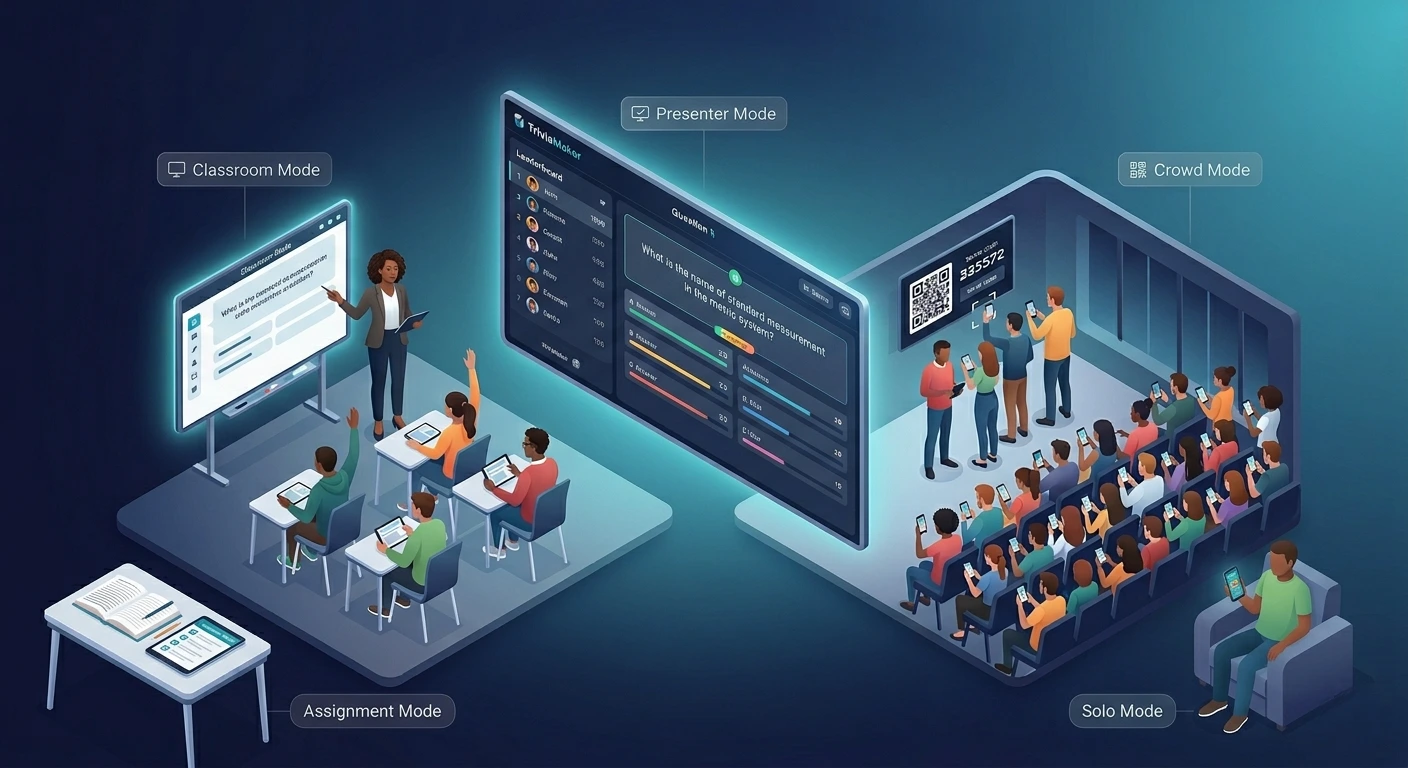
Why Choose Different Game Modes?
Every audience is unique. That's why we've crafted specialized game modes that adapt to your specific needs, ensuring maximum engagement and memorable experiences.
Education-Focused
Transform learning into an adventure. Our classroom modes boost participation, improve retention, and make education fun for students of all ages.
Team Building
Strengthen team bonds through friendly competition. Perfect for corporate events, training sessions, and fostering collaboration in any group setting.
Device Flexible
Play anywhere, anytime. Whether your audience has devices or you're presenting on a big screen, we have a mode that works for your setup.
Crowd Mode: The Ultimate Engagement Tool
Our most popular game mode transforms any event into an interactive experience. Let your audience participate in real-time using their own devices, creating unforgettable moments and genuine engagement.
- Real-time audience participation
- Perfect for groups of any size
- Instant feedback and results
- Works with any device with a browser
Explore Our Game Modes
Find the perfect format for your event. Each mode is designed with specific use cases in mind to ensure your trivia experience is exactly what you need.
Crowd Mode
Let your audience play using their devices. Great for large events, hybrid setups, and real-time engagement.
Best for: Conferences, team-building events, classrooms with devices
Learn MoreBasic Mode
Perfect for quick sessions or casual trivia nights. Run the game manually and control the pace yourself.
Best for: Teachers, event hosts, trainers who want full control
Learn MorePresenter Mode
Project the game onscreen and use it as a teaching or presenting tool. No audience devices needed.
Best for: Educators, trainers, and webinar hosts
Learn MoreSolo Mode
Allow participants to play independently - great for homework, training reinforcement, or downtime learning.
Best for: Individual learners, asynchronous activities
Learn MoreAssignment Mode
Assign trivia as a task with a deadline. Great for flipped classrooms or remote team challenges.
Best for: Teachers, team managers, L&D professionals
Learn MoreEmbedded Mode
Add trivia games directly into your own website or learning platform for seamless integration.
Best for: Course creators, corporate LMS, custom event pages
Learn MoreClassroom Mode
Designed for teachers and students to play in a live, structured environment with team or individual settings.
Best for: Daily lessons, review sessions, friendly classroom competition
Learn MoreBuzz Mode
Fast-paced, buzzer-style competition for maximum excitement. Players buzz in before answering - classic game show feel.
Best for: Game shows, live events, trivia competitions
Learn MoreCompare Game Modes
Not sure which mode to choose? Use this comparison table to find the perfect fit for your event.
| Feature | Basic | Crowd | Presenter | Solo | Assignment | Embedded | Classroom | Buzz |
|---|---|---|---|---|---|---|---|---|
| Best For | Manual play, quick games | Large audiences | Live presentations | Individual play | Homework, team challenges | Website or LMS embedding | Live classroom sessions | Game show events |
| Live Audience Interaction | ||||||||
| Self-Paced Play | ||||||||
| Score Tracking | ||||||||
| Requires Devices for Players | ||||||||
| Supports Teams |
Start Free - Upgrade When You Need More
No credit card needed. Free plan is genuinely useful. Upgrade only for more players or features.
- Grid, Trivia, List (Limited)
- Crowd Mode - 20 participants
- Buzz Mode - 20 buzzers
- Assignments & Embedded
- Custom branding
- All 7 Game Styles
- Crowd Mode - 50 participants
- Assignment - 100 entries
- Embedded - 100 entries
- Logos, colors, music
- All 7 Game Styles
- Crowd Mode - 200 participants
- Assignment - 500 entries
- Embedded - 500 entries
- Full branding & customization
- All 7 Game Styles
- Crowd & Buzz - up to 2,000
- Assignment & Embedded - 2,000
- All customization features
- Admin dashboard & teams
What Our Users Say
Join thousands of educators and professionals who are already creating amazing experiences with TriviaMaker.
"Worked perfectly for our staff training day. People actually paid attention!"

"I use TriviaMaker for test review in my class and the students love it!"

"We use it all the time for Youth Group. We project it on the big screen!"

Frequently Asked Questions
Got questions? We've got answers. Learn more about our game modes and how they can work for you.
Crowd Mode is our most interactive format, allowing every participant to join using their own device. It creates a truly engaging experience where everyone can participate simultaneously, see live results, and compete in real-time.
For team building, we recommend Crowd Mode for large groups, Buzz Mode for competitive excitement, or Classroom Mode for structured team play. These modes encourage collaboration, friendly competition, and real-time interaction.
Absolutely! Classroom Mode is specifically designed for educational settings, while Presenter Mode works great for lessons, and Assignment Mode is perfect for homework.
It depends on the mode! Presenter and Basic modes work without player devices. Crowd, Solo, and Buzz modes require players to have devices to participate.
Consider your audience size, device availability, and interaction style. Still unsure? Start with Crowd Mode for interactive events or Presenter Mode for screen-led sessions.
Ready to Create Amazing Experiences?
Join thousands of educators and professionals who are already engaging their audiences with TriviaMaker. Start creating today - no credit card required.