
Team Building Quiz Maker - Run Virtual Trivia Games for Your Team
The online quiz maker for teams - the #1 virtual team trivia game builder, HR, and remote work. Run onboarding games, L&D training, and all-hands trivia on Zoom, Teams, or Google Meet - no app install, no IT ticket, no boring slides.
✓ Free plan - no credit card · ✓ 7-day money-back on paid plans · ✓ 500k+ users
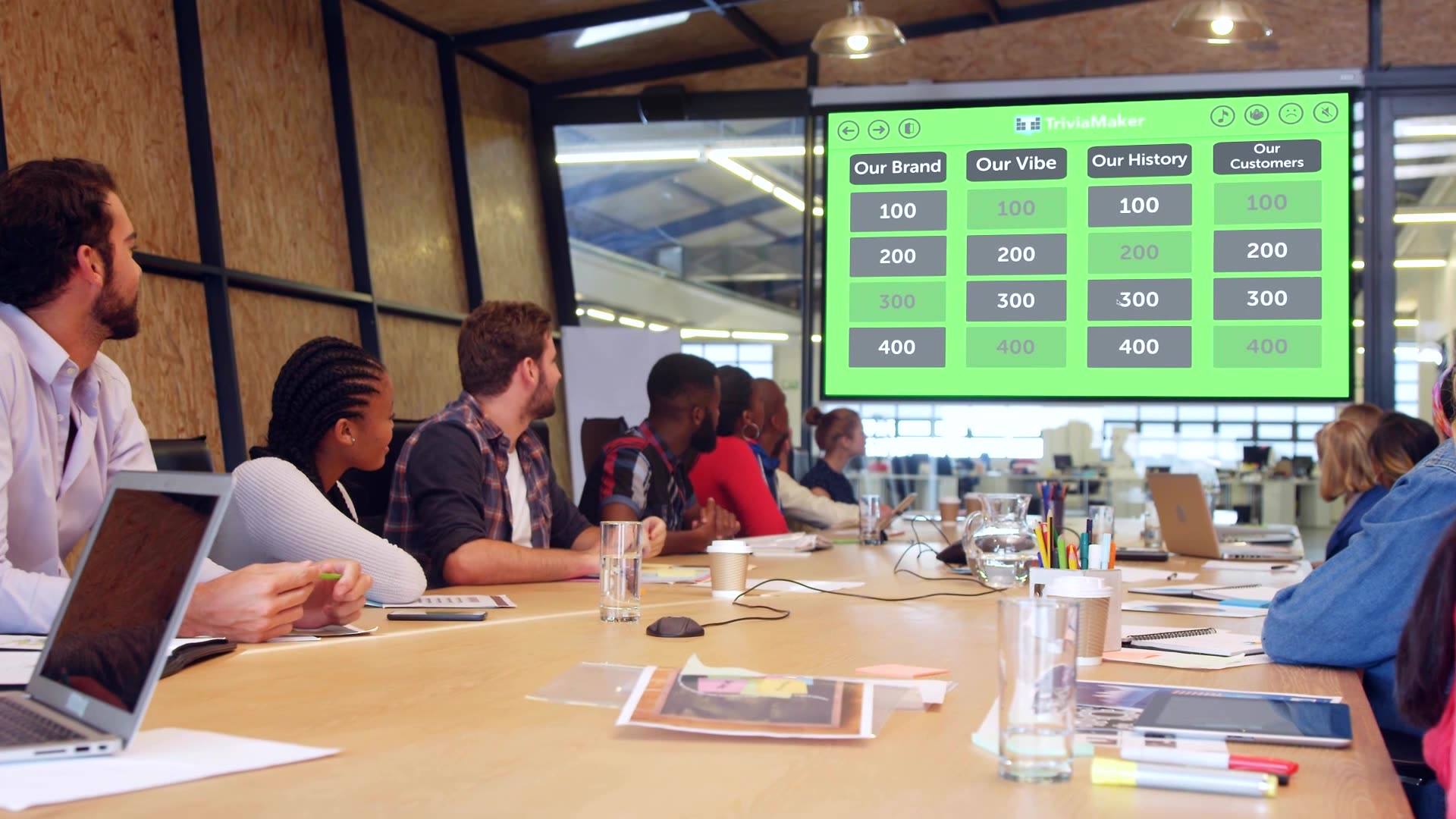
Built for Every Team Moment That Matters
Whether you're welcoming a new hire, wrapping up a training sprint, or just trying to end Friday's all-hands with something people actually enjoy - TriviaMaker has a format for it.
New Employee Onboarding
Turn orientation into a game. Cover company values, team structure, and office trivia in a live quiz new hires actually remember on Day 1.
HR · People OpsL&D Training & Corporate Quiz Maker
Replace post-training quizzes with a live game. Instantly see what your team knows - and what needs a second pass - through the leaderboard.
Learning & DevCompany All-Hands
Open or close your all-hands with a live company trivia game. Crowd Mode means every attendee plays on their own phone - no awkward Q&A silence.
Internal CommsRemote Team Events
Run virtual team trivia games, Friday sessions, and team-building games that feel like something - not another awkward Zoom call with zero engagement.
Remote · HybridParticipants per game
Crowd Mode supports up to 2,000 live players on their own phones - no app, no login, no friction.
Game formats
Grid, Trivia, Wheel, Hangman, List, TicTac, Fusion - run the same content in a different format every session.
Setup to live quiz
Type a topic, let the AI generate questions, share the link. Your team is playing in under 3 minutes.
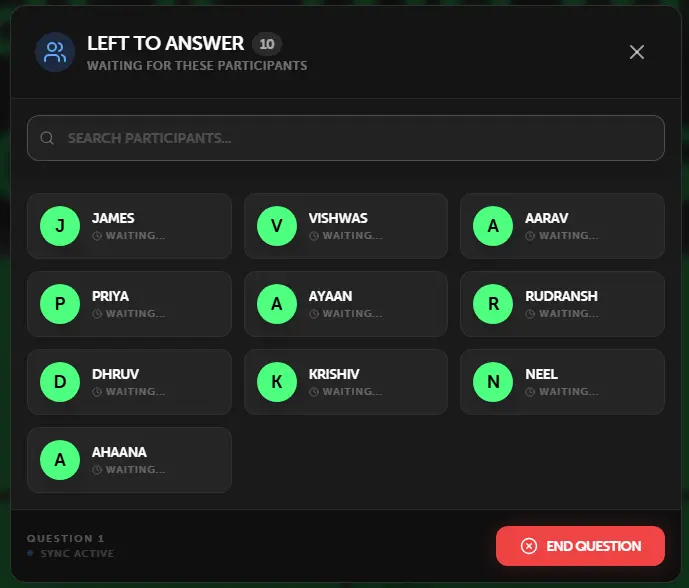
Up to 2,000 People on Their Phones. Zero App Downloads.
Crowd Mode turns any device into a buzzer. Share a link or QR code - participants join in their browser, no install required. Works for in-person, hybrid, or fully remote sessions.
- No app install - join via any mobile browser
- No player account - enter a name and you're in
- Up to 2,000 simultaneous players on enterprise plans
- Live response count and answer distribution in real time
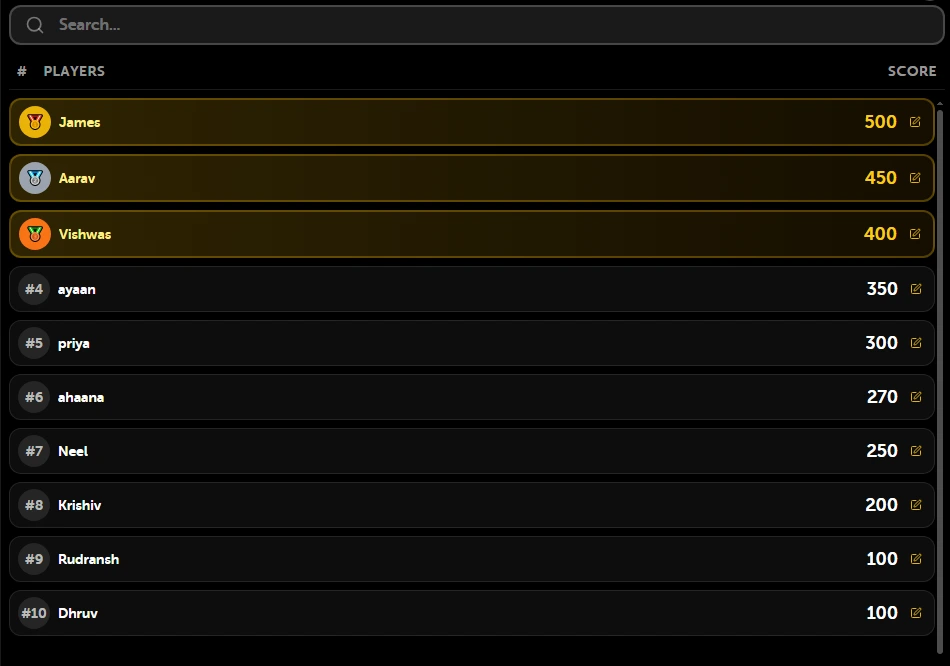
The Moment a Leaderboard Appears, the Room Wakes Up.
Scores update in real time after every question. Project it on your screen between rounds - the competitive energy does the rest. Works equally well on a 50-inch office TV and a shared Zoom screen.
- Updates instantly after each answer
- Visible on the projected/shared screen for everyone
- Speed bonus rewards the fastest correct answer
- Perfect for team vs team or individual competition

Run the Room Like a Pro. Your Screen, Your Control.
Presenter View shows you answer distribution, response count, and time remaining - while your audience only sees the game. You control the pace, the reveals, and the drama.
- See answer distribution live - before you reveal
- Control timer, question pace, and transitions
- Your view is private - participants see only the game
- Works on dual monitors or any split-screen setup
Works on Zoom, Teams, Google Meet - Just Share Your Screen.
No tech support calls. No plugin. No IT request. Open TriviaMaker, press play, share your screen. Every participant sees the live game - whether they're in the same room or in seven different time zones.
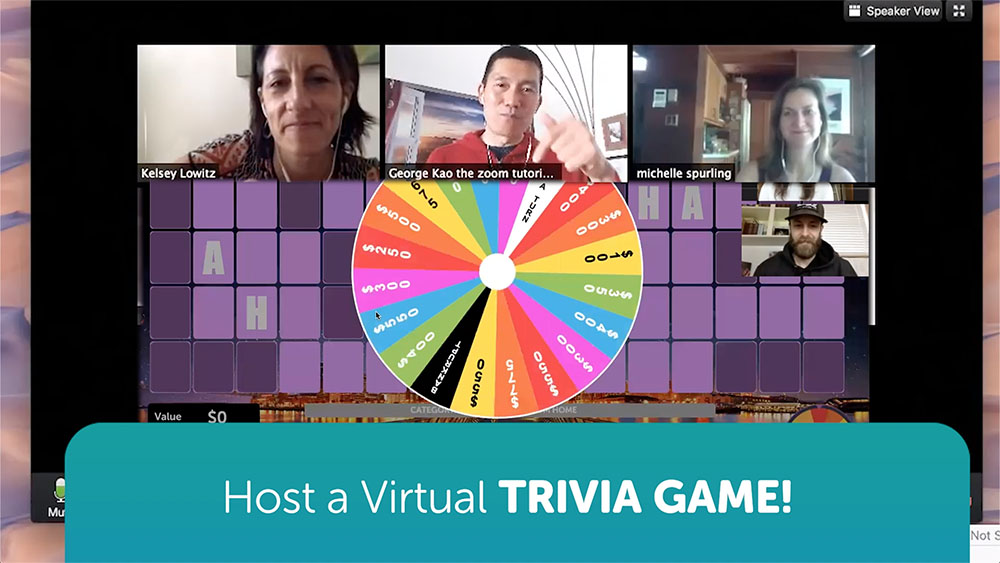
Replace Boring Training Slides With a 10-Minute Trivia Game People Actually Remember.
The average corporate training has a 10% knowledge retention rate 7 days later. A game-based session? Studies put it at 3–4x higher. You're not just making it fun - you're making it stick.
Higher Retention
Game-based learning activates recall. Competing for a leaderboard spot encodes information better than passive slide decks.
Faster Onboarding
New hires learn company values, policies, and team facts faster when it's a game. Onboarding trivia also breaks the ice on Day 1.
Instant Knowledge Gaps
See exactly which questions your team got wrong. Use the data to decide what needs reinforcing - without a formal assessment.
Genuine Team Connection
Shared competition builds rapport. A 10-minute trivia game creates more team energy than a 60-minute virtual "team building workshop."
😴 Traditional Training
- 60-slide PowerPoint nobody reads
- Post-course quiz filled out to pass, not to learn
- 10% retention after 1 week
- Zero real-time engagement signal
🎮 TriviaMaker Session
- 10-minute live game the whole team is focused on
- Live leaderboard = genuine competition & recall
- 3–4× higher knowledge retention
- Instant answer distribution - know gaps immediately
Simple Pricing for Teams of Any Size
From solo trainers to enterprise L&D teams - there's a plan that fits. All paid plans include a 7-day money-back guarantee.
- 3 game styles
- 20 Crowd Mode players
- Unlimited quizzes
- No custom branding
- No AI generator
- All 7 game styles
- 200 Crowd Mode players
- AI question generator
- Custom branding & logo
- Presenter View
- Shared game library
- Admin user management
- Up to 2,000 Crowd players
- Bulk discount pricing
- Organization branding
Real Teams. Real Sessions. Real Results.
Worked perfectly for our staff training day. People actually paid attention - first time that's ever happened with a training quiz. We'll use this for every onboarding now.
We ran a company-wide all-hands trivia session with 180 people on Zoom. Crowd Mode worked flawlessly. The leaderboard had people genuinely competing. Best 15 minutes of the quarter.
I use it for onboarding and the new hires love it. They learn our culture through a game and actually remember it. Setup takes me 10 minutes. The AI generator is incredible for building Q sets fast.
Questions Teams Usually Ask
Your Next Team Session Can Be the Most Engaging One Yet.
Free to start. No credit card. Your first quiz can be live in under 5 minutes.
500k+ users · 4.5★ rated · 10,247 reviews · 7-day money-back guarantee on all paid plans