
Are you exhausted from searching for student engagement tools that actually work?
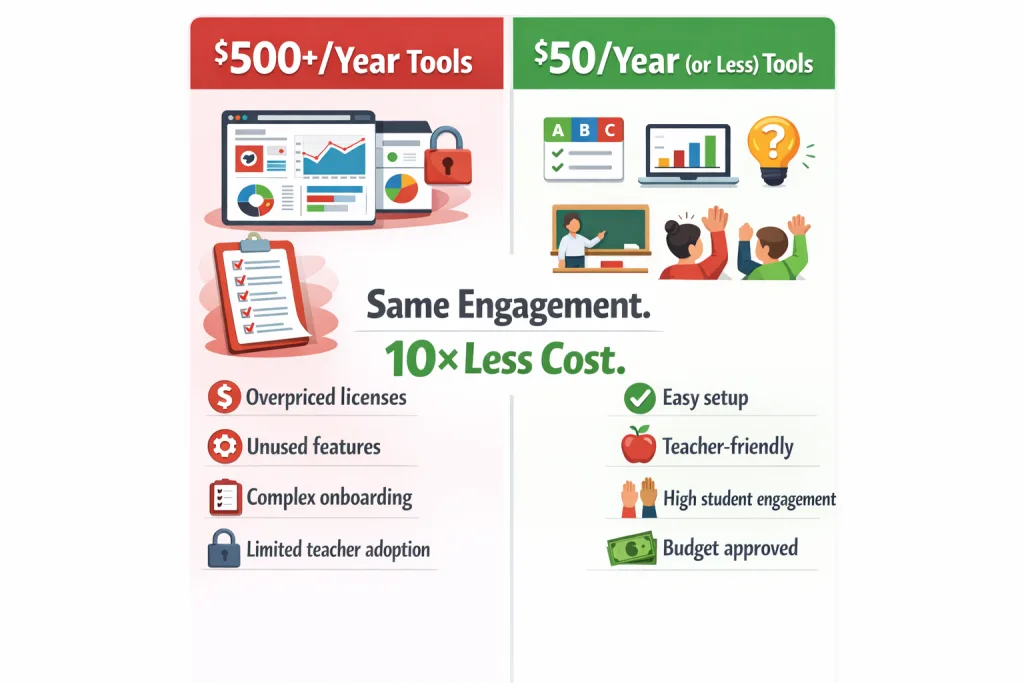
Teachers spend over $750 annually on edtech, yet most effective classroom engagement tools cost under $50 per year. In fact, several powerful online student engagement tools now offer completely free student engagement tools or low‑cost tiers (under $20/year).
Recent data shows only 33% of high school teachers view their students as highly engaged. The solution isn’t working harder – it’s choosing smarter tools for student engagement that improve participation without draining your budget.
That’s where modern digital tools to engage students like gamified platforms and AI-powered quiz makers that plug into Google Classroom and Zoom are transforming classrooms.
Read on to discover the top-rated student engagement tools for teachers that balance cost, simplicity, and real classroom impact.
💡 What You’ll Discover
- 12 proven classroom engagement tools with transparent pricing
- Real-world limitations of popular student engagement technology tools
- Free alternatives to expensive EdTech platforms, including Wordwall alternatives free
- Practical budget strategies for tools to increase student engagement
Learn how AI-powered quiz generators can reduce prep time while improving online student engagement tools performance in your classroom.
Top‑Rated Student Engagement Tools for Teachers – 2026 Comparison
This comparison of student engagement tools highlights the most popular classroom engagement tools used by teachers in 2026. These online student engagement tools are ranked based on cost, usability, and classroom impact.
If you’re searching for the best tools for student engagement in classroom settings, this side‑by‑side comparison covers both free and paid options that teachers actually recommend.
Compare the most effective tools for student engagement side‑by‑side.
| Tool | Best For | Annual Cost | Key Limitation | Free Tier |
|---|---|---|---|---|
| TriviaMaker | Custom quiz games & many more games | $19 | Minimal setup time | Yes |
| ProProfs Quiz Maker | Formal assessments | $19.99–$48 | Costs scale with students | Yes |
| MrNussbaum.com | Skill-based games | $29 | Dated game library | No |
| Kahoot! | Live quizzes | $36 | Feature limits on free | Yes |
| Seesaw | Digital portfolios | $48 | 1-class limit (free) | Yes |
| Boom Cards | Interactive practice | $49.99 | Premium maxes at $49.99 | Yes |
| Quizlet | Flashcards & study | Free | Core features free | Yes |
| Duolingo for Schools | Language learning | Free | Languages only | Yes |
| QuizStar | Auto-grading quizzes | Free | No premium tier | Yes |
| Slido | Live polls & Q&A | Free | Paid plans over $50 | Yes |
| Mentimeter | Interactive presentations | Free | Limited questions | Yes |
| Google Classroom | Assignment management | Free | No gamification | Yes |
⭐ Best free or low‑cost student response systems for small classrooms: TriviaMaker (free tier), Quizlet (free), QuizStar (free), and Slido (free) all work well with minimal budgets.
Advanced Tools for Student Engagement – Beyond Basic Quizzes
Modern advanced tools for student engagement include AI‑generated question banks, real‑time analytics, and adaptive difficulty. TriviaMaker’s AI quiz generator (mentioned above) is one example that saves prep time while keeping students challenged. It works as a real-time classroom engagement tool that gives instant feedback.
The Hidden Cost of Teacher Burnout
We know the exhaustion all too well for teachers using multiple tools for student engagement while trying to keep lessons exciting every week:
- Spending Sunday nights creating engagement activities using different student engagement tools
- Watching students lose interest even with interactive classroom engagement tools
- Feeling guilty about lessons that aren’t “exciting enough” despite using digital tools to engage students
- Worrying about shrinking budgets while needing better tools to increase student engagement
You’re not alone. Student engagement dropped across classrooms in 2024. However, the solution isn’t working harder – it’s choosing the right classroom engagement tools that actually improve participation and stick long‑term.
Essential Learning Management: The Free Foundation
1. Google Classroom – Zero-Cost Organization Hub
Google Classroom serves as a free learning management system for assignment distribution and basic student communication.
| Feature | Details |
|---|---|
| Price | Free |
| Best For | Assignment posting, basic organization |
| Limitation | No gamification features |
Teacher Reality: Elementary teacher Sarah manages three classes through Google Classroom. She posts assignments and collects homework at zero cost. However, students find it boring, so she layers engaging tools on top.
Pro Tip: Use Google Classroom as your organizational foundation, then add interactive student engagement tools for excitement.
Game-Based Learning: Most Powerful Classroom Engagement Tools
Looking for a quiz maker for teachers that turns review sessions into exciting competitions? These gamified learning tools are proven to boost participation by over 300%.
2. TriviaMaker – The Most Customizable Game Show Platform
TriviaMaker is an AI-powered quiz generator designed for educators and corporate trainers. Unlike basic quiz tools, it offers multiple unique game styles with unlimited customization options.
🎯 Why Teachers Choose TriviaMaker Over Kahoot:
| Feature | TriviaMaker | Kahoot! |
|---|---|---|
| Game Styles | 7 unique formats | 1 basic format |
| Customization | ✅ Unlimited branding & colors | ❌ Limited options |
| AI Generation | ✅ Built-in | ❌ Not available |
| Question Limits | ✅ None | ❌ Restricted on free |
| Annual Price | 💰 $19 Premium | 💰 $36 Bronze |
- ✅ No student login required
- ✅ AI-Powered Efficiency: Generate entire question banks from your curriculum in minutes – no more manual entry.
- ✅ True Customization: Add school colors, logos, background music, and videos to fully brand your games.
- ✅ 7 Game Styles: Grid, List, Trivia, Wheel, TicTacToe, Fusion, Hangman – keep engagement fresh all semester.
- ✅ Reusable Templates: Create once, use across multiple school years – huge time saver.
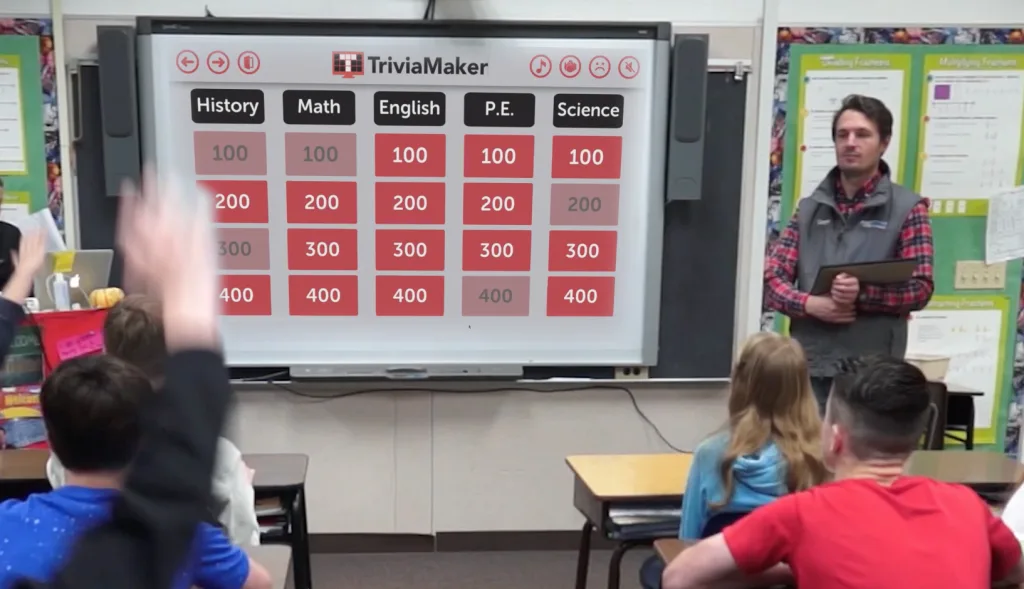
Stop Recreating the Same Quiz Every Week
Imagine creating one interactive quiz game in 15 minutes using a smart student engagement tool that you can reuse all year – fully customized to your curriculum.
💰 Free vs. Premium – What You Get:
- Free Tier: Basic games, limited AI generations, standard templates – perfect to try.
- Premium ($19/year or $6.99/month): Unlimited AI generations, tournament mode, custom branding, advanced analytics, priority support.
Premium Plus Plan
$99.99
/ year
Save 70% – first‑time signups only. Renews at regular price.
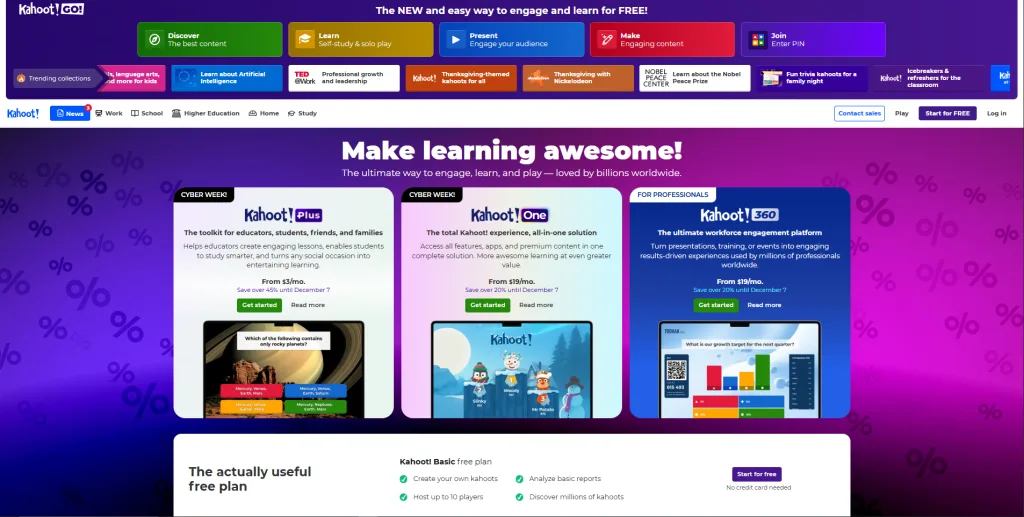
3. Kahoot! – The Live Quiz Classic
Kahoot transforms review sessions into competitive game shows with real-time leaderboards. Compare Kahoot price plans vs TriviaMaker – Kahoot’s paid plan starts at $36/year, while TriviaMaker Premium is only $19/year with more game styles.
| Feature | Details |
|---|---|
| Price | Free / $36/year premium |
| Best For | Live review sessions, competitive learners |
| Limitation | Free version limits questions and features |
When to Use:
- Friday review sessions
- Test preparation
- Morning energizers
When to Skip:
- Self-paced learning needed
- Detailed analytics required
- Large question banks necessary
Teacher Data: Schools report 78% higher engagement during Kahoot sessions versus traditional review methods.
4. ProProfs Quiz Maker – Formal Assessment Focus
ProProfs specializes in formal assessments and standardized testing preparation with robust grading features.
| Feature | Details |
|---|---|
| Price | $19.99 Essentials / $48 K-12 |
| Best For | Formal tests, compliance training |
| Limitation | Costs scale with student numbers |
Teacher Feedback: “ProProfs works great for semester exams, but it lacks the game-based fun that keeps daily engagement high. I use it for serious testing only.”
5. Quizlet – Flashcard Mastery at Zero Cost
Quizlet provides digital flashcards with multiple study modes including games and practice tests.
| Feature | Details |
|---|---|
| Price | Free (core features) |
| Best For | Vocabulary, memorization, self-study |
| Limitation | Advanced features require upgrade |
Why Students Love It: The mobile app lets students study anywhere. Moreover, pre-made sets save teachers hours of card creation.
Why Settle for Basic Quizzes When You Can Have Game Shows?
You’ve seen the free options. Now discover what makes TriviaMaker the #1 choice for teachers who need variety, customization, and results.
Smarter than Quizlet
Cheaper than both
Interactive Assessment & Polling Tools
6. Slido – Live Audience Engagement
Slido enables real-time polls, Q&A sessions, and word clouds during presentations.
| Feature | Details |
|---|---|
| Price | Free basic plan |
| Best For | Live polls, anonymous questions, assemblies |
| Limitation | Paid plans exceed $50/year |
Assembly Success: Middle school principal uses Slido for monthly assemblies. Students submit anonymous questions, increasing participation by 200%.
7. Mentimeter – Interactive Presentation Enhancement
Mentimeter embeds polls and quizzes directly into presentations with live visualization.
| Feature | Details |
|---|---|
| Price | Free (limited questions) |
| Best For | Professional development, parent nights, lectures |
| Limitation | Free tier caps question count |
Pro Tip: Perfect for staff meetings and parent engagement nights, not just student-facing activities.
Specialized Learning Platforms
8. Seesaw – Digital Portfolio Excellence
Seesaw creates visual learning portfolios that document student growth throughout the year.
| Feature | Details |
|---|---|
| Price | Free (1 class) / $48 unlimited |
| Best For | K-5 documentation, parent engagement |
| Limitation | Free tier too restrictive for most |
Is It Worth $48? Yes, for elementary teachers prioritizing parent communication. The cost equals just $1.85 per school week.
9. Boom Cards – Self-Checking Digital Activities
Boom Cards offers interactive digital task cards with automatic grading and immediate feedback.
| Feature | Details |
|---|---|
| Price | Free / $49.99 Premium |
| Best For | Independent practice, special education, centers |
| Limitation | Premium caps at $49.99 annually |
Special Ed Success: Teachers report Boom Cards work exceptionally well for differentiated instruction and self-paced learning centers.
10. Duolingo for Schools – Gamified Language Learning
Duolingo‘s teacher dashboard tracks student progress in gamified language learning.
| Feature | Details |
|---|---|
| Price | 100% Free |
| Best For | World language classes, ESL programs |
| Limitation | Limited to language learning only |
Language Teacher Praise: “Students voluntarily practice at home because it feels like a game, not homework.”
11. MrNussbaum.com – Skill-Based Educational Games
MrNussbaum provides a library of educational games covering math, reading, science, and social studies.
| Feature | Details |
|---|---|
| Price | $29/year |
| Best For | Elementary skill practice, computer lab time |
| Limitation | Game library feels dated compared to modern tools |
Budget Consideration: At $29 annually, it’s one of the pricier options without offering cutting-edge features.
12. QuizStar – Simple Quiz Creation & Auto-Grading
QuizStar offers straightforward quiz creation with automatic grading, completely free with no premium tier.
| Feature | Details |
|---|---|
| Price | Free forever |
| Best For | Quick quizzes, homework assignments |
| Limitation | Basic interface, limited customization |
When to Choose: Perfect for teachers needing simple, no-frills quizzes without learning complex platforms.
You’ve Compared 12 Tools – Now Pick the Winner
Don’t waste another Sunday building quizzes from scratch. TriviaMaker’s AI does the heavy lifting while you focus on teaching.
Frequently Asked Questions About Student Engagement Tools
1. What are the 4 C’s of student engagement?
The 4 C’s are Collaboration, Communication, Critical Thinking, and Creativity. Most classroom engagement tools address 2-3 simultaneously. For example, TriviaMaker combines collaboration through team mode with critical thinking via strategy-based gameplay.
2. How does TriviaMaker compare to Kahoot?
Kahoot excels at quick 10-minute reviews. TriviaMaker offers deeper game experiences with AI-powered quiz generation, 5+ game styles, tournament brackets, and unlimited customization for $19 vs. Kahoot’s $36. TriviaMaker is an AI-powered quiz generator designed for educators and corporate trainers. Compare Kahoot price plans side‑by‑side – TriviaMaker saves you 47% annually.
3. Which student engagement tools work best for remote learning?
Slido and Mentimeter excel at live virtual engagement. TriviaMaker’s virtual game rooms enable competition from home. Quizlet works perfectly for asynchronous study. Google Classroom manages remote assignments effectively. All these classroom engagement tools support hybrid and remote environments.
4. Are there hidden costs in free tools?
Yes. Watch for time investment (TriviaMaker requires 5-10 minutes setup), storage limits (Seesaw caps free tier at 1 class), feature restrictions (Kahoot limits questions), and upgrade pressure. Calculate time costs alongside financial costs when evaluating student engagement tools.
5. Can I combine multiple tools effectively?
Absolutely! Layer strategically: Google Classroom for organization, TriviaMaker for weekly games, Slido for live polls, and Quizlet for study. This costs under $20/year yet provides comprehensive functionality. Start with 2-3 classroom engagement tools and expand only when needed.
6. What are the best free or low‑cost student response systems for small classrooms?
For small classrooms on a budget, top choices include TriviaMaker (free tier with unlimited questions), Quizlet (free), QuizStar (completely free), and Slido (free basic plan). These are best free or low‑cost student response systems for small classrooms and also serve as a most affordable active learning platform for small schools because they require no per‑student fees.
7. Which are the best AI tools for interactive classroom sessions and student engagement?
The best AI tools for interactive classroom sessions student engagement include TriviaMaker’s AI quiz generator (creates questions from any curriculum in minutes), and platforms like Kahoot (limited AI) or Quizlet (AI‑powered flashcards). For top classroom interaction tools with quizzes and real-time feedback, TriviaMaker leads with live leaderboards and instant answer validation.
8. What are the best digital tools for student engagement in 2026?
The best digital tools for student engagement 2026 combine gamification, AI, and low cost. Our top picks: TriviaMaker ($19/year, 7 game styles), Kahoot (live quizzes), Google Classroom (free management), and Slido (live polls). For a complete list, see the comparison table above.
📚 Further Reading from TriviaMaker
- 10 Best Quiz Makers for Gamified Classroom Learning in 2026
- Kahoot vs TriviaMaker – Full Feature Comparison
- Blooket vs Gimkit vs Kahoot – The Ultimate Three‑Way Comparison
- Need to engage a whole auditorium? Best Kahoot Alternatives for Large Groups
- Winter & Indoor Classroom Games – Ready‑to‑Play Seasonal Activities
- Martin Luther King Jr. Day Trivia: Questions & Hosting Tips
- Kahoot Pricing vs TriviaMaker – Which Is More Affordable?
💳 No Credit Card Needed
↩️ Cancel Anytime