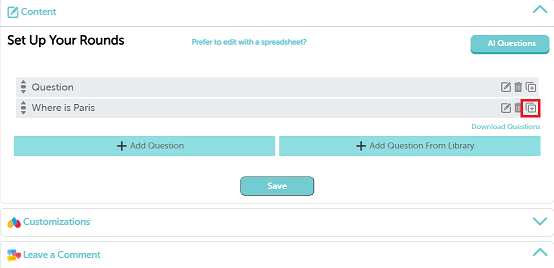
To clone questions from a quiz to the Question Library in TriviaMaker, follow these steps:
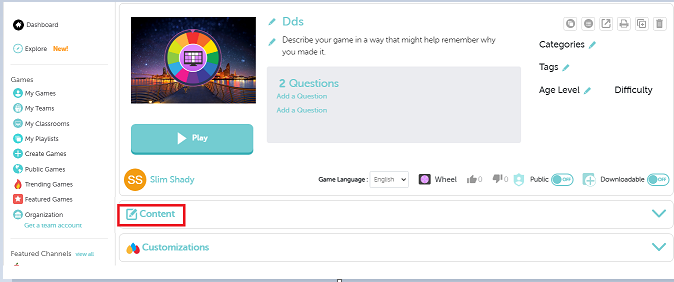
Step 1: Open you’re game that you have created.
Step 2: Click on “Content” and then you will see a “clone” option.
Step 3: After you click on the “Clone” option you’re game will be directly added to a “Questions Library”.